

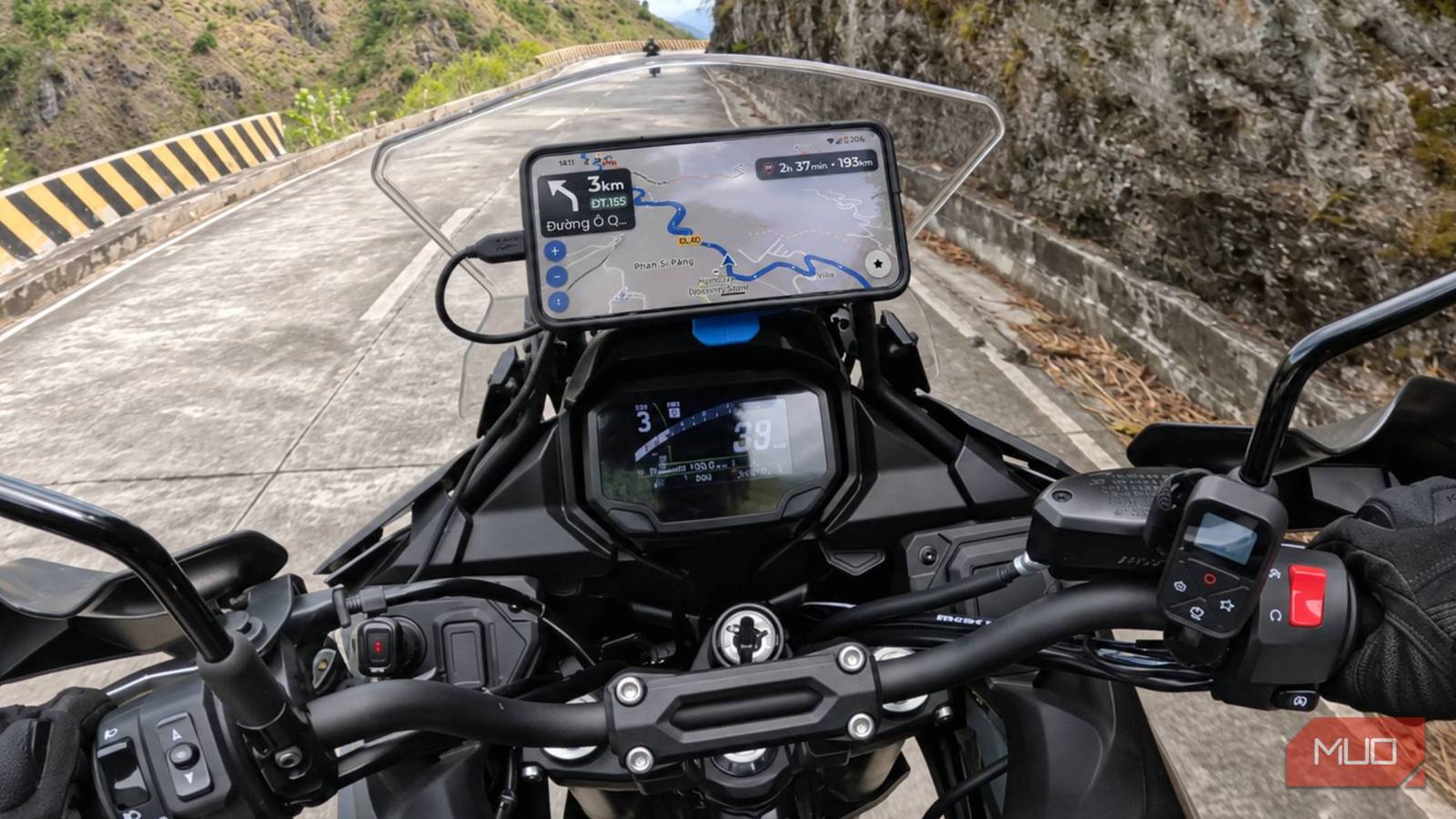

Whether you are an enthusiastic roadtripper, cyclist, or motorcyclist, you know there’s more to life than simply getting from A to B, and Google Maps and Waze usually prioritize efficiency over fun. For those of us who prefer taking the long way round, finding challenging routes, and soaking in the sights, another app has come across my radar that makes it all much easier.
Kurviger is the tool you may not have known you needed, but it might just change how you plan future trips.
One feature in particular caught my attention
Kurviger has a different approach to most apps, with a route planner that offers four profiles: Fastest, Fast and Curvy, Curvy, and Extra Curvy.
You can adjust how much you prioritize winding roads, with Extra Curvy pushing the experience furthest toward twisty routes. For motorcyclists who love banking through the twisties, this is going to be a game-changer, yet it offers benefits to car drivers and cyclists, or indeed anyone who prefers to take the backroads.
What’s more, its flexibility lets you tailor your journey to your tastes. For example, you might want to get through the first part of a journey quickly before switching to a more winding route for the scenic section.
Kurviger also lets you customize individual route sections, so you’re not locked into one profile for the entire trip. While Extra Curvy mode is likely not the best choice if you’re in a hurry (we have Google Maps for that), it offers impressive options for detours, and that’s the whole point.
Kurviger changes how I plan my journeys
The app makes exploring easier with round-trip planning
Kurviger’s biggest selling point is that you can choose your journey, instead of accepting the fastest route. While Google Maps lets you avoid toll roads and choose an alternative route, it treats winding roads as an inconvenience rather than something to seek out.
For motorcycle riders, this is where Kurviger shines. Roads with sweeping bends are considerably more enjoyable because they test your technical skills and, more often than not, offer better scenery and points of interest than straight highways and B roads.
Kurviger also offers automatic round-trip planning, which I think deserves more attention. You don’t even need a destination in mind; just choose your starting point, specify how far you’d like to travel, and Kurviger can suggest a circular route that brings you back to where you started. You can even adjust the direction and curvature preferences to fine-tune your results.
Round trip planning is great for when I have a free afternoon and want to get out on my bike without committing to a particular destination. Instead of repeatedly zooming in and out of Google Maps looking for interesting roads, I can let Kurviger suggest routes and pick one I like the look of.
There’s more to Kurviger than just route planning
Solid navigation and additional features make it more than a gimmick

I recently tested the excellent ApexRoute route-planning app, which suggests scenic routes and transfers them to Google Maps, but Kurviger takes this principle a step further. More than just a route generator, it also includes several features designed to make longer journeys easier.
Voice-guided, turn-by-turn navigation means you don’t have to keep looking down at your phone to figure out where to go next. You can record your rides, making it easier to revisit routes or share them with other users.
Downloadable offline maps are also supported, so when you find yourself in the back of beyond with no mobile coverage, the app keeps guiding you. Kurviger also includes petrol station searches, dynamic route recalculation, and support for Android Auto and Apple CarPlay, so it is a standalone product that doesn’t need to be used in conjunction with another service.
Some of these features, however, require a Tourer or Tourer+ subscription ($12.99 and $24.99 per year, respectively). These make Kurviger far more capable than a simple route-planning tool, and I’ll upgrade once riding season comes back around.
Is Kurviger actually better than Google Maps?
I won’t be abandoning Google’s navigation entirely

For everyday navigation, Google Maps remains my go-to navigation tool. Its many compelling features make it excellent for finding businesses, avoiding traffic, locating hotels and restaurants, and checking reviews. Kurviger, on the other hand, is much more specialized.
I also found a learning curve to mastering Kurviger’s curvy suggestions, and choosing more technical routes can make the journey considerably longer than necessary. You need to plan ahead if you want to use offline maps, and some advanced features sit behind a subscription.
This is why I’ll be keeping both apps. For day-to-day travel, Google Maps still reigns supreme, but when I’m planning my next adventure, I’ll let Kurviger take care of finding the scenic options and suggest the more technical roads that put my skills to the test.
While it won’t replace Google Maps, Kurviger offers plenty to keep it in my route-planning arsenal. Its Extra Curvy mode reminded me that navigation doesn’t always have to be about saving time, and that sometimes the best journey is the one that takes us somewhere unexpected, introduces us to unfamiliar roads, and makes us forget the destination.
For anyone who appreciates the roads less traveled, and especially for motorcyclists and thrill-seekers, I’d recommend downloading Kurviger’s free version. By the time you’re ready for your next ride, you’ll likely have several routes saved and be itching to try them out.
