

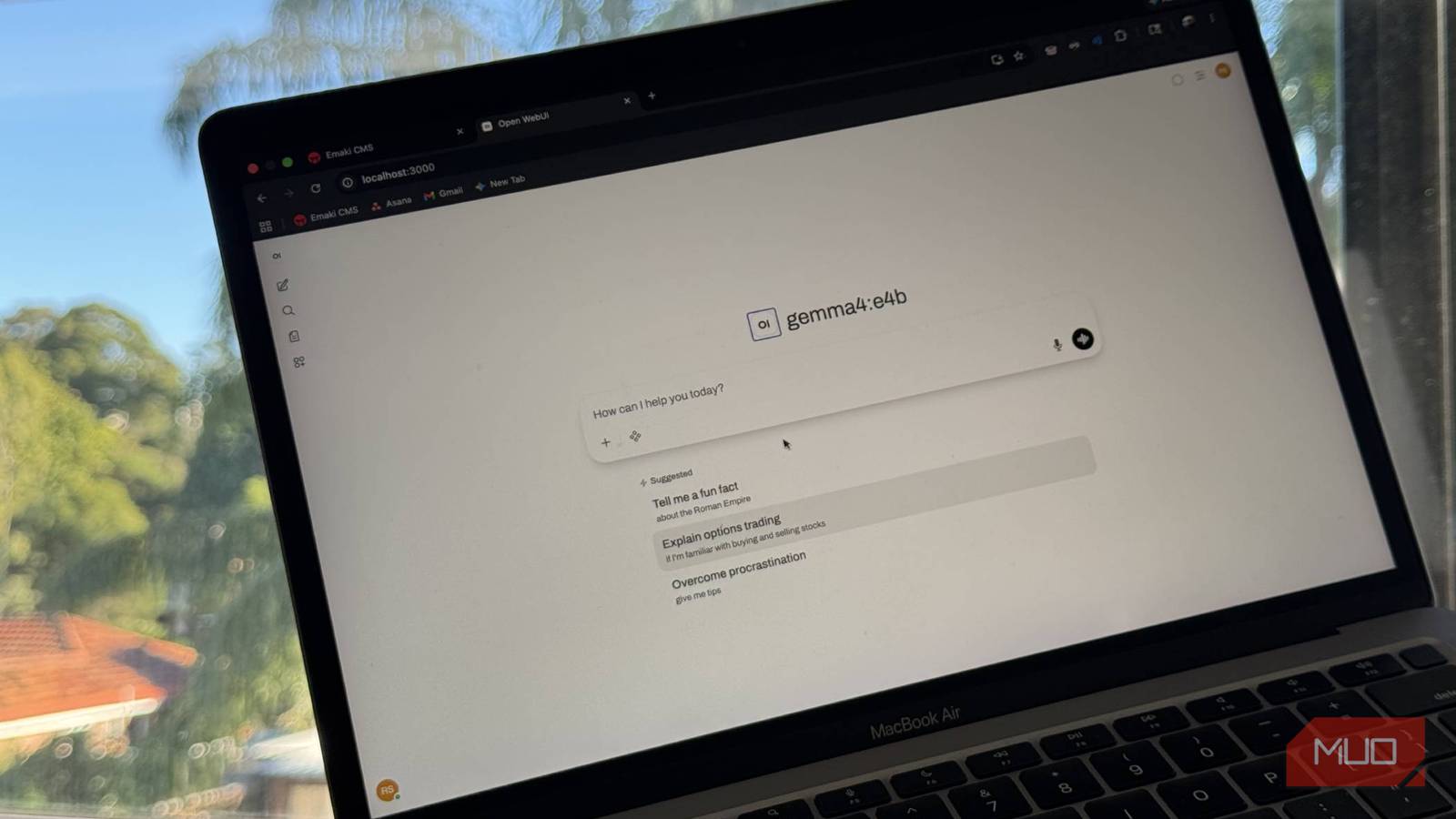

I’ve been really getting into running local LLMs lately, and Ollama has been a lifesaver. It’s a great tool, but I always felt like the interface left something to be desired.
So I started looking for a proper UI that hooks into it, and turns out there are actually a few decent options, and I think I’ve found the perfect one for me.
I hooked Obsidian to a local LLM and it beats NotebookLM at its own game
My notes now talk back and it’s terrifyingly useful.
Ollama is great… for developers
I want something prettier

Ollama is one of the best places to start with local LLMs. You just pull a model, run it, done. It also now has a desktop app, which is nice. But after using it for a while, I kept finding myself wanting more out of the experience, and the one thing that really bugged me was not being able to use it properly from my phone. That’s what eventually pushed me to Open WebUI, and I haven’t looked back.
To be clear, I still use Ollama. It runs in the background on my Mac mini, and everything else talks to it. That part is excellent. The desktop app, though, is fine. You get a chat window, your conversation history is there, you can drag in a file. It works.
What it doesn’t have is anything beyond that. For example, it has nothing to do with accessing it from another device. And the phone thing kept annoying me. I wanted to open the full interface from my phone when I’m not at my desk, and the Ollama app just doesn’t do that (no, I don’t want to SSH into my machine to access my hosted LLMs.)
The more I used it, the more it felt like a feature that was added because people kept asking for one, not something that was designed to be a daily driver. Which makes sense because that was never really the point of Ollama. It’s supposed to be infrastructure. It runs on a server; it serves the models. For the actual user-interface, I wanted an app that could hook into Ollama and just work seamlessly with it.
Setting up Open WebUI is super easy
Docker pretty much makes it ready to go
Open WebUI is free, open-source, and runs entirely on your machine. The easiest way to get it going is through Docker. If you already have Docker installed, you just need to run this command in your terminal:
docker run -d -p 3000:8080 --add-host=host.docker.internal:host-gateway -v open-webui:/app/backend/data --name open-webui --restart always ghcr.io/open-webui/open-webui:main
Then you open http://localhost:3000, create a local account, and you’re in. It finds your Ollama models automatically, so you can start chatting with your LLMs pretty much instantly.
The interface is pretty similar to ChatGPT. It has everything you would need, like persistent conversation history, a model switcher, and more. One thing to do right away: go into the model settings and bump the context window up from the default 2048 tokens to 8192 or higher.
5 useful things I do with a local LLM on my phone
Privacy aside, a local LLM is just really convenient.
Ollama’s default is set low for performance reasons, but it’s too low for anything beyond a quick back and forth. With a bigger context window, longer conversations stop losing track of what you said earlier, and document chat actually becomes useful.
There’s also a Controls panel on the side of every conversation that goes pretty deep if you want it to. Temperature, top-k, top-p, presence penalty, frequency penalty, seed, stop sequences, reasoning effort.
Most people will never touch any of it, and that’s fine. But it’s there, if you want to experiment with how a model responds without digging through config files, you can directly do that from the UI.
You can access it from any device
Yes, even when you’re not at home

The problem with running something locally is the “local” part. It requires a bit more setup to access it from outside your network. You could expose Open WebUI to the internet directly, but I wouldn’t.
Port forwarding on a home router, a public-facing server, all of that is more hassle than it’s worth and introduces problems I didn’t want to deal with.
Tailscale is what I use for this. Simply head to the Tailscale website, create a free account, and download the app on your home machine. Then install it on your phone too and sign in to the same account. That’s it, both devices now show up on your Tailscale network, and you can see each other from anywhere.

To find your home machine’s IP, open the Tailscale app, and it’s right there on the main screen, something like 100.x.x.x. Take that IP, open your phone browser, type 100.x.x.x:3000 and Open WebUI loads exactly like it does at home. I just bookmarked it on my phone and never thought about it again.
Once it’s set up, using it is simple. Open a browser on your phone, and type in your home machine’s Tailscale IP followed by :3000. To find your machine’s Tailscale IP, just open the Tailscale app on your home machine, and it’s right there on the main screen.
So in the end, your final URL will look something like 100.x.x.x:3000. Just enter that on any device connected via Tailscale, and that’s it! Now you’ll have the exact same UI on any other device, like your phone.
The fix for local LLMs was never a bigger model
My local LLM kept choking on context until I added this 500MB model.
One more thing worth knowing
Open WebUI isn’t restricted to Ollama either. You can point it at pretty much any OpenAI-compatible API, so if you don’t have the hardware to run larger models locally, you’re not stuck with small 4B models.
You can also use it with Nvidia BUILD, which lets you run really large open-weight models for free through their cloud. It’s a setup that scales with whatever hardware situation you’re in.
