


When deciding on a streaming device, you have a lot of options. Most people don’t need the insanely powerful Nvidia Shield TV which has a 256 core CPU.
By far the most economical options are streaming sticks; these sticks usually cost under $50 and simply plug into an empty HDMI port on the back of your television and are powered by one of the TV’s USB ports. They connect over Wi-Fi, and give you full access to all the streaming options you could ever want.
The vast majority of people will pick a Roku or Amazon Fire TV streaming stick, and while both are great choices and offer a wide variety of streaming apps and are paired with a great remote with voice input, you should be careful picking between streaming stick models — in both cases, you can pick the HD or 4K model.
While the 4K models are slightly more expensive (on average they’re only about $10 more), they’re not made for 4K TVs only. Even if you don’t have a 4K TV, getting the 4K model of streaming stick ensures you have the best streaming experience possible because these higher-tier sticks have more features and power that benefit the streaming experience whether you have a 4K television or not. Don’t make a mistake by picking the wrong stick.
I replaced my entire streaming setup with a $30 device and free apps
Embracing a simpler streaming setup can save you money and reduce subscription fatigue without sacrificing high-quality entertainment.
You should always pick the 4K option
Even if you don’t have a 4K TV. Here’s why

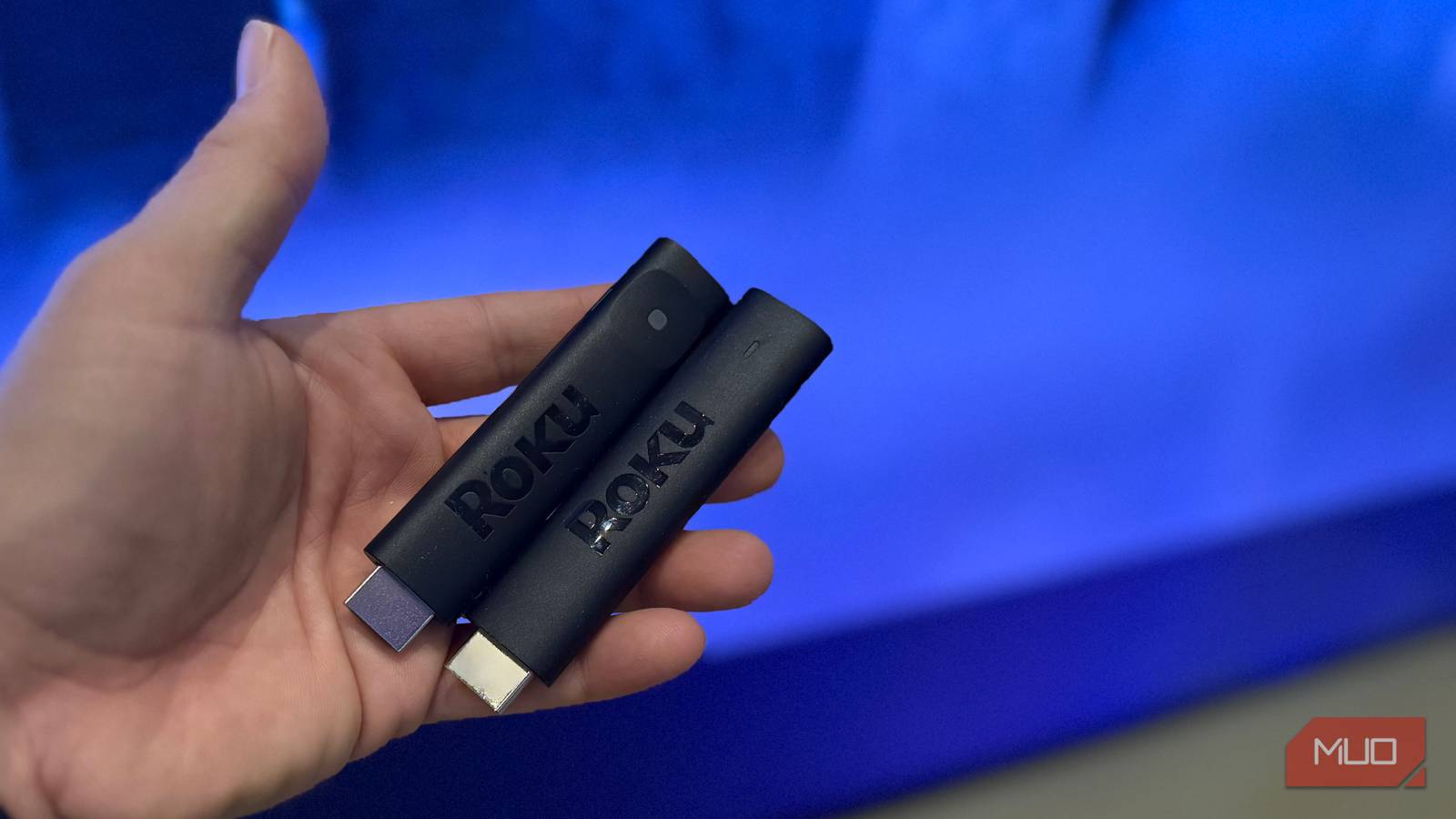
When you go with the Roku streaming stick 4K versus the HD stick, you get more. While the two look almost the same (and are pictured above, together), inside, there are key differences that make for a better streaming experience.
|
Spec |
Roku Streaming Stick (HD) |
Roku Streaming Stick 4K |
|
Max resolution |
1080p HD |
4K Ultra HD (2160p) |
|
HDR |
None |
Dolby Vision, HDR10+ |
|
Wi-Fi |
Standard |
Long-range receiver |
|
Typical price (US) |
~$30 |
~$35 |
When shopping for a Roku streaming stick, paying a little bit more (in this case, $5-$10 more) to get the 4K streaming stick means you get more features even if you don’t have a 4K TV.
The most notable is faster Wi-Fi, thanks to a longer-range antenna system. Not only that, but you get HDR on the 4K stick, including Dolby Vision and HDR10+, which gives you improved picture quality and greater dynamic range even if you don’t have a 4K television (though you must have a compatible HDR TV).
The experience is identical
You get the latest software whether you go HD or 4K

I should note that while you’ll generally get better specs with the 4K model, there is no difference in software between the two (besides getting faster performance on the 4K models because of better Wi-Fi and more RAM in the case of Amazon Fire TV sticks). But otherwise, whether you go with HD or 4K, you’ll get the latest version of Roku OS and Amazon Fire OS.
Both still need external power

Most streaming sticks plug into an HDMI port on the back of the TV but then require extra power (which you can get from any USB port on your TV or from a wall plug). In general, the 4K sticks will use USB-C for power, while the older HD sticks use micro-USB. While this is minor, it’s worth noting.
4K streaming devices give you more
Faster CPU, better graphics, and even better Wi-Fi and sound
|
Spec |
Fire TV Stick HD |
Fire TV Stick 4K (2nd Gen) |
|
Max resolution |
1080p Full HD |
4K Ultra HD |
|
HDR |
HDR10, HDR10+, HLG |
Dolby Vision, HDR10, HDR10+, HLG |
|
RAM |
1GB |
2GB |
|
Wi-Fi |
Wi-Fi 5 |
Wi-Fi 6 |
|
Bluetooth |
5.0 + BLE |
5.2 + BLE |
|
Best for |
1080p TVs, travel |
4K HDR TVs, primary setup |
|
Typical price (US) |
~$35 (often ~$22 on sale) |
~$50 (often ~$30 on sale) |
If you’re looking at Amazon’s Fire TV sticks (which you can tweak to make faster), the difference between the HD and 4K sticks is more significant. Opting for the 4K stick (which costs just $9 more at the time of this article) gives you more RAM, faster Wi-Fi, Dolby Vision (for improved HDR and picture quality, if your TV supports it), and even slightly faster Bluetooth (if you’re connecting Bluetooth headphones or controllers).
While most of these upgrades are relatively minor — the doubling of RAM is not. Having 2GB of RAM on the 4K stick versus 1GB on the HD base model means that menus will load faster and videos overall will have less buffering.
The price difference is relatively tiny
Spend a little bit more to get more power

In the near future, you probably won’t even be able to buy HD streaming sticks — they’ll all be the 4K model with the better internals. For some reason, when you go to buy a Fire TV or Roku streaming stick, you still have the option to save a few dollars and get the inferior HD model.
If you can afford it, you should opt for the 4K model even if you don’t have a 4K TV, because doing so will give you additional features, better wireless performance, and overall a better experience with less lag and less buffering, because the 4K models have better internals.
