


I’ve used an Apple Vision Pro headset for two and a half years, and to be frank, it hasn’t delivered the $3,500 experience I expected. After my very first Vision Pro demo, I had high hopes that the VR headset could become an integral part of my computing workflow. As a tech journalist, I’m often away from my desk. When I’m out in the world testing new gadgets or covering launch events on the ground, I leave my fine-tuned desk setup behind for a basic laptop. I thought the Vision Pro headset would help me match my at-home productivity from anywhere in the world, but that hasn’t been the case.
In fact, I don’t bring Vision Pro with me on most trips. It’s still the best screen for movies and TV shows I’ve ever seen, but it isn’t a computing workhorse. The bulk and hassle of packing Vision Pro in my carry-on bag outweighed the benefits, so I returned to using my small laptop screen once again. That is, until I tried modern smart display glasses. These glasses aren’t perfect, and I’m going to dive into all their flaws, but they’ve fit into my mobile workflow better than a headset ever did.
Vision Pro let me down as a virtual monitor
The displays still aren’t as sharp as I’d like, and the FOV is limited
First, let’s unpack why the Vision Pro was so underwhelming as a laptop display. The issues actually start with the headset’s passthrough feature. Apple touted the quality of the two high-resolution main cameras used for passthrough video. The cameras record your environment, send the live feed to the Vision Pro’s reality coprocessor, and the processed version eventually makes it through to the headset’s displays. Ideally, the passthrough video quality is convincing enough that you forget you’re wearing a headset, and your spatial windows look like they’re literally floating in space.
Vision Pro’s passthrough video works best in superb lighting conditions, like an Apple Store with tons of artificial light. Take the headset home, though, and you’ll notice grainy and low-resolution passthrough video. I’ve found that this poor passthrough video quality, paired with the limited field of view (FOV) and large light seal, ruins the Mac Virtual Display effect. It’s obvious in all but the best conditions that you’re wearing a headset and are not truly immersed in your environment.
For those unfamiliar, Mac Virtual Display is the Vision Pro feature that lets you use the headset as a virtual display for your Mac. It’s entirely wireless, which is part of the problem. Unless you pay for an Apple Developer Program membership and a pricey Developer Strap, you won’t have a USB-C port on the headset to connect directly to your Mac. This limits the quality and responsiveness of Mac Virtual Display, and you’ll notice the latency in typical use.

But the biggest issue is the resolution. Apple Vision Pro supports Mac Virtual Display streaming up to 5K for Apple silicon machines and up to 3K for supported Intel models. This doesn’t account for pixel density, though. VR headsets and smart display glasses can be evaluated with pixels per degree (PPD), a specification that tells you how many pixels fill a degree of the viewer’s field of view. Apple’s Vision Pro headset has a PPD of roughly 34.
Compare that to my MacBook Pro screen, with a pixel density of 254 pixels per inch (PPI) and a typical viewing distance of 1.5 feet, and the difference is stark. Under these standard conditions, the MacBook Pro screen has a PPD of about 85, which is more than double that of my Vision Pro headset. Technical specs aside, this means that my Vision Pro headset offers more screen space than my laptop, but it isn’t nearly as sharp. I found myself wondering why I was lugging around a VR headset just to get a lower-quality viewing experience than my laptop itself.
XR glasses offered the perfect trade-off
Worse resolution and FOV, but much better design and comfort
Smart display glasses have the same problem as my Vision Pro headset. While their display resolution looks alright on paper, they aren’t nearly as sharp after accounting for perceived viewing distances. In fact, the sharpness of text on a pair of smart glasses will be worse than a headset. However, XR and AR glasses get enough right that I’m willing to accept the sharpness trade-off. It starts with the price — even premium display glasses with high resolutions can be had for well under $1,000. I paid more than triple that for my Vision Pro.
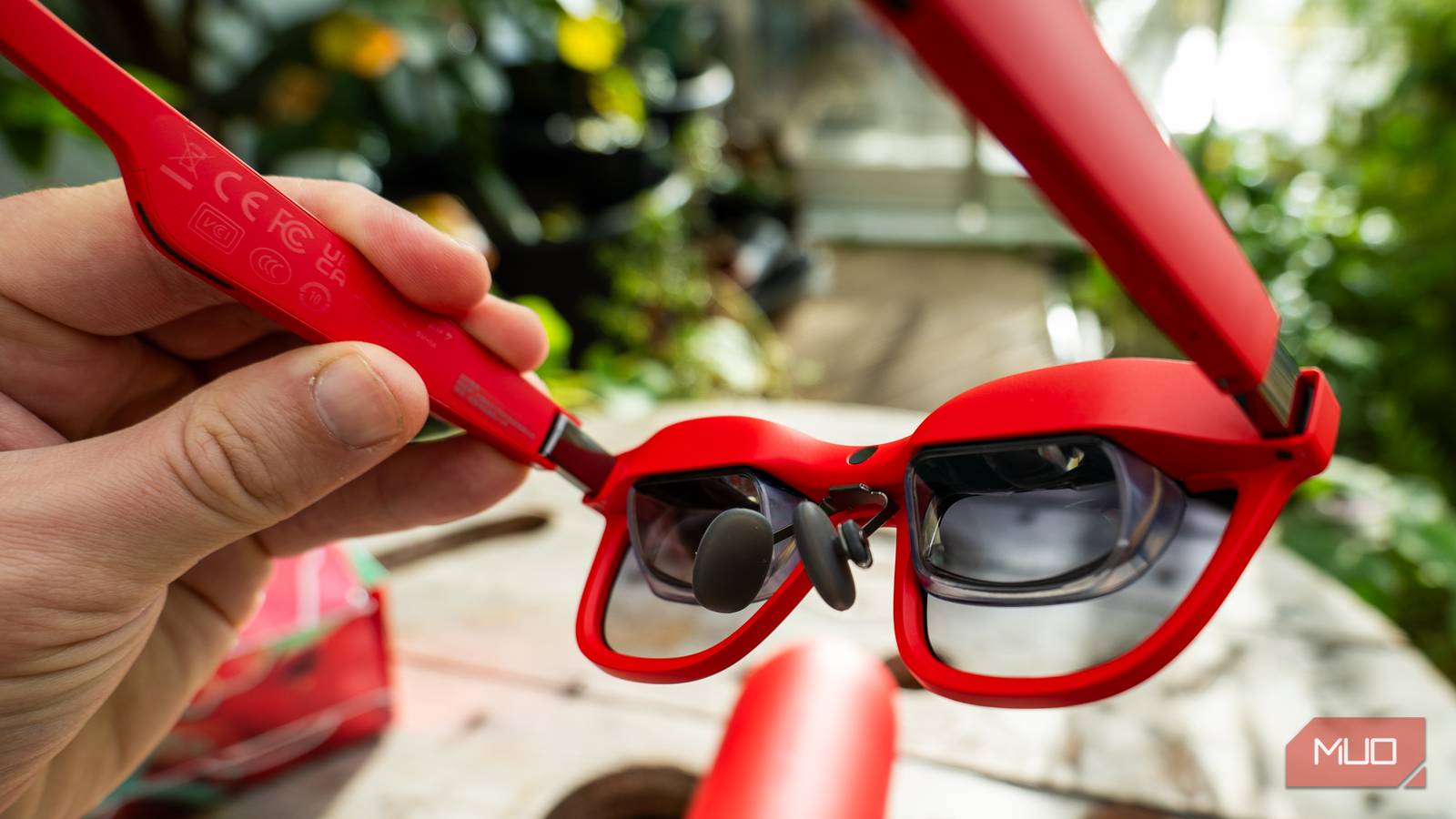
And yet, these display glasses manage to solve a few of my major gripes with Mac Virtual Display on Apple Vision Pro. They’re typically connected to your source device with a USB-C cable, which offers lower latency and better reliability. They don’t attempt to deliver passthrough video. Instead, their cameras are merely used for depth-of-field tracking and spatial positioning. Aside from the small frame of the glasses, I retain my complete peripheral vision. And with transparent lenses, I can look past the virtual screen with my own eyes.
The form factor can’t be understated, either. I can fit a pair of display glasses and their USB-C cable comfortably in my pocket. I’ve used them in cars, on trains, and while flying at 30,000 feet in the sky. They’ve become my companion in hotel rooms, and really anywhere I need to get work done. I never mastered the art of taking Vision Pro with me in the same way. The headset is too large, and too fragile, to fit comfortably in my bag. I couldn’t pull it out in an airplane economy seat without elbowing my neighbors, so it stayed stowed away until I reached my destination.
That somewhat defeats the purpose of having a portable wearable screen. In the end, I found myself consistently choosing to bring a pair of display glasses with me on trips for work instead of my pricey Vision Pro headset.
Nothing beats a traditional monitor in sharpness
If resolution and perceived pixel density are priorities, skip wearable screens

I won’t overlook the flaws of smart display glasses. Their sharpness really isn’t that great, and while text is legible on many mainstream models, that’s the best I can say about it. You should know that resolution is a compromise when picking smart glasses over a headset, especially when premium options like the Vision Pro are in the mix. However, I’ve written this entire article using a pair of Viture Beast display glasses. They can be used for work, if you value the perks and accept the trade-offs.
The takeaway here should be that nothing beats a traditional monitor. After factoring in the perceived distance of virtual screens, they’re not as sharp as they appear on paper. If you have a modern phone, laptop, or monitor, you already have a screen sharper than the best glasses and headsets in terms of PPD.
I’ve used many headsets and smart glasses, and I’ve come to the conclusion that headsets compromise too much while lacking in portability and price. Smart glasses, by comparison, help me get work done while being smaller, lighter, and more comfortable.
