

Close Menu

    Subscribe to Updates

    Get the latest Tech news from SynapseFlow

    What's Hot

    Cambridge Audio L/R M gets free RoomMagic room correction

    November 11, 2026

    The Pixel 11’s Rambler feature is the voice typing upgrade Galaxy phones don’t get

    November 11, 2026

    4 things I wish I knew before getting a Fitbit Air

    November 11, 2026
    Facebook X (Twitter) Instagram
    • Homepage
    • About Us
    • Contact Us
    • Privacy Policy
    Facebook X (Twitter) Instagram YouTube
    synapseflow.co.uksynapseflow.co.uk
    • AI News & Updates
    • Cybersecurity
    • Future Tech
    • Reviews
    • Software & Apps
    • Tech Gadgets
    synapseflow.co.uksynapseflow.co.uk
    Home»Tech Gadgets»4 things I wish I knew before getting a Fitbit Air
    4 things I wish I knew before getting a Fitbit Air
    Tech Gadgets

    4 things I wish I knew before getting a Fitbit Air

    The Tech GuyBy The Tech GuyNovember 11, 2026No Comments4 Mins Read1 Views
    Share
    Facebook Twitter LinkedIn Pinterest Email
    Advertisement


    To say that I’ve been impressed with the Google Fitbit Air is a bit of an understatement. To date, it is the only tech device in 2026 that I’ve awarded a perfect score to, thanks to its combination of functionality, affordability and utility. Put simply, it’s a device that does everything it needs to, with no extra bells and whistles, at exactly the right price point.

    Advertisement

    However, as I enter my third month with the device, there are some things that I’ve noticed about my time with the Google Fitbit Air that I wish I would have known on day one. I still stand by my original perfect score, but if you’re thinking about picking up one of these lightweight trackers, knowing some of these additional details ahead of time could make all the difference in how much you get out of your device.

    Where you wear it matters

    Don’t skew your data

    An image of the Fitbit Air

    One of the things I loved about the Fitbit Air initially was that I could strap it on my wrist and start using it immediately. However, what I didn’t know was that to get the most accurate results you need to set which hand you wear it on in the Google Health app. In order to fix this error, I simply had to tap the device icon in the upper-right corner and then select Device preferences followed by Wrist preference. I wear my Fitbit Air on my left hand, so I needed to select Non-dominant from this menu since I am right-handed.

    Don’t put it on too tight

    It’s not comfortable, and your readings will be skewed

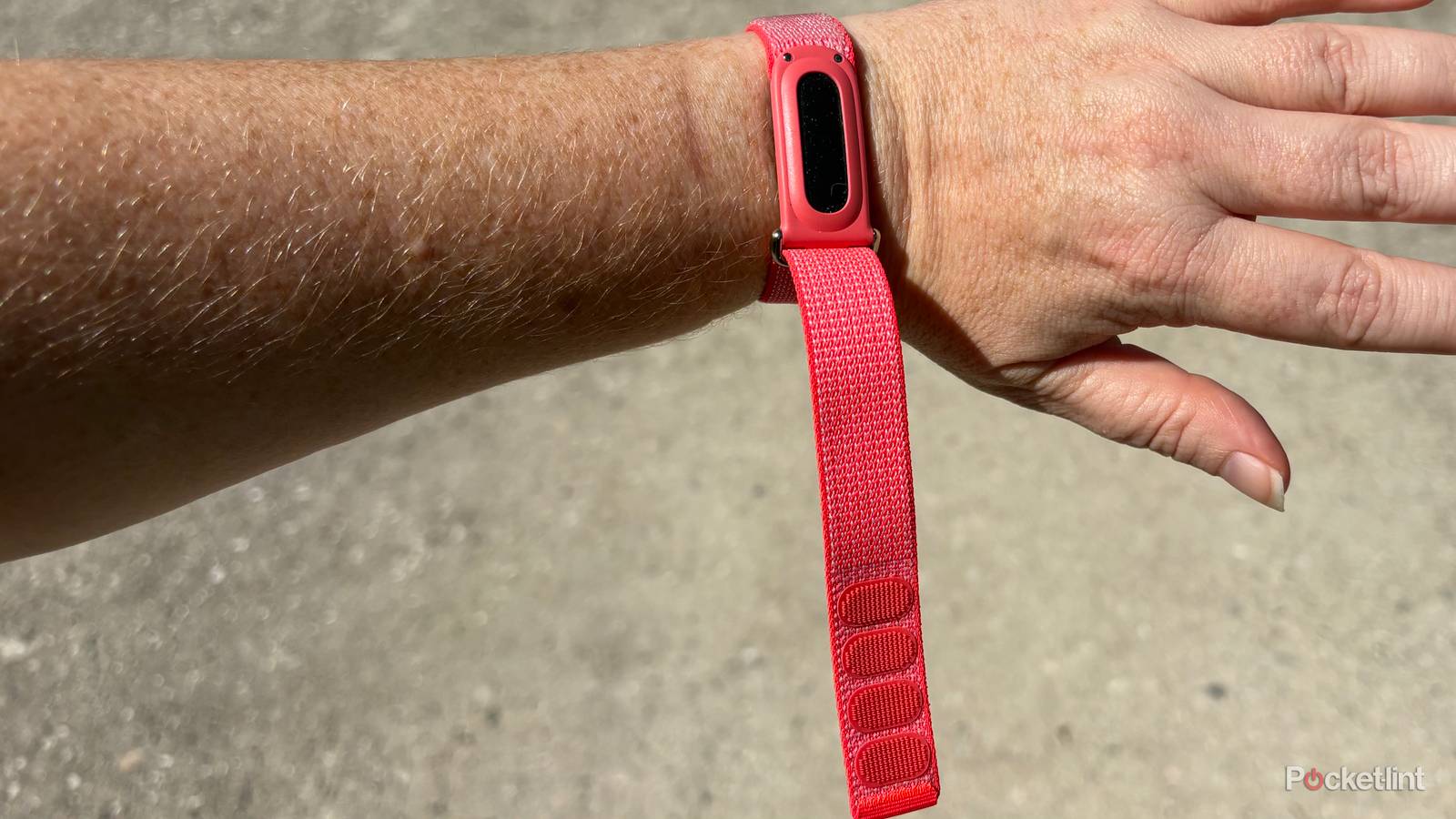
    An image of the Fitbit Air on a wrist

    Though it is tempting to wear a Google Fitbit Air as snugly as possible against your wrist, doing so can not only cause discomfort, it can also mess up your heart rate readings as well. Google recommends that users the band loosely enough that it can move back and forth on your wrist during the day and during light workouts like walking. A good rule is to ensure that there is enough room to fit a pinky under the strap when it is being worn during everyday use.

    During heavier exercises, when the looser fit might interfere with your activity, users can move the band higher on their wrist (2-3 finger widths above the wrist bone) to get a better fit so it’s secure. Once finished though, it is important to remember to lower the band on your wrist and loosen it after exercise.

    You can customize Google Health’s interface

    Get a glance at the information you need

    Google-health-screenshots

    When I first started using the Google Health app I was a little overwhelmed by all the information that I could access. I spent a long time going through the various menus and metrics, and important numbers often required several taps to find. However, I recently learned that you can customize the app’s interface to prioritize the metrics on the home page that matter most to you.

    To do this, tap the edit button in the Today view, then choose between Standard and Expanded. From here you can add extra focus targets, remove unwanted metrics, or rearrange how the data is presented. Then tap the back arrow to save your layout.

    Specific workouts need to be started in the Google Health app

    The Google Fitbit Air can detect when you walk or run, but not much else

    An image of a woman on a Kayak Credit: Image via Unsplash

    Another thing that I loved about the Fitbit Air right out of the box is that it automatically detects when I’m out for a walk or a jog, which are my two most popular workouts. However, if you’re doing something outside of these two activities that you want specifically tracked, like kayaking or weightlifting, you’ll need to start your workout in the Google Health app first, as the Fitbit Air isn’t the best at automatically sensing these kinds of activities.

    An image of the Fitbit Air

    Heart Rate Monitor

    Yes

    Notification Support

    No

    Battery Life

    7 days

    Integrations

    Google Health

    Display

    none

    Mobile payments

    No


    Advertisement
    Share. Facebook Twitter Pinterest LinkedIn Tumblr Email
    The Tech Guy
    • Website

    Related Posts

    How to watch Get Huge: Looksmaxxing to Death online from anywhere – stream the docuseries now

    November 11, 2026

    Adobe’s AI assistant learns to work in the background, and Google is helping out

    November 11, 2026

    Nothing’s mysterious upcoming device shows off a record button in new teaser

    November 10, 2026

    Apple TV’s newest 8-episode thriller has an insane twist I can’t stop thinking about

    November 10, 2026

    Most Brits don’t think their bank is doing a good job at stopping fraud

    November 10, 2026

    Samsung Galaxy Watch8 is now receiving the update to One UI 9 Watch based on Wear OS 7

    November 10, 2026
    Leave A Reply Cancel Reply

    Advertisement
    Top Posts

    You don’t need a NAS to self-host — I proved it with hardware from my closet

    June 7, 2026394 Views

    Spotify is giving one of its best playlists a big visual upgrade to give subscribers ‘a closer connection’ to its New Music Friday curators — and I think it could be the update it’s always needed

    June 12, 2026213 Views

    The iPad Air brand makes no sense – it needs a rethink

    October 12, 202518 Views
    Stay In Touch
    • Facebook
    • YouTube
    • TikTok
    • WhatsApp
    • Twitter
    • Instagram
    Advertisement
    About Us
    About Us

    SynapseFlow brings you the latest updates in Technology, AI, and Gadgets from innovations and reviews to future trends. Stay smart, stay updated with the tech world every day!

    Our Picks

    Cambridge Audio L/R M gets free RoomMagic room correction

    November 11, 2026

    The Pixel 11’s Rambler feature is the voice typing upgrade Galaxy phones don’t get

    November 11, 2026

    4 things I wish I knew before getting a Fitbit Air

    November 11, 2026
    categories
    • AI News & Updates
    • Cybersecurity
    • Future Tech
    • Reviews
    • Software & Apps
    • Tech Gadgets
    Facebook X (Twitter) Instagram Pinterest YouTube Dribbble
    • Homepage
    • About Us
    • Contact Us
    • Privacy Policy
    © 2026 SynapseFlow All Rights Reserved.

    Type above and press Enter to search. Press Esc to cancel.

    Ad Blocker Enabled!
    Ad Blocker Enabled!
    Our website is made possible by displaying online advertisements to our visitors. Please support us by disabling your Ad Blocker.