


Lately, I’ve become something of an open-source nerd. I previously shared some open-source apps that have been around for at least two decades, and then a handful of new open-source apps that were worth your weekend.
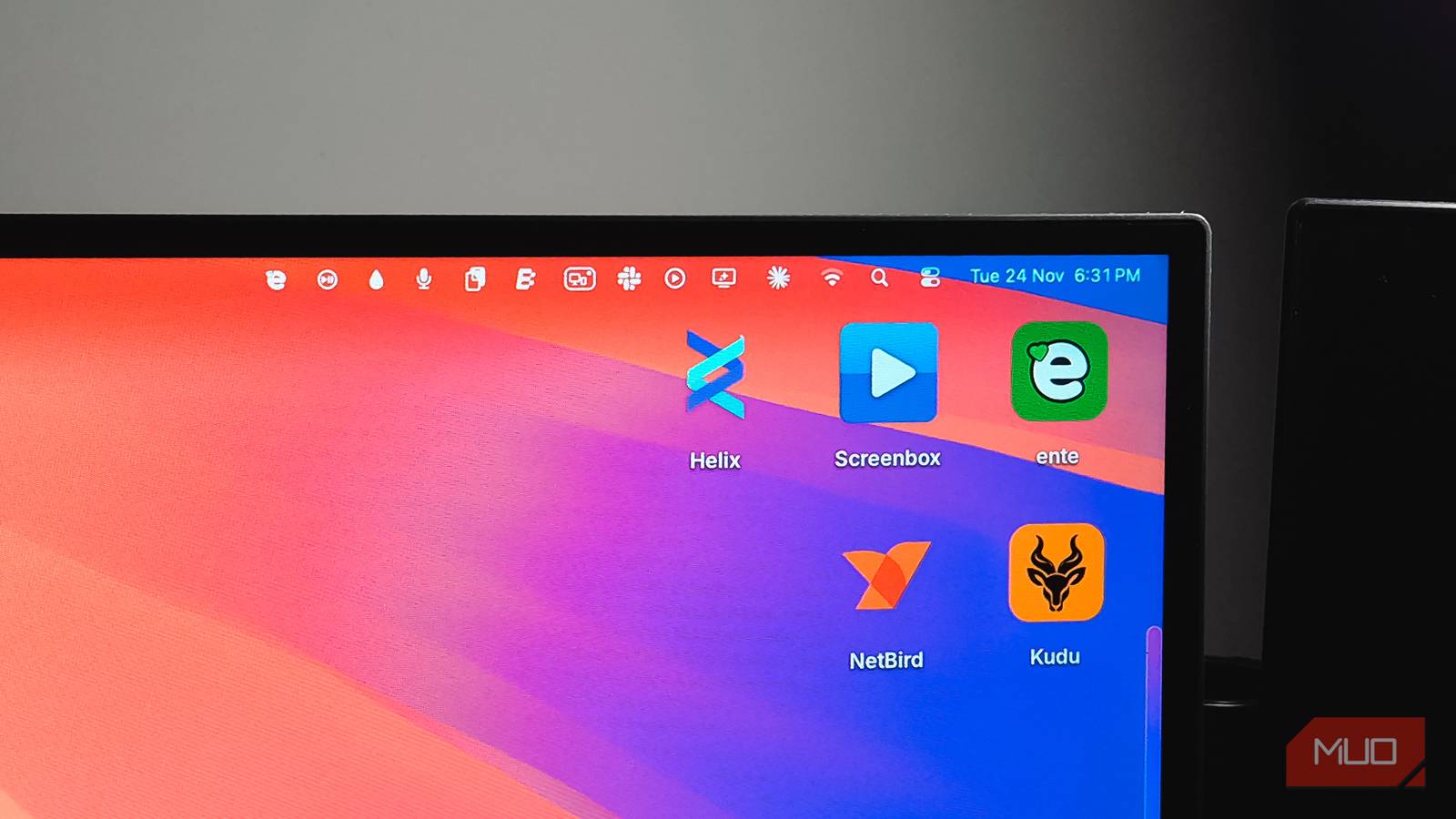
Continuing my series of open-source apps worth trying this weekend, I’ve found another set of underrated picks. This includes an end-to-end encrypted backup that can replace Google Photos, a modern Rust-based code editor, a beginner-friendly Tailscale alternative, a multi-purpose system cleaner, and a video player that’s fast, lightweight, and feature-rich.
Ente
Encrypted cloud storage for your photos, 2FA codes, and documents
Ente has been around for a few years, but I still think it’s an underrated service that more people need to know about, especially if you’re in the middle of degoogling. Ente (GitHub) is an open-source, end-to-end encrypted cloud. It encrypts your files on your device before uploading them, so not even Ente can see what you store.
Ente has built three apps on top of the service:
- Ente Photos: An alternative to Google Photos and iCloud Photos. It offers face detection, semantic search, shared albums, and family plans. You get 10GB of free storage, then pay for anything more.
- Ente Auth: A 2FA authenticator app and an alternative to Authy. It’s completely free and uses the same end-to-end encryption to sync your codes across devices.
- Ente Locker: An end-to-end encrypted locker for your documents, login details, and notes, with emergency access for trusted contacts. The free plan lets you keep up to 100 items, or 1,000 items if you already pay for Ente Photos.
Since Ente’s servers can’t read your photos, face detection and search run on your own device. On a big library, initial indexing takes a while.
Helix
A Vim-style terminal editor that works out of the box

Where Ente is about protecting your data, Helix is about saving your time. Helix (GitHub) is an open-source alternative to Vim that does most things right out of the box, without needing you to configure anything. To put that into context, my Neovim config runs close to 300 lines of Lua, whereas my Helix config is about 30 lines of TOML.
Helix is a text editor that runs in the terminal and is written in Rust. It isn’t the newest app on this list, but it’s updated consistently. Like Vim, it’s modal, where one mode is for typing text, and another is for moving around and editing, which keeps everything keyboard-centric. The difference is that Helix selects first and acts second, so you see exactly what a command will touch before it runs.
Helix comes with built-in Language server support, giving you autocomplete, go-to-definition, renaming, and error checking in many languages. Tree-sitter handles accurate syntax highlighting and code-aware navigation. You also get multiple cursors for editing several spots at once, plus a fuzzy picker for files, symbols, and errors. When you run into errors, Helix lists them for the current file or the whole project in a table you can filter by column.
What I didn’t like is the lack of marks and the weaker repeat command. The dot key only repeats your last insert, not a full edit like it does in Vim.
NetBird
A self-hostable Tailscale alternative that builds better habits
Often, Tailscale is the default way to remotely access a home lab without exposing your ports, but NetBird (GitHub) offers similar protection without tying you to someone else’s cloud.
Both create a private WireGuard network between your devices. The difference is how they start you off. Out of the box, every device on a Tailscale network can see every other device. You can lock that down with access rules written in JSON, but most people only get around to it after they’ve built a wide-open, flat network.
NetBird starts you with groups and access policies, so you think in roles like servers, clients, and IoT devices from day one. You can also self-host the whole thing, including the management service, signal server, and relays.
Tailscale still wins on polish. Its apps are more mature, and it supports pfSense, Synology, and even Apple TV. If you only want to stream from your media server or SSH in from anywhere, Tailscale is arguably the better choice.
Kudu
One free cleaner for junk files, startup apps, updates, and storage
If you want to keep one system cleaner that finds junk files, manages startup apps, shows which folders are hogging your storage, and updates or uninstalls apps, Kudu (GitHub) is a good place to start. It’s free, open-source, and works on Windows, macOS, and Linux.
It has three main features. System Cleaner finds and deletes temporary and junk files, while Startup Manager stops apps from launching when you sign in. In my testing, Kudu recovered 24GB of storage taken up by temporary and system files, and it cleaned up my cluttered context menu too.
Second, software tools let you bulk install updates for apps and drivers, uninstall apps along with their leftovers, and remove preinstalled bloat. Finally, Disk Analyzer shows which folders take up the most space, alongside tools to find duplicate and large files.
The debloater only targets a fixed list of known OEM and Store apps so that it won’t catch everything. And deleting system files always carries some risk, so create a restore point before your first big cleanup.
Screenbox
A clean, VLC-powered video player for Windows

Windows has plenty of excellent video players, including VLC and PotPlayer, but all of them feel cluttered. Screenbox is built on LibVLC, the same engine as VLC, so it handles the same wide range of formats. It wraps them in a minimal, clean interface.
What you’ll also like is the little preview feature. Select a video in your library, and it starts playing in a small preview, so you know you’ve picked the right file. It also uses YouTube-style keyboard shortcuts, so if you already use them in your browser, navigating Screenbox will feel familiar.
Picture-in-picture plays a video in a small overlay, so you can keep doing other things while it plays in the corner of your screen. The app scans your PC for media automatically, but you can add more folders from Settings.
The catch is that Screenbox is Windows-only. You’ll find it on the Microsoft Store, and it runs on Xbox too, but there’s no Mac or Linux version.
The two apps I’m keeping
After testing all five, Ente and Screenbox are the two staying on my machines. Ente is the one I’d recommend to anyone due to its encrypted storage, and Screenbox is now my default video player. Kudu is equally impressive, but it’s something you install on demand when your drive fills up, not something I’d keep around.
For Vim fans, Helix is as good as the original, except it doesn’t need a weekend of configuration to get going. And if you’re looking for a beginner-friendly Tailscale alternative, NetBird is worth a shot.
