


I love me a good music player, especially on Windows, where I have pretty much tried all the popular options at least once. That curiosity comes with the territory of being a self-confessed audiophile. I poke around, I tinker, I uninstall a lot. Many of the options out there feel bloated or dated, while others never quite get the balance of features and finesse right.
I recently stumbled across Harmonoid, and you definitely need to stumble on it too. This open-source app surprised me in ways that make me grin. It’s free, clearly alive and evolving, and after spending some time with it, I find it hard to imagine going back to the usual suspects.

- OS
-
Windows, Linux, Android, macOS
- Developer
-
Hitesh Kumar Saini
- Price model
-
Free (open-source; paid plan available)
Enjoy your music collection with Harmonoid, a sleek and modern open-source music player. It delivers fast performance, beautiful visuals, and smooth playback across platforms.
Harmonoid’s interface makes managing your music library actually enjoyable
All the controls you want, none of the bloat you don’t
From the moment Harmonoid launches, it’s clear this isn’t another Windows music player recycling decade-old design ideas. The interface leans fully into Material Design principles, buttons land where your brain expects them to, and every animation has a reason to exist rather than existing for flair.
Your library is organized into clean, clearly labeled sections across the top: Albums, Tracks, Artists, Folders, and Playlists. The Albums view presents your collection in a spacious grid that lets artwork shine without turning the screen into visual noise. Even with more than 700 albums in my library, scrolling through them feels buttery. Sorting options stay tucked neatly out of the way, making it easy to switch between alphabetical order and ascending and descending views.
Switching to the Tracks view reveals a more detailed layout, with columns for Title, Artist, Album, Genre, and Year. It makes digging through massive libraries effortless. I’m managing over 3,400 tracks, and locating a specific song literally takes seconds. The search bar filters results in real time, surfacing what I’m looking for as I type. If a song’s info is wrong, I can fix it on the spot: the built-in tag editor lets me edit music metadata like titles, artists, album artwork, etc., right in the app.
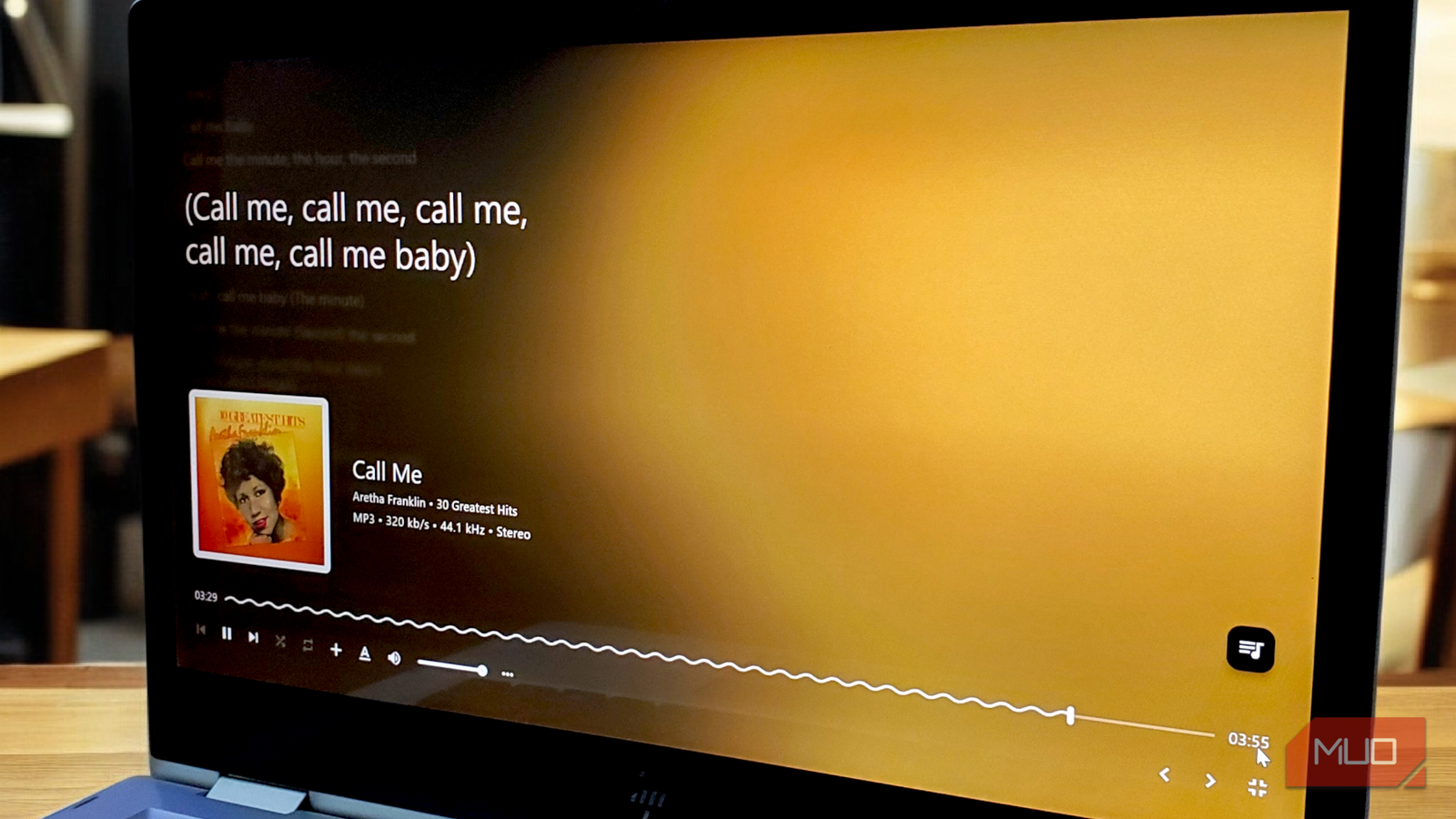
When you click on a track to play, Harmonoid handles playback without disrupting browsing. The now-playing bar lives at the bottom, showing album art, track info, and even format details. When you click it, it expands into a full now-playing view with a soft gradient pulled straight from the album art. The artwork sits proudly on the left, while the track details spread across the center, immersive without being distracting. On the right, when you click the playlist button, it displays your entire queue, with the current track highlighted and numbers what’s coming up next. You can drag songs around, remove them, and take control of your offline music library with a precision that streaming apps often lack.
Audio controls live behind the three-dot menu on the playback bar, and you get independent sliders for playback speed, pitch, and volume boost, so quieter recordings can get a lift without distorting. Crossfade is also available, with a configurable range of 2 to 30 seconds for smooth transitions. You can also turn on ReplayGain to keep volume levels consistent across your library, and if you really want to get serious, enabling exclusive audio mode gives Harmonoid more direct access to your hardware.
Harmonoid balances power user features with everyday usability
Advanced features hide politely until you actually need them
A beautiful interface means nothing if the player struggles with the basics, but Harmonoid excels where it counts. The library management system indexes music quickly and reads metadata correctly. It handles multiple artists per track, splits genre tags properly, and manages various date formats without issues. Lyrics work exceptionally well. Time-synced lyrics appear on the now-playing screen and animate smoothly with the music, fading in at precisely the right moments. Harmonoid fetches lyrics automatically from online sources, with the option to add or edit them manually when needed.
In settings, you can add multiple folders to your library, refresh or re-index at will, and configure album parameters to control organization. The “Edit album parameters” dialog lets you group albums by title, album artist, or year, showing that the developer recognizes that people organize differently. There’s also a stats table that shows exactly what’s in your collection: my 3,437 tracks span 729 albums from 726 artists across 188 genres.
Under display customization, you can toggle between light and dark themes, adjust Material Design intensity (I use level 3), and control animation speed precisely. The “Now playing” section offers options to adjust the lyrics size (I landed on 28 out of 64 sizes), tweak background images, change alignment, and even pick fonts. There’s also a color palette mode that adapts interface colors to match the currently playing album artwork.
Performance-wise, unlike Electron-based players that run a web browser in the background, Harmonoid is built with Flutter/Dart and uses libmpv (not a heavy Electron backend), which makes it really snappy without gulping RAM. Media keys work exactly as they should, and the taskbar thumbnail controls let you pause or skip tracks without even opening the app.
Rounding things out, Harmonoid also supports Last.fm scrobbling to track listening history and Discord Rich Presence to share what you are playing with friends. None of these feels tacked on. It’s just there when you need it.
Open-source, high-res, and really cool
There’s no shortage of open-source music players, but Harmonoid is the one that keeps pulling me back because it manages to balance substance with delight. It isn’t a streaming service in disguise or a bloated, everything-and-the-kitchen-sink media hub. It knows exactly what it is: a focused, local music player that treats your collection right and makes even the small moments of browsing, organizing, and listening enjoyable.
