

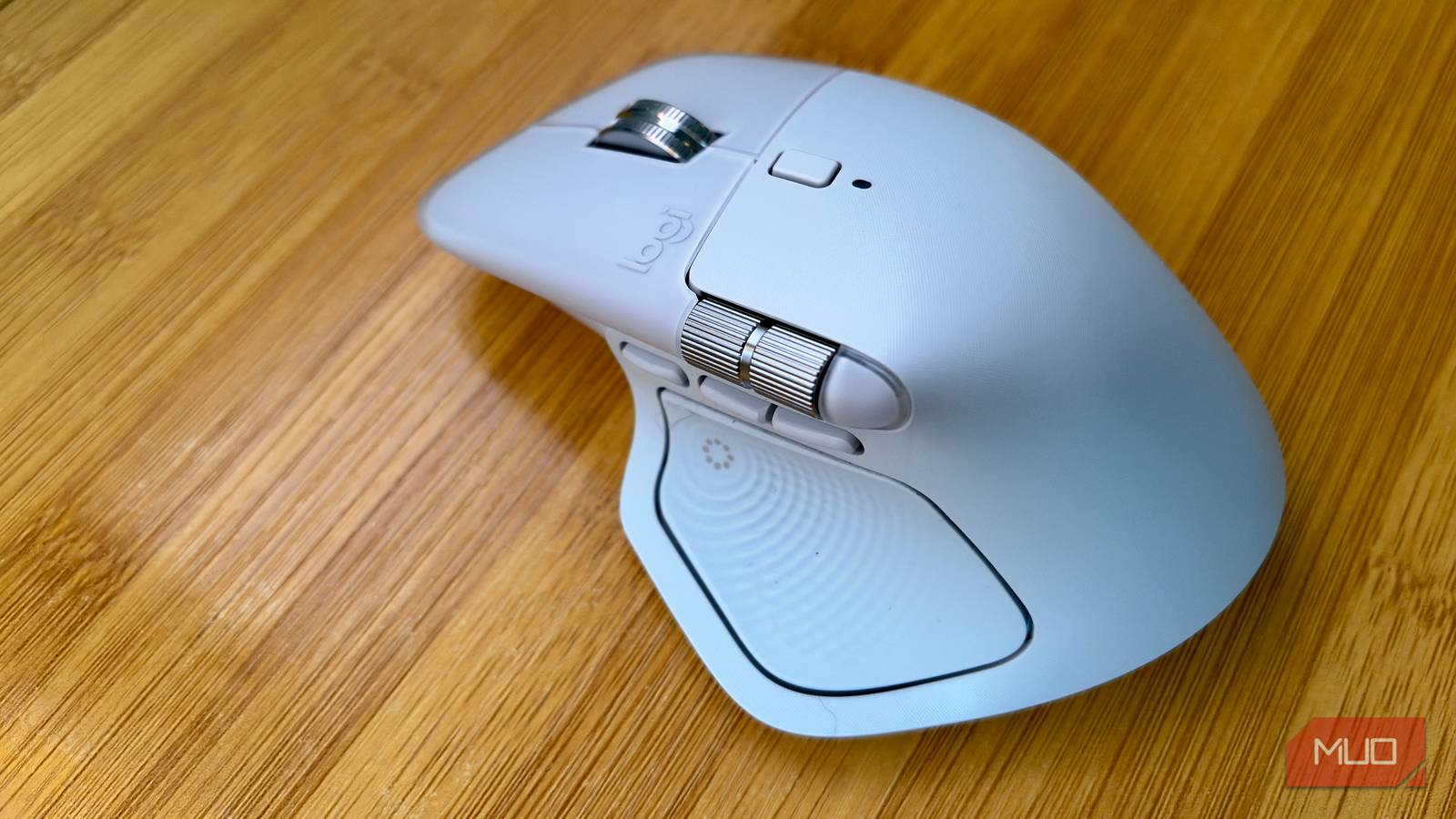

I recently upgraded from an MX Master 3 to the latest MX Master 4, excited to try out the new features. Then, when I tried to install Logitech’s mouse driver software, Options+, I ran into a snag. It wouldn’t install at all. Several days later, I’m still waiting to walk through the steps I need to take to fix the issue, but in the meantime, I found this great open source software called OpenLogi.
Not only does it let me customize all the buttons on this fancy mouse, it makes my haptics work without a Logitech account or Options+ software.
Logitech’s top mouse leans on Logitech’s heaviest app
What the MX Master 4 brings to the desk

I loved my MX Master 3, so was super excited to try out this new model. For $119.99, you get an adjustable 8,000 DPI sensor that can track on glass, a MagSpeed wheel rated for 1,000 lines per second, and a 650mAH battery that the company says will last 70 days (and can give you about three hours of use with a one-minute charge). It’s Bluetooth or Bluetooth or RF dongle-compatible, and has a whopping eight buttons, including the new Haptic Sense panel.
Logitech says that haptic intensity and any third-party haptic plugins require Options+. The much-vaunted (and hotly anticipated) Actions Ring is software-based, too.
Sure, the mouse works fine without the software, at least for basic functions, but I wanted all the extras.
OpenLogi talks directly to the mouse
Active development is a good thing

OpenLogi is a Rust app that talks HID++ over RF (Bolt), Unifying, Bluetooth, or USB. The bindings sit in one plain TOML file, and there’s no account needed. Plus, it won’t track your usage via any telemetry systems.
It works on macOS (where I’m testing it), Linux and Windows, while the latter is the more recent port and has a few more rough edges, according to the developer. It was originally macOS-only and came with 37 built-in actions; now it runs on all three platforms and lists 44 actions.
If you used Options+ previously, you’ll have to quit it first; only one app can manage the mouse at a time.
The haptic panel works without Logitech’s app
Where I felt the buzz

OpenLogi added the MX Master 4 haptic panel as a first-class control in August, then added Action Ring haptic fixes and a press-force setting for the panel in October.
I haven’t mapped anything to the panel yet, because I’m just excited to have the Action Ring activate when I hit the side button on my mouse. It’s got Cut, Copy, and Paste starting at the top and going clockwise, then browser forward and back, then a Play media button near the bottom. Undo and Redo finish out the ring, and each button gives a little buzz back to my thumb. It’s lovely, and it’s one of the new features I wanted with this mouse purchase.
Windows users, take note: the mouse supports native Windows 11 haptics, but only if you’ve installed firmware 27.3.19 or later via Logitech’s Options+ software first.
Options+ still does things OpenLogi can’t
The side-by-side
|
Feature |
Logi Options+ |
OpenLogi |
|---|---|---|
|
Button remaps, DPI, SmartShift |
Yes |
Yes |
|
Per-app profiles |
Yes |
Yes (Linux on X11/XWayland only) |
|
Actions Ring |
Yes |
Yes, with per-app editor |
|
Haptics |
Intensity plus Marketplace plugins |
Panel control, ring haptics, press force |
|
Smart Actions, Flow |
No; Flow is on the roadmap |
|
|
Firmware updates |
Yes |
No |
|
Settings backup |
Cloud, with an account |
Copy the TOML file |
|
Linux |
Yes |
|
|
Reassign gesture role |
No |
|
|
Import Options+ settings |
n/a |
Not yet |
Why should you care about this open-source software if Logitech’s Options+ works for you? It’s a single point of failure, for instance, and an expired certificate is what broke it for macOS in January. Its own updater couldn’t push the fix, either, which is how I ended up with a broken app. It’s also good to support open-source software in general.
Options+ is more polished and covers Logitech’s full productivity lineup, from mice and keyboards to webcams and the MX Creative Console. OpenLogi’s support is broader in one odd direction: it also handles some G-series gaming gear that normally needs GHub, like my C922 Pro Stream Webcam.
A different option for Windows users, if you just want to remap your buttons, is X-Mouse Button Control, though it doesn’t work with the haptics or SmartShift (the feature that flips the scroll wheel from notched to free-spin automatically when you scroll fast).
Logitech’s app can stay off my computer
OpenLogi does everything I need it to do for my MX Master 4 mouse. For now, I’m keeping it to manage my mouse functions as I continue to explore new ways to use it. I’ll likely keep Options+ around just for firmware updates, but I’m in no hurry to fix the expired firmware issue.
I’m excited that an open-source app has become as good as (and better in some ways) than the company’s recommended software. Try OpenLogi for yourself and see what you think.
