


PC cooling methods probably sound roughly as interesting to folks who aren’t into building their own rigs as the concept of touring a museum entirely dedicated to the history of asparagus. For those of us who love to put together custom desktops like they’re assembling extremely techy Lego, though, installing a liquid cooler can be a joy.
I wasted the longest time installing uninspiring air coolers while putting together PCs over the years. Even though I’ve been building rigs since 2004, I only started to go down the liquid cooling route around five years ago. Looking back, I wish I’d gotten into this carbonite cool tech a long time ago.
Through a combination of conduction and convection, liquid cooling is better for your PC than the older school mechanical fan method for several key reasons. Let me explain.
Liquid coolers are better than fans, here’s why
Quiet, efficient, and kinder on your CPU

The big upsides of pairing your CPU with a liquid cooling solution compared to fans? More effective heat dissipation, lower noise levels (a point I’ll circle back to), and the most important factor… liquid coolers normally look awesome.
The only real drawbacks of liquid CPU coolers? They’re often far more expensive than traditional processor fans, and they’re a little trickier to install. Thankfully, upgrading to a liquid cooler is up there with tweaking CPU bios settings when it comes to maxing out your processor’s potential.
How I wish I hadn’t let that last “drawback” put me off buying a liquid cooler for the myriad of gaming-focused CPUs I’ve owned over the past 15 years. While I feared my occasionally clumsy sausage fingers would mess up installing a liquid cooling system, when I was eventually brave enough to give a Corsair cooler a go, it was a doddle to put in place.
How to install a liquid CPU cooler
Tips for keeping your processor chill

The trickiest part of installing a liquid cooler inevitably revolves around its pump. This is the beating heart of liquid cooling your CPU. Attached to a fan that will normally be screwed above your motherboard, the pump needs a mounting bracket before it will play nice with your CPU socket.
Of the three liquid coolers I’ve owned (and I’ll get to my current model in a moment), each has included a bracket, so in my experience, it’s not something you have to buy separately. Normally, decent coolers will include two mounting brackets: one for Intel and the other for AMD processors.

More Cores or Higher Clock Speed? Here’s How to Choose a CPU
Does your new CPU need more cores, or should it have a faster clock speed?
Once you get past the slight hurdle of screwing your mounting bracket to your motherboard, the remaining steps are fairly simple. Align the cooling pump, secure its fans in place, connect the pump cables to the AIO_PUMP or CPU_OPT headers on your mobo, and the installation is done. Your pump should come with CPU thermal paste already applied, taking a messy task off of your hands.
If you’ve previously sat on the fence regarding liquid coolers because you were afraid of installing one, rest assured that it’s a pretty easy process. You got this.
NZXT makes the most awesome coolers around
Unleash the Kraken

I freakin’ adore my current CPU cooler. Though I loved my previous Corsair H100x RGB Elite, my new pump is next level. Let me introduce you to the NZXT Kraken 240 RGB AIO CPU Liquid Cooler. Rolls right off the tongue, doesn’t it?
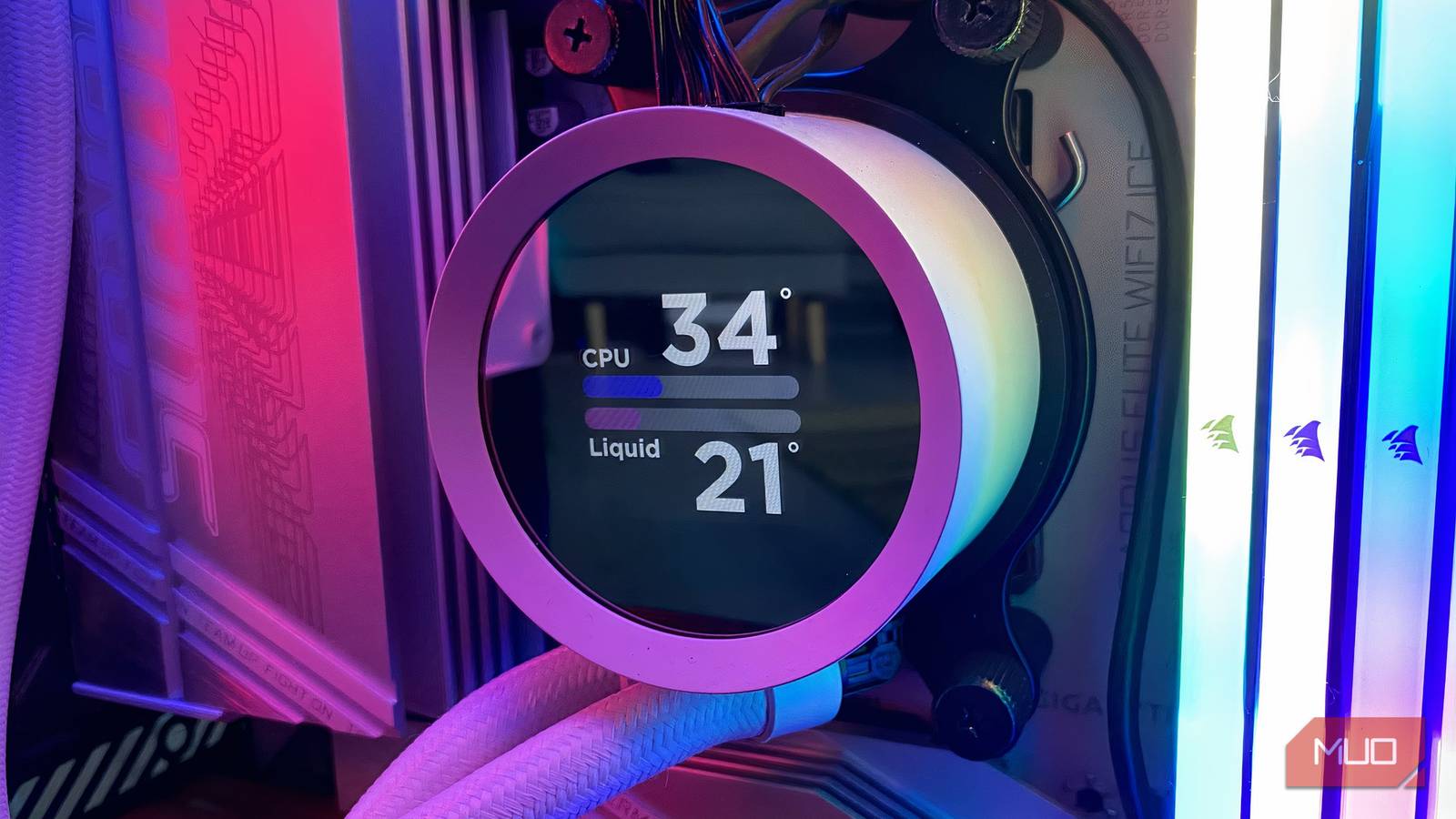
The NZXT Kraken can be summed up in two words: “decadent” and “efficient.” The latter is because it runs at the sort of frostbite CPU temps that should keep my AMD Ryzen 7 9800X3D healthy for years to come — usually in the low 30s degree range, depending on the processing task. The former is because I can literally see what temperature my cooler is running at with the briefest of glances, thanks to its built-in screen. Also, this is what makes AMD X3D processors so good.
The NZXT Kraken stands out so much in the liquid cooler crowd in large part thanks to that aforementioned LCD pump display. The cute little screen shows the precise temp your CPU is running at by default, but if you tweak it using NZXT’s excellent CAM software, you can set this incredible cooler to display custom videos or gifs.
Currently, my pump’s screen shows a flashy, looping video of the Kraken’s component parts. Trust me, it looks a lot more exciting in practice than that description sounds.
Liquid coolers can run incredibly quietly
A cooler’s software can also help banish noise

The CAM app might be the main reason I adore the NZXT Kraken to quite the extreme level I do. It’s fantastic. With intuitive presets that allow you to run your cooler and any subsequent NZXT fans in either silent or performance modes or at a fixed speed/temp, this app has made playing the best PC games an absolute delight on my RTX 5090-powered rig.
I’ve previously built PCs that didn’t make much noise, even while playing the most demanding of Steam titles at 4K/120 FPS, but nothing quite like my NZXT Kraken setup. This liquid cooler is so efficient, my PC runs at such a low decibel level, it makes a tiptoeing field mouse sound louder than a 2026 Oasis reunion gig held at Manchester City’s Etihad Stadium.

The Best Liquid Cooling Kits for Your PC in 2024
Keep your PC cool no matter if you’re playing games or working on a graphic design project.
As someone who lives and breathes PC hardware, I can say in no uncertain terms that my NZXT Kraken is one of (quite literally) the coolest components I’ve ever installed. Certain old CPUs are more valuable than ever, making it important to protect your processor with an effective cooling method.
If you’re stuck with a noisy air cooler and are thirsting after an upgrade, I promise you won’t regret leveling up to liquid cooling.
