

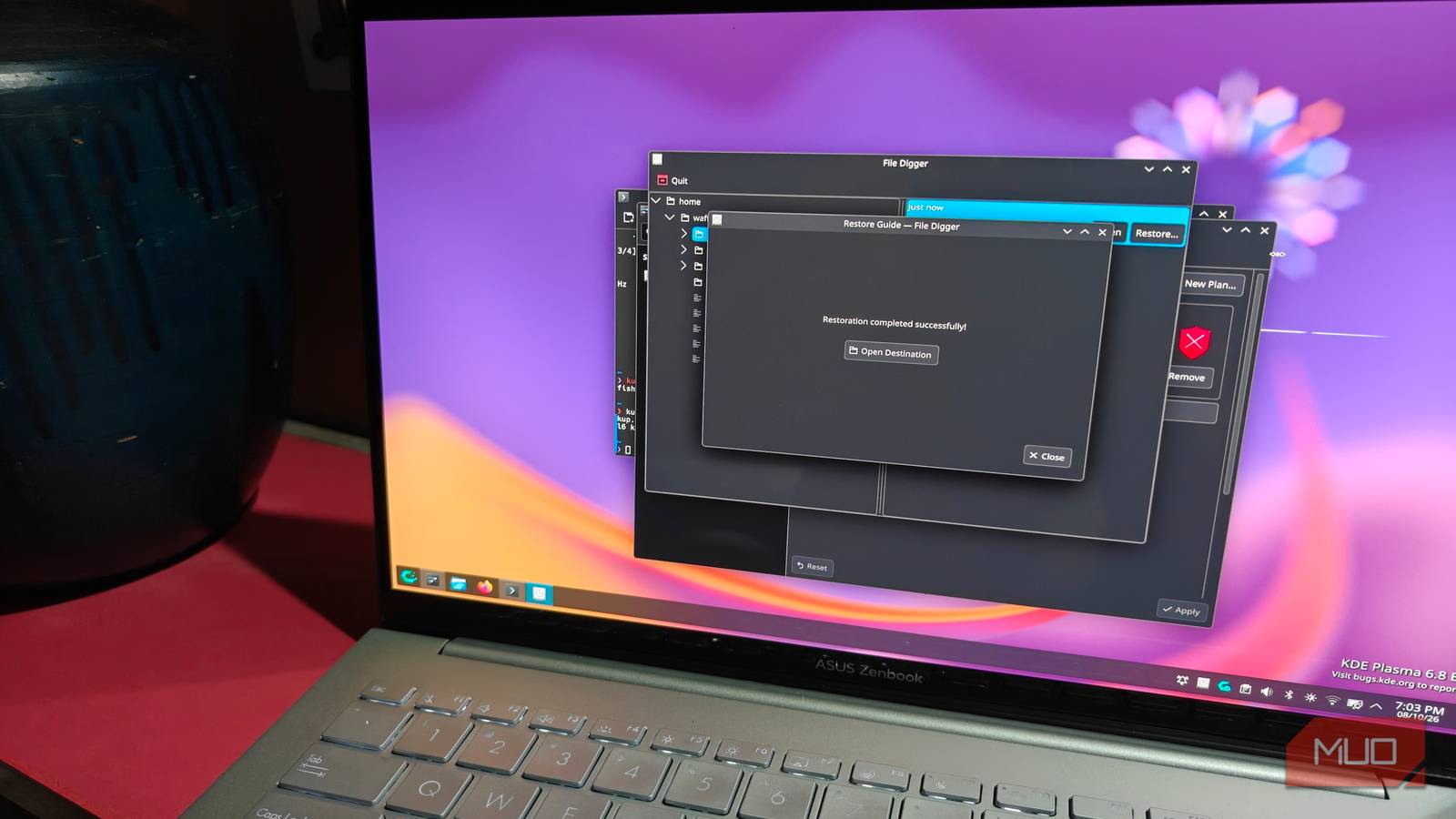

It’s been 30 years since the KDE desktop environment was released, and the team has a very special release in the form of version 6.8 set to release on October 14. This “anniversary edition” of KDE Plasma brings with it a lot of improvements and new features — including the Kup utility, a handy and easy-to-use backup tool in the overall excellent KDE Plasma desktop environment.
The 6.8 beta is already out, and I switched to the unstable repositories to try it out for myself. And to test a few more things that just cement the overall experience.
Switching to the KDE Plasma 6.8 beta
You’ll need to edit the pacman.conf file

It’s ridiculously easy to install any ongoing KDE Plasma beta, at least on Arch Linux-based Linux distributions. Of course, you could always install the appropriate KDE Neon version of the 6.8 beta release, but you’d still be stuck with Ubuntu packages and their slower update cycle. Which is something I came to dread.
If you want something more up-to-date, you’ll have to turn your attention to something else. I chose Arch since I am very familiar with it, and all you need to do is edit the /etc/pacman.conf file and paste in the two lines described below, at the top of every repository in the file:
[kde-unstable]
Include = /etc/pacman.d/mirrorlist
Just hit a sudo pacman -Syu and you should be good to go. If you’re already on the stable 6.7 release, this will show up as a direct update. Hit Y (or Enter) to continue. One restart later, and you should be in the brand new KDE Plasma 6.8 desktop.
Trying out the Kup easy backup utility
Practical, and packed with features
This is a fantastic backup utility introduced with Plasma 6.8, and can be installed using the “kup” package. It’s integrated into the KDE System Settings menu and functions similarly to macOS’ Time Machine. It does have far more granular control, though.
You’ll have to manually enable the Kup service and apply the “Backup Plan” yourself before you begin. And here is where we enter the many customization options of the utility. For starters, there’s the basic stuff, like being able to filter out what files and folders you want to include in the backup.
Annoyingly enough, this does not include hidden files by default. I had to scroll down and enable the option so that I could back up and save my dotfiles (hidden within the .config folder).
There’s also the ability to schedule backups, something a lot of users will appreciate. Kup also has the ability to write backups to an external USB drive, and you can also schedule the backup to write itself whenever the drive is connected.
Interestingly, Kup can also add Btrfs file system snapshots in its backups, even if that option is (once again) disabled by default.
As for actually using the utility, there isn’t much to talk about. It’s pretty simple and has a clean and intuitive (if mostly no-frills) interface. You can easily sort and restore backups using Kup, and I haven’t encountered any problems trying to do so.
Nvidia users rejoice for triple buffering
And a word on beta stability and optimizations

Another big change introduced with KDE 6.8 is triple buffering by default, aimed toward Nvidia GPUs. While triple buffering was a thing with previous KDE versions, it was subsequently disabled thanks to bugs that remained unsolved. This made it worth trying out alternatives, like Hyprland.
Thanks to recent efforts, these bugs have been squashed, and triple buffering is back on the menu in KDE 6.8, for Nvidia at least. Triple buffering can help smooth out those frame times during gaming, so this is something Nvidia users will want to keep an eye out for.
As for the rest of the beta, there isn’t much to report — which is a good thing. The beta was spotless and stable, and I never encountered a crash. It might be just a placebo effect, but Plasmashell did seem to load a lot quicker than Plasma 6.7 did.
Before you go and try out the beta for yourself, a warning: this is technically still in beta, and expect there to be the usual stability caveats to go with it. KDE Plasma 6.8 arrives in a week, so I’d personally just wait it out.
KDE retains (my personal) crown of the best desktop environment there is
With the 30th anniversary of Plasma, KDE 6.8 marks a significant turn for the Plasma desktop environment. KDE is better than it has ever been before, and the additional new improvements coming with 6.8 make it the best desktop environment there is.
For me, KDE offers a simple, yet infinitely customizable traditional windowed desktop environment that is super easy to navigate and learn. It’s also closest to Windows in terms of its layout and general design, and that’s not a bad thing. Some familiarity helps, after all.
