


For the past few years, I’ve been using Notion for almost everything. Whether I wanted to save useful links or take notes, it was always my go-to option. I also relied on Notion for my research. I had a database for sources and a separate page for every topic. I could also search for something when I needed it. On paper, it was an organized system. That being said, sometimes I would hit a wall.
When my research gets complicated, I often feel like I’m collecting information rather than actually connecting it. I had to jump between pages to figure out how those ideas related to one another.
After trying several note-taking apps, I finally found Heptabase.
Meet Heptabase
A visual workspace for thinking through research
Heptabase is a note-taking and knowledge-management app which is especially designed for learning, research, and making sense of complex topics. It has a desktop app and mobile support as well. So, you can access your work across devices.
Heptabase is made for people who work multiple ideas at once. For example, students writing a thesis or writers researching long-form pieces. If your notes mostly have to-do lists and meeting minutes, you don’t really need Heptabase. On the flip side, if you spend your time reading, thinking, and connecting ideas, Heptabase is made for you.
The core concepts that make Heptabase different
It’s not a conventional notes app
See, the biggest difference isn’t that Heptabase has cards or that Notion has pages. Rather, it’s how those pieces of information are meant to be used.
Heptabase works around two core ideas:
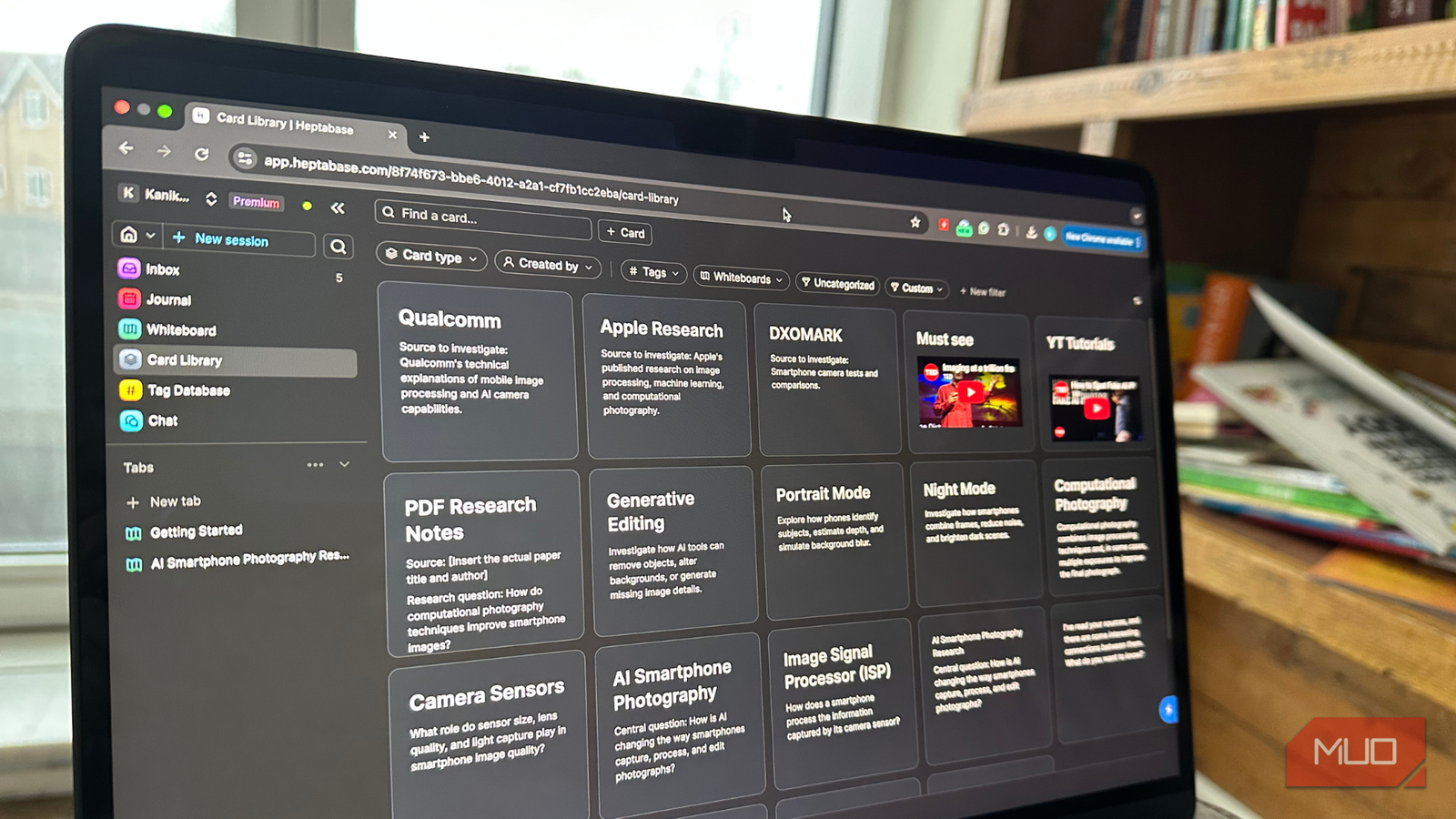
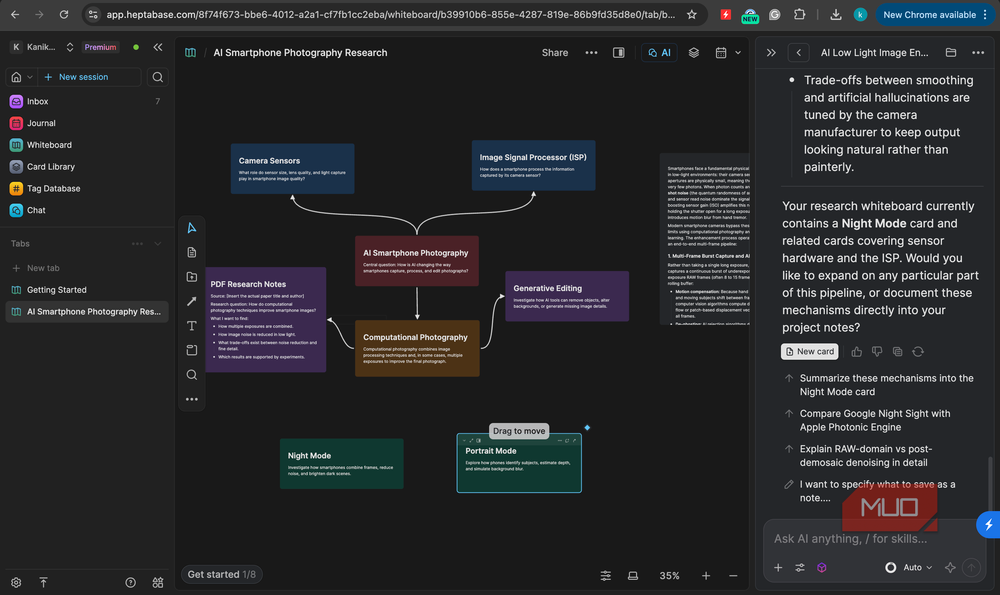
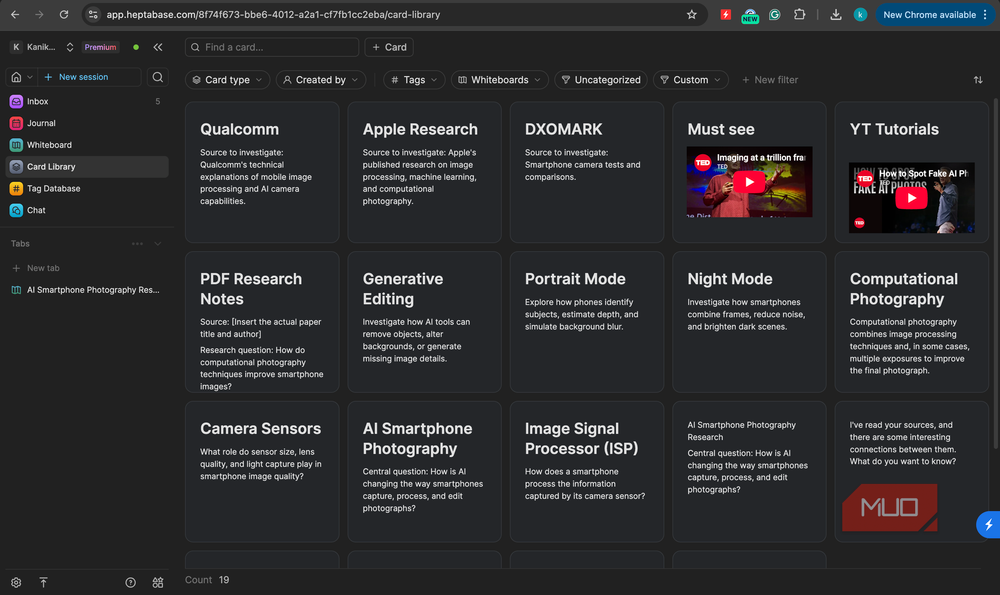
Card: It’s a small note where you can store a single idea. You can add text, headings, lists, images, files, tables, videos, and other content. They live in a central Card Library rather than belonging exclusively to one whiteboard. So, you can place a single card across multiple spatial boards without creating duplicate files.
In Notion, I mainly organized my notes into long pages. In Heptabase, I can break them into smaller pieces and organize them around ideas. I find this useful when I want to reuse information or figure out how my ideas are connected.
Whiteboard: This is where Heptabase really separates itself. A whiteboard gives you an infinite canvas where you place cards and arrange them however makes sense for the project you’re working on.
Notion also gives you a canvas-like feel in some places, but Heptabase is made around visual thinking. I can drag related ideas next to each other and draw arrows between them. I can also spot connections or gaps at a glance. And, it helped me understand why my research had always felt fragmented.
It helped me spot patterns I missed in Notion
I can see how my research is connected
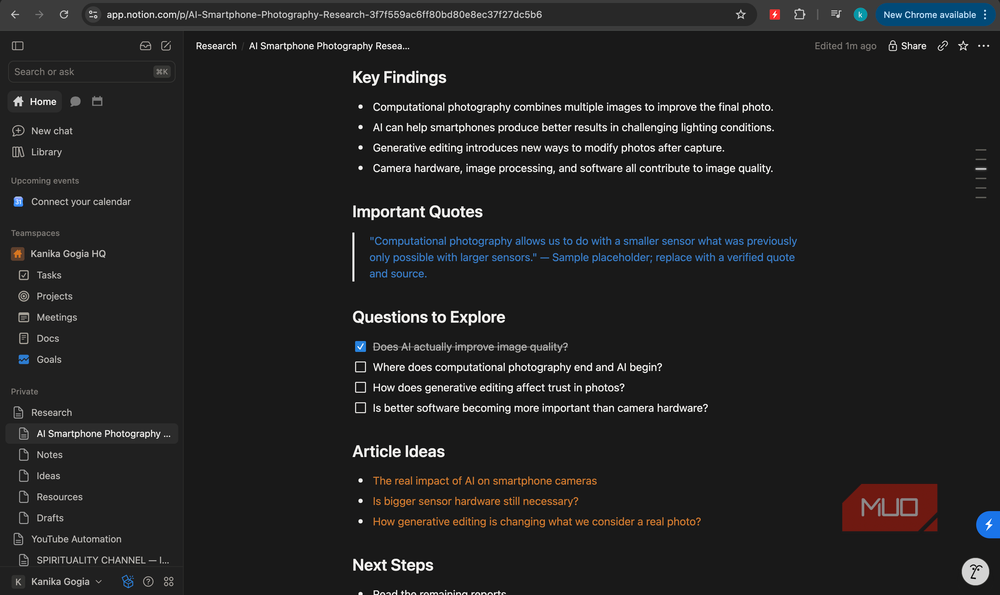
The real test came when I used Heptabase for an actual project. When I use Notion, I would usually start with a page and then build it downward. I usually have a title, several headings, subheadings, notes, links, and perhaps a database containing related resources. This structure works well when I already have all the information.
However, research isn’t always like that. Many times, I start with a question rather than an outline. I dump several ideas and don’t know which ones will become important or how different concepts will eventually fit together.
So, I was excited to try the infinite whiteboard in Heptabase. I started by reading a few sources and turning the key ideas into cards, one idea each. Frankly speaking, it felt slower than pasting highlights into a Notion page. I took time and dropped those cards onto a whiteboard. The payoff was immediate. I could see clusters forming. It showed me three cards from different sources were saying essentially the same thing. Two others contradicted each other. When I got to see them side by side, they made more sense than when they were buried in separate documents. There was also an empty area where an argument needed support I hadn’t found yet.
That’s what I had been missing. Notion held my research, but Heptabase let me look at it. This makes it easier to outline a topic, and when I started drafting, I wasn’t staring at a blank page. I already had a structure that I could see.
Some quick tips on getting started
A few things I learned while using Heptabase
If you’re used to strict folder trees or structured database lists, Heptabase’s blank canvas might feel overwhelming. I felt the same. But once you start using it, you’ll surely like it.
First, you must start using Heptabase for one project. There’s no need to get excited and try to migrate your whole workspace in one day. Also, keep your cards small. I basically follow the rule of one idea per card. It makes everything else work. Rather than a broad topic, I prefer to use a whiteboard per question or project. I make a board for a specific question or project, like “Should I move my photo library from Google Photos to a self-hosted option?” instead of “Cloud storage”. That’s because focused boards are easier to read, and you can reuse the same card on multiple boards.
Unlike Notion, I don’t add a lot of tags right away in Heptabase. I let the structure take shape on the whiteboard first. While working on a project, I make sure to visit my boards regularly. This helps me see new connections and patterns over time.
Heptabase vs. Notion: quick comparison
Two tools, two very different ways to organize information

Both Notion and Heptabase are used to organize information, but I don’t think they’re the same. Each of them has different core designs, strengths, and even use cases.
Let’s have a quick look at how Notion and Heptabase compares:
|
Heptabase |
Notion |
|
|
Best suited for |
Research, learning, and visual thinking |
Notes, documents, project management, wikis, structured databases |
|
Organizing ideas |
Visual or spatial |
Hierarchical and database-based |
|
Main features |
Cards and whiteboards |
Pages, blocks, and databases |
|
Team collaboration |
Not its focus |
Excellent |
|
Learning curve |
Moderate |
Moderate |
|
Reuse of notes |
One card across many whiteboards |
Mostly one location (with links) |
|
When it is useful |
Excellent for mapping relationships and connections |
Excellent for storing structured information |
|
Free version |
No |
Yes |
It’s worth knowing that Heptabase is a paid product with a trial rather than a generous free tier. On the other hand, Notion offers you a free plan that covers a lot.
Heptabase isn’t necessarily a Notion replacement
After using Heptabase, I haven’t abandoned Notion. I use both of them on an everyday basis. I feel these two apps fix two different problems. When I want to manage tasks, track projects, collaborate with someone, and keep reference material I need to look up quickly, I use Notion.
On the flip side, when I want to do deep research, study complex material, or write long pieces that connect many sources, I prefer using Heptabase.
