


Tapping a link is usually automatic. I see something interesting in a newsletter or group chat, tap it, and the page opens. What I rarely see are the tracking parameters and redirects that go unnoticed. Even short links hide where they land until you open them.
I never thought much about what happens behind a tap until a network monitor showed me how many connections some apps make. That made me curious about the links I open from newsletters, group chats, and random clicks from other apps.
Making URLCheck my default browser
Chrome still opens links, but it no longer gets the first say
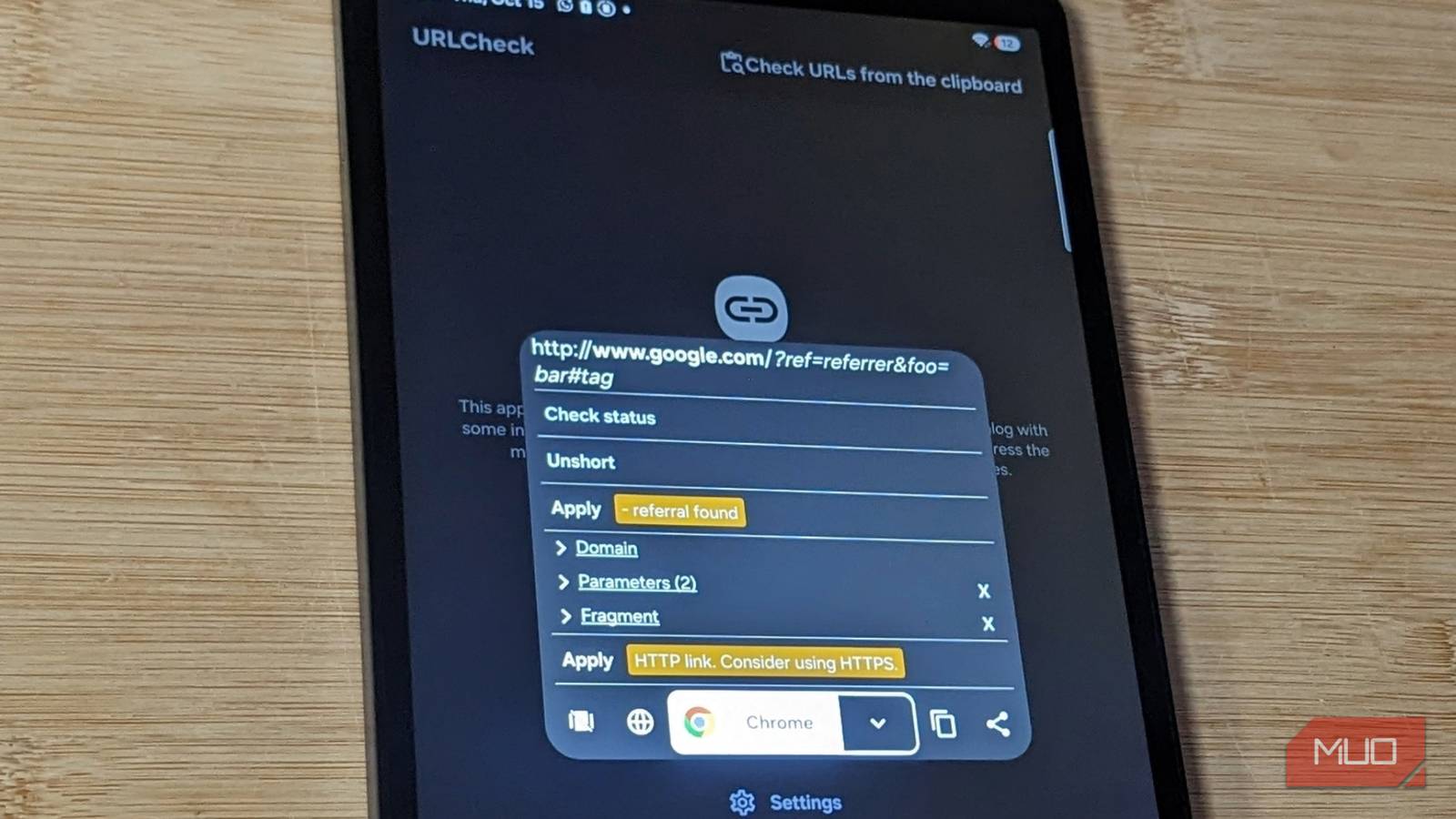
URLCheck is an open-source Android app that lets me inspect and clean a link before choosing which browser opens it. After installation, it prompted me to set it as my default browser, which is how it becomes the gatekeeper between the links I tap and the browser. Its tutorial says it won’t change anything or go online unless I allow it, so by default, nothing happens until I press a button.
The app breaks an address into its domain, path pieces, query parameters, and fragments. Orange tags mark what it suggests changing, and Apply makes the change. Check status follows a link’s redirects to show where it ends up, and Unshort expands short links through the free unshorten.me service.
A browser selector lets me choose the browser to open the link from the options on my phone. I can even open it directly in a private window, which saves me opening the link, copying it, and reopening it in private browsing.
Some links have more going on than I expected
The address on screen wasn’t the whole story

My inbox is full of newsletters, and I’m in a couple of chat groups where people share links daily. I used to tap them without caring about the link, just for the message around the link, as long as it took me where I wanted to go.
URLCheck showed what some of those links held. A Reddit digest link, for example, contained a tracking address and parameters such as ref_campaign and utm_content.
A group chat link about Mindrift routed through Mandrill’s tracker to a campaign page, while a newsletter link went through Google’s redirect and additional tracking addresses.
While these are not malicious, they are actively monitoring my digital behavior. The links I tried from my apps contained at least a tracker of some kind, which was shocking.
I know marketing links often pass through tracking servers, but seeing those extra pieces before opening made me more cautious.
Cleaning only what it flags
I learned the rest by breaking links
The first link I tried was in one of my newsletters. It came wrapped in a Google redirect, and URLCheck flagged it with an orange “forced redirection found” tag. I pressed Apply; the tag turned green, and the Gmail redirect wrapper disappeared. The link opened the sign-in page I expected.
Next, I tried with a YouTube link. Gmail wrapped the link in its own redirect, and URLCheck flagged the wrapper and all three parameters. After I pressed Apply, URLCheck removed utm_source, utm_medium, and fbclid, and the video opened. I also tried Google redirect around makeuseof.com, which Gmail wrapped a second time. So it took two rounds of clicking Apply to leave just the address, and the homepage opened normally.
The problems started when I began cutting the links myself with the X buttons. URLCheck places a deletion button next to every path piece and query parameter so you can cut pieces by hand. I assumed I could trim tracking strings the automated rules had missed. Some pieces of a link point to the page and others only count the click, and from the outside I couldn’t tell which was which.
That assumption broke several links. The most confusing result came from a Top One Futures link. I removed its parameter and then part of its path, only to land on an ActiveCampaign login page instead of the page I wanted. I closed the tab, went back to URLCheck, and pressed only Apply. The link opened to the main Top One Futures offer page.
Other manual edits broke too. The group-chat link survived losing its last path piece, but when I cut two more, Mandrill showed a 404 page. The Reddit digest link opened the right post untouched, but after I cut a parameter, it dropped me on the home feed instead of the specific post.
All these taught me to be careful about treating every unfamiliar URL component as disposable. Routing and tracking parameters are identical from the outside. Manual cutting is guesswork, but the built-in Apply rules removed the components without breaking anything.
The old way was faster, I’ll give it that. Adding a step to every link I tap is slower and a little annoying, especially when nothing has been flagged. I check the address, apply any suggested changes, and choose a browser instead of going straight to the page.
It’s not a silver bullet, either. The newsletter link still carried the sender’s own tracking address after Apply, so I assume the sender may still register my click. Unshort expanded a shortened YouTube link but failed on another tracking link I tried. And URLCheck doesn’t guarantee a site is safe.
But after using it over a couple of days, I’ve decided to keep URLCheck as my default handler because I don’t want to lose that check every time I open a link. Those few extra seconds to inspect a URL seem like a fair cost for an inbox, group chats, and every other link I can’t just understand at a glance.
