


I work on a PC all day, so a wireless mouse and keyboard are non-negotiable for me. The only annoying part with the ones I had, though, was replacing the AA batteries every few weeks. They’re not expensive, so it wasn’t exactly a crisis, but I’d gotten tired of buying AA batteries constantly.
So, instead of ditching my perfectly fine mouse and keyboard, I gave them a USB-C port. I switched to USB-C AA batteries, and it’s been the best desk upgrade I’ve made in a while.
I got tired of replacing my mouse and keyboard batteries
It made me regret buying battery-powered peripherals
Most wireless mice can typically last months on a single AA battery, but not my HP one. It can barely make it through four weeks before dying on me, which meant I was swapping batteries way more often than I should’ve had to. And it wasn’t like I was getting a “battery’s dead” from my mice. I’d experience random disconnections and lags before realizing it was the battery that needed replacing. Again.
My mechanical keyboard behaved better in terms of battery life, but I still had to replace batteries every few months — way sooner whenever I left the RGB lighting on.
AA batteries are dirt cheap, of course. You can grab a few dozen off Amazon and never think about them. But for me, this wasn’t about the cost. Sometimes, I’d run out of batteries with no immediate replacement. It’s worse when it happens on a work trip, right when I actually need the mouse or keyboard to work.
There’s also the waste factor. I was burning through dozens of disposable batteries just for my mouse and keyboard, and that felt wasteful, to the point I regretted not buying versions with USB-C charging in the first place. So, I did the next best thing — I gave them the USB-C charging they never had.
USB-C AA batteries made my accessories easier to live with
It was a clear upgrade

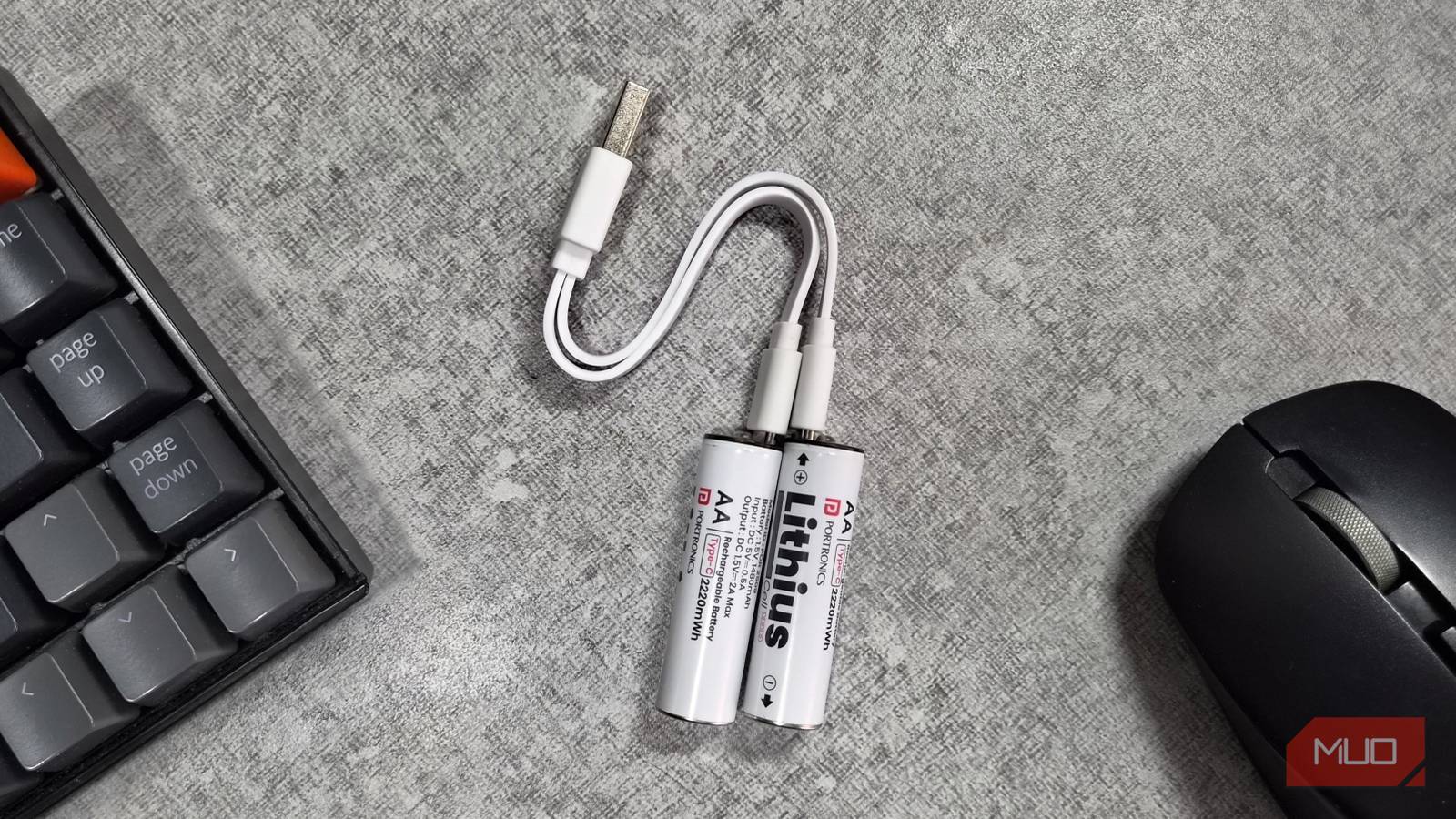
Rechargeable batteries, the kind you charge in a dedicated dock, have existed forever. NiMH cells, have been around for decades. But USB-C AA batteries are a whole new level of convenience. They look and feel like any other AA batteries, except there’s a tiny USB-C port tucked into the side.
What makes them so convenient is that you don’t need a special charger or dock for these. You can use the same charging cable that you use for your phone and laptop to charge them. Most of them also come with a cable that lets you charge multiple USB-C batteries from a single adapter or USB port, which makes the whole setup even less of a hassle.
A standard USB-C AA battery is roughly 2,000-3,000mAh, depending on the brand. They don’t last as long as the regular AA batteries, but they do give a constant 1.5V until they die, almost abruptly. This is unlike the disposable ones, which reduce the voltage gradually as they age.
I honestly didn’t mind the lower capacity trade-off as much because the charging side made up for it. A full charge takes about an hour, and there’s a small LED that lets you know exactly when it’s done. I ended up buying four of these batteries, so I’d always have a charged pair ready to swap into my mouse or keyboard the moment the other one died. And of course, I can use them for other devices around the house too, from a wall clock and a flashlight to my smart door lock.
They cost more upfront, but the convenience is worth it
Not about saving money, really

Let’s talk about the pricing. A four-pack of regular alkaline AAs runs about a dollar or so per battery, and if you buy in bulk, that drops even further. USB-C rechargeable AAs, on the other hand, cost anywhere between $15 and $20 for a pack of four, depending on the brand and capacity. That works out to roughly $4 to $5 per battery, which is obviously more expensive upfront. In fact, pricing is the single biggest con of USB-C batteries.
But the thing is, these USB-C batteries are typically rated for 1000-1500 charge cycles, which means you can use them for years before you’ll have to replace them. Of course, since these are lithium batteries, they do tend to decrease in capacity over time, the same as your phone or laptop’s battery. Still, if you do the math, the rechargeable option is cheaper and better for the environment.
Honestly, USB-C batteries make the most sense in devices that chew through power faster, like a smart door lock or a security camera, where you’d otherwise be replacing batteries constantly. For me, though, using them on my mouse and keyboard isn’t really about saving money. It’s about not having to think about batteries at all.
