

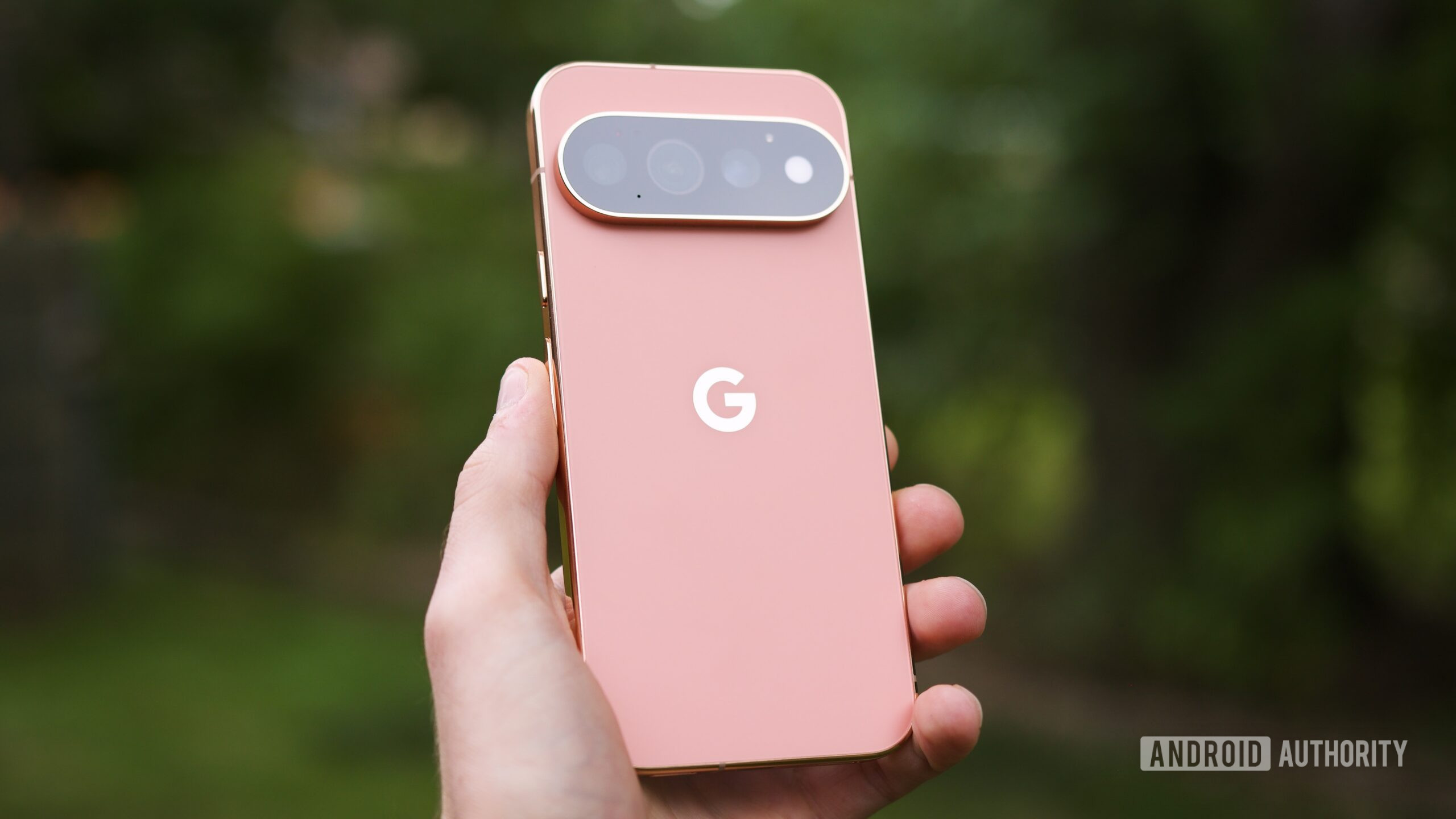


Joe Maring / Android Authority
However, there’s only so much you can judge using four different phones in just two hours. I received my Pixel 11 Pro review unit shortly after that initial hands-on session, and it’s been my daily Android phone ever since. I’ve been using the Pixel 11 Pro basically nonstop for the past seven days, and I’d be lying if I said I hadn’t enjoyed my time with it. In fact, I’d wager to say I probably love it.
But simultaneously, the reasons why I like the Pixel 11 Pro so much also reinforce my biggest fear about the future of Pixel phones as we know them. Google has a strong foundation that continues to work well in 2026, but a week with the Pixel 11 Pro proves Google doesn’t know where to go next.
The Pixel 11 Pro’s biggest new feature is useless

Joe Maring / Android Authority
There isn’t a new feature on the Pixel 11 Pro quite as prevalent as HiLight — the glowing, multicolored light on the back of the Pixel 11 Pro (and the Pixel 11 Pro XL and Pixel 11 Pro Fold). HiLight is heavily featured all over the Google Store and in Google’s advertising for the Pixel 11 Pro, and it really is the highlight of this year’s new Pro phones.
In theory, HiLight should be a great addition and a big reason to buy a Pixel 11 Pro. The problem is that it practically doesn’t do anything right now.
As it currently stands, the main function of HiLight is that you can assign one of five colors to your favorite contacts, and when they call, HiLight glows with the specific hue you’ve chosen for that person. Additionally, if your phone is face-down and you summon Gemini, HiLight pulses with color to indicate when Gemini is listening and responding.

Joe Maring / Android Authority
And that’s quite literally it. You can’t use HiLight for any other notifications on your phone. Not Gmail, Telegram, Slack, Google Messages, Instagram — nothing. If it’s not a phone call or a Gemini interaction, HiLight remains dormant.
Is this something Google can update with more functionality in the coming weeks and months? Absolutely — and I suspect it will. However, we don’t know what those updates will look like. Will Google expand HiLight to work with all notifications, or only with a select few Google apps? And how long will it take for new functionality to roll out?
A modern spin on a notification LED should have been so easy to get right, and if handled correctly, HiLight could have been the star of the Pixel 11 Pro that Google clearly thinks it should be. Instead, it’s arguably less useful than the controversial thermometer it replaced. I don’t know how Google fumbled HiLight this badly, but it did.
Google’s new software goodies are a mixed bag

Joe Maring / Android Authority
HiLight may be the flashiest new toy on the Pixel 11 Pro, but it’s not the only thing that’s new. In typical Google fashion, the Pixel 11 Pro is also loaded with new software features. I’ve been trying to use and live with a few of them, and so far, things are kind of all over the place.
Based on my testing so far, Rambler is perhaps my favorite. This is the new voice texting feature in Gboard that doesn’t transcribe your speech word-for-word; instead, it understands the context of what you’re saying. For example, unnecessary “ums” and “uhs” are ignored, and you can even edit yourself as you’re speaking — telling Rambler to ignore something, start over from a certain point, and more.

Joe Maring / Android Authority
For simple text messages, Rambler doesn’t feel very different from the standard Gboard voice detection. However, for longer text dictation, it’s kind of magical. I used Rambler to write an email over the weekend and, multiple times, told it to delete certain words or restart from a specific point. Rambler basically nailed the whole thing, even listening to my directions on when to indent for a new paragraph. I don’t love that you can’t see your text output until you’re done speaking and tap the checkbox to end your Rambler session, but even after just a week, I can see myself using Rambler pretty regularly.
I wish I felt as positively about some of the other new Pixel 11 Pro features, namely Camera Looks. Similar to Photographic Styles on the iPhone, Camera Looks are preset (and customizable) styles you can apply to the camera before you take a photo, allowing you to change and fine-tune the colors, contrast, shadows, and other details of every picture you take.
I need a lot more time to really establish how I feel about Camera Looks, but my early impressions aren’t as good as I had hoped. You can see in the gallery above that each Camera Look gives the same scene a distinctly different appearance, but in all of my testing so far, everything but Original completely blows out the highlights. It’s possible I could correct or minimize this by fine-tuning the highlights or contrast of each Camera Look (something Google does allow you to do), but to my eye, it almost looks like an issue of Google’s HDR processing going from 100% in Original to 5% in the other Camera Looks — just look at the couch in Editorial, Velvet, and especially Digi.
This isn’t an isolated incident, either. I took a few photos of my dog while out on a walk one evening, and the Editorial and Velvet Camera Looks turned a pretty tame blue sky into what looks like a flashbang going off. I do think there’s still a lot of potential with Camera Looks, but a quick fix to overly desaturated Pixel photos it is not.
Magic Capture is an even bigger new camera feature on the Pixel 11 Pro, but I’ve yet to figure out what to use it for. The idea of recording a video and having my phone automatically snap photos sounds interesting, but it hasn’t naturally fit into my life during my first week with the Pixel 11 Pro.
And, of course, there’s the Gemini of it all. When you boot up the Pixel 11 Pro, you’re met with a Gemini Intelligence splash screen, and during the setup process, you’re asked to enable Google’s new “Proactive Assistance” features — essentially an expanded version of Magic Cue from the Pixel 10 series.
In theory, Proactive Assistance is supposed to surface relevant info and actions based on what’s on your screen — such as suggesting a Google Maps link when someone texts you about a restaurant or a button to book a table at said restaurant if your friend texts you asking if you did.
Google made similar promises with Magic Cue last year, saying your phone would surface contextual info in text messages and phone calls based on what you’re doing. But just like with Magic Cue, Proactive Assistance hasn’t proven useful at all — at least not yet.
Maybe I’m not using my Pixel 11 Pro correctly. Maybe I’m not teeing up info in a way that would make it easier to prompt Proactive Assistance. But I shouldn’t have to change the way I use my phone for a software feature to work — it should just work, but it hasn’t. After my week with the Pixel 11 Pro, Proactive Assistance has suggested random bits of text in Gboard while in Chrome or Maps, but none of it has been helpful. Like other software features, this should get better over time, but if Magic Cue is any indication of how things will go, I’m not holding my breath.
Why I’ve still loved using the Pixel 11 Pro

Joe Maring / Android Authority
To recap: HiLight, the Pixel 11 Pro’s hallmark new hardware feature, is pointless. Many of the new software features are either middling in their execution or completely unhelpful. If that’s true, why have I liked using the Pixel 11 Pro so much? For the same reasons I’ve liked using Pixel phones for the last several years.
Now Playing remains one of the most clever and magical software experiences on any smartphone; glancing at my lock screen to see what song is playing is never not impressive. Google’s scam detection features are far and away better than any of the competition — drastically reducing the number of spam calls and texts I receive compared to any other Android phone. At a Glance is consistently the best way to get reminded about calendar appointments, reminders, and more. And the more I use Pixel Screenshots, the more it becomes another one of those Pixel features I don’t want to live without.
I know this point has been reiterated so many times when talking about Pixel phones, but there really is something special about using a Pixel compared to other Android phones — and it’s because of all these little features and goodies Google has sprinkled into its phones since the original Pixel debuted in 2016.
The Pixel experience is great, but Google needs to do more
That foundational Pixel experience has been a big selling point of Google’s smartphones for years. It’s the reason why I typically gravitate towards a Pixel as my personal Android phone, and it’s why I’ll likely keep using the Pixel 11 Pro well after my review is published.
However, I think it really says something that the things I’ve enjoyed most about the Pixel 11 Pro have nothing to do with anything that’s actually new. Instead, it’s because of all the legacy Pixel features that have been around for years. I’m certainly glad to have those tried-and-true features on the Pixel 11 Pro, but it’s concerning that, over the last couple of years, the new experiences Google has been trying to push have mostly fallen flat.
As I mentioned before, Magic Cue was largely a dud — and the new Proactive Assistance doesn’t seem to be meaningfully better. Last year’s Daily Hub feature was so bad that it didn’t make it out of preview before Google completely scrapped it. Features like Camera Looks and Magic Capture are interesting, but they don’t feel like anything transformative.

Joe Maring / Android Authority
Google is trying new things, but when so many of them don’t land, it ends up feeling like the Pixel 11 Pro is resting on the laurels of its predecessors to be as good as it is. And as a Pixel fan, it makes me seriously concerned about what the future holds for Pixels as a whole. And that’s to say nothing of Google’s stagnating hardware, which is a whole other can of worms.
At the end of the day, I still love using the Pixel 11 Pro. Based on my initial testing of the new Tensor G6 chip and the updated camera sensors, it’ll be a phone I review quite positively. But when I step back to think about why I like the Pixel 11 Pro so much — and what it signals for the future of the Pixel series — it’s clearer than ever that Pixels are in a precarious position.
I just hope Google knows how to get out of it.
Thank you for being part of our community. Read our Comment Policy before posting.
