

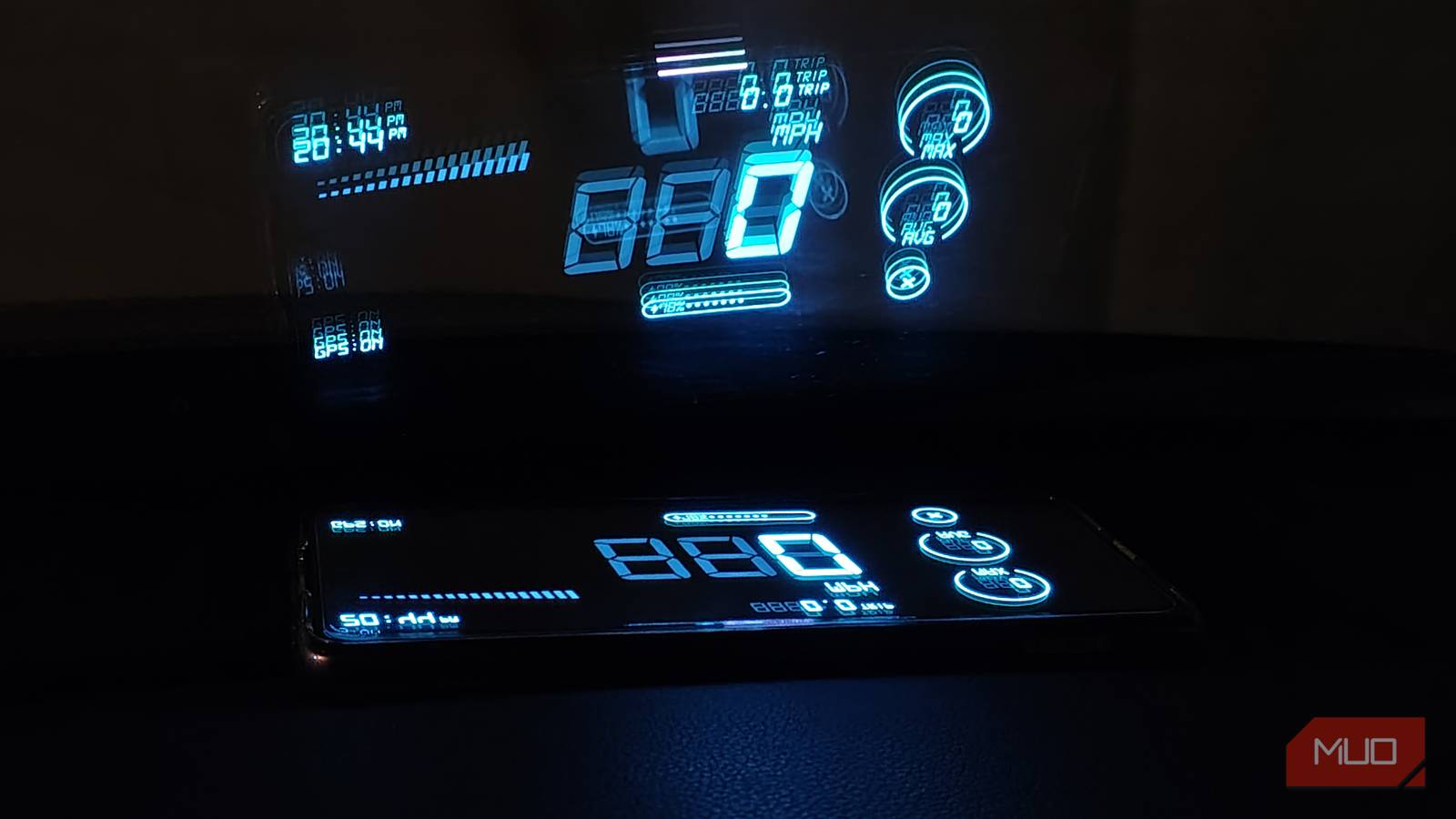

I find car heads-up displays (HUDs) really convenient and helpful, but my car doesn’t have one. Thankfully, the HUD Speedometer Speed Monitor app on my phone creates a HUD for my vehicle. Its free version provides everything I need to glance at essential information quickly.
This app transforms your standard car windscreen into an information hub, enabling you to check your speed, navigation, and phone status without distraction. Some of these functionalities are also available in the Android Auto console (though they may require you to change Android Auto developer settings). But projecting the information from the HUD onto the road adds an extra layer of safety, since you don’t have to look away.

- OS
-
Android
- Developer
-
FUNNY APPS
HUD Speedometer is a GPS-based digital speedometer app with HUD mode for a mirrored windshield display. Key features include real-time speed monitoring, odometer for mileage tracking, customizable speed limit alerts, multiple units, car/bike/walking modes, time/battery info, and trip history/statistics.
Set up the HUD Speedometer app on your phone
An easy process to get a heads-up display in your car
Getting the HUD Speedometer app up and running in HUD mode on your phone is easy. First, download the app and follow the steps below:
- Launch the app and tap Continue.
- Once you’re past the welcome screen, you’ll need to grant precise location permissions for it to work correctly.
- On the app dashboard, tap the HUD (HUD Mode) tab.
- Here, you’ll see two options: select HUD.
Once you’re done, you’ll see that the complete UI is mirrored in horizontal mode. This means your phone is ready to be placed next to the windshield in front of the driver’s seat.
Why use HUD Speedometer?
It’s free, packed with features, and gets the job done

If you’re also looking to improve safety and convenience in your vehicle without spending anything, the HUD Speedometer app is an excellent choice. Turning your smartphone into a reliable heads-up display is a suitable alternative to a dedicated display.
The free app projects essential info, like speed (via GPS) and battery status, right onto your windshield. That helps you keep your focus locked on the road instead of fumbling with dashboards or phones. And the best part is, it’s easy. Just make sure you mount your device to keep it secure!
HUD Speedometer delivers accurate, real-time readings with themes and customizable alerts that promote safer driving habits, all while consuming minimal battery power. The mirrored projection works seamlessly in almost any lighting. It even keeps a log of your journey that you can check after a trip.
Despite occasional ads and a few paywalled features, it’s a versatile, no-fuss solution that makes any vehicle feel more modern and secure.
Tips to get the most out of a HUD speedometer

There are a few points to keep in mind while using a HUD app for your phone:
- Always use a sticky pad or magnetic accessories that keep your phone steady. You don’t want it to fall or slide while you drive.
- While the app is battery-friendly, you should still keep it plugged in during journeys.
- Set your phone to manual brightness and keep it at 100% for maximum visibility.
- Put your phone on Do Not Disturb so you don’t get distracted while driving.
- This app works best on phones with AMOLED displays.
- If you have a spare phone, you can plug it into your car’s USB port permanently, along with other amazing USB car accessories. This way, you can seamlessly use the best apps for Android Auto and your HUD.
Why adding a heads-up display in my car made sense
It’s all about safety and convenience

I love being able to monitor important information, such as my speed and turn-by-turn navigation, without taking my eyes off the road. The HUD presents a transparent overlay on my car’s windshield, so I don’t have to look down at Android Auto or even at my dashboard.
When I got my car, it had an in-car console that supported Android Auto, but didn’t include a heads-up display. Rather than buying a dedicated one, I tried some HUD apps and settled on this one as the best (at no additional cost).
Add the conveniences that your car deserves
In the end, adding a HUD display with this app to my daily drives has been an amazing, no-cost win that elevates my safety and ease behind the wheel. It turns my smartphone into a HUD projector, keeping speed and essentials in view without pulling focus from the road. It’s a simple and effective app that makes driving feel more secure overall.
