

Close Menu

    Subscribe to Updates

    Get the latest Tech news from SynapseFlow

    What's Hot

    SpaceX Share Price Catalysts | NextBigFuture.com

    July 6, 2026

    The MSI Raider 16 Max HX delivers on gaming performance and packs an excellent display, but the build quality leaves a lot to be desired

    July 6, 2026

    I found a hidden Android feature on my Google TV Streamer that completely changed how I use it

    July 6, 2026
    Facebook X (Twitter) Instagram
    • Homepage
    • About Us
    • Contact Us
    • Privacy Policy
    Facebook X (Twitter) Instagram YouTube
    synapseflow.co.uksynapseflow.co.uk
    • AI News & Updates
    • Cybersecurity
    • Future Tech
    • Reviews
    • Software & Apps
    • Tech Gadgets
    synapseflow.co.uksynapseflow.co.uk
    Home»Tech Gadgets»I found a hidden Android feature on my Google TV Streamer that completely changed how I use it
    I found a hidden Android feature on my Google TV Streamer that completely changed how I use it
    Tech Gadgets

    I found a hidden Android feature on my Google TV Streamer that completely changed how I use it

    The Tech GuyBy The Tech GuyJuly 6, 2026No Comments4 Mins Read0 Views
    Share
    Facebook Twitter LinkedIn Pinterest Email
    Advertisement


    In the world of Android smartphones and tablets, third-party launcher applications have been a platform staple since the very beginning. For the uninitiated, launchers are essentially full-blown home screen replacement apps, complete with their own distinct (and oftentimes highly novel) user interface paradigms to boot.

    Advertisement

    While far from a quirk-free experience, launchers undeniably add a flair of personality and customizability to the Android operating system as a whole, allowing for developers to flex their creative muscles, and for end-users to curate the precise home screen setups they yearn for.

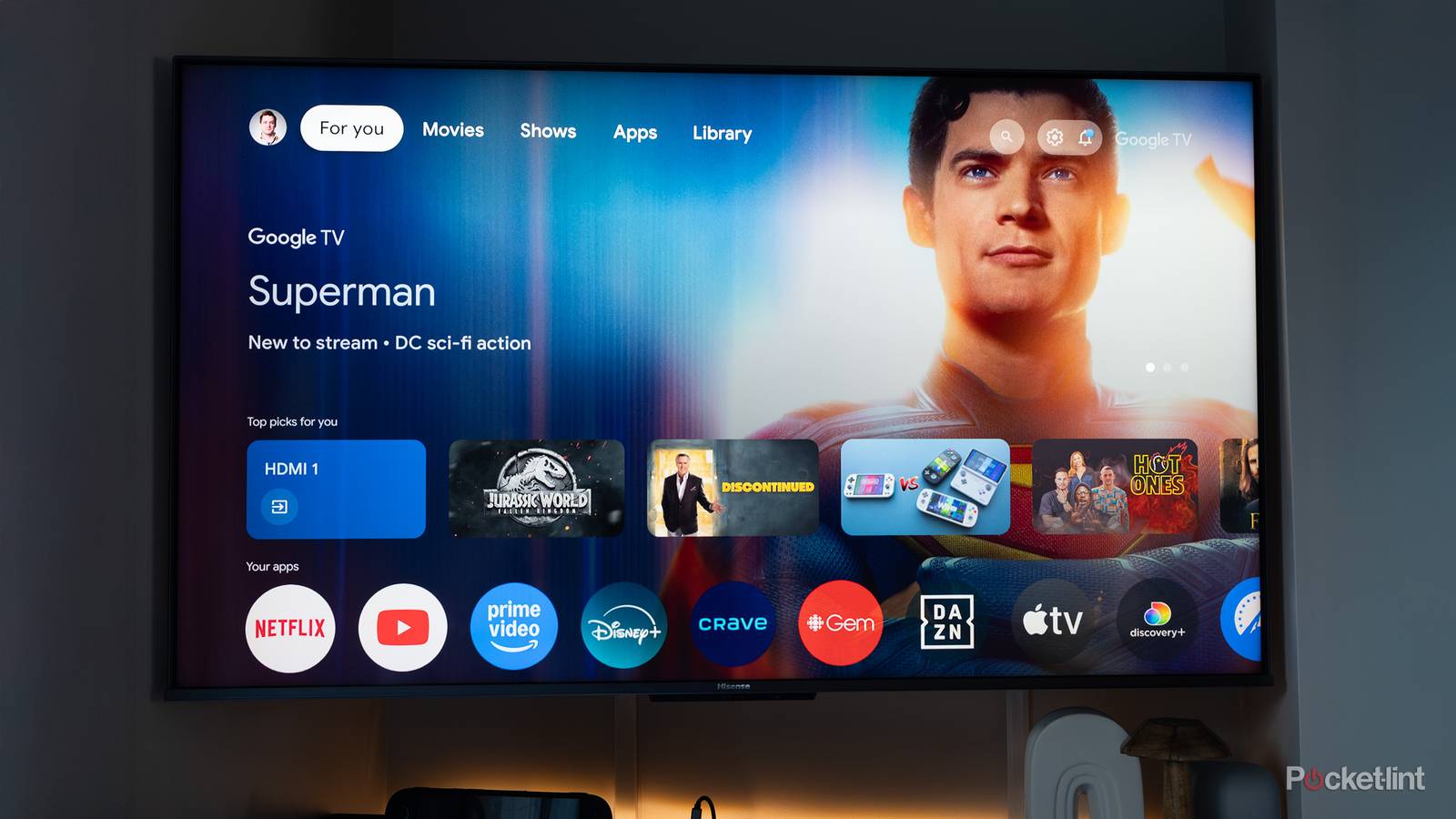
    Naturally, Android launchers are synonymous with mobile devices, but lesser known is that they can also be downloaded and installed directly onto Android TV and Google TV smart television sets. For anyone bored by Google’s default TV launcher interface, launcher apps are the ideal antidote. Plus, third-party launchers are often free, open-source, and entirely devoid of advertisements.

    google-tv-streamer-tag

    Dimensions

    6.4 x 3 x 1-inch

    Connective Technology

    Wi-Fi, Bluetooth

    Brand

    Google

    What’s Included

    Remote

    Bluetooth codecs

    Bluetooth® 5.1


    Launcher apps elevate the Android TV experience

    Forgo the default home screen in favor of a cleaner, ad-free alternative

    Android TV icon hero image Credit: Pocket-lint / Google

    There are a variety of third-party launcher applications out there for the Android TV / Google TV software platform. Some launchers specialize in offering a clean, bloat-free user experience, while others reference speed and agility as a selling point. There are even launchers designed to emulate other big-screen interfaces like that of the Apple TV. In other words, there’s a launcher app out there for everyone.

    Some of my personal favorite launcher applications for Android TV / Google TV include:

    Of course, there’s nothing inherently wrong with using Google’s stock TV launcher, which itself is well-refined, smooth, and curated with content suggestions and niceties. That being said, algorithmically generated suggestions can sometimes feel overbearing and intrusive. Seeing as how Google is ultimately an advertising company, its interface priorities may not align with those of all users at the end of the day.

    On my Google TV Streamer, my go-to launcher app of choice is currently Projectivity. I value its clutter-free interface, its lack of any and all home screen advertisements, its zippy performance, and its general customizability. Going back to Google’s launcher feels like a step backwards, with my installed apps and services feeling less front-and-center than I’d like.

    How to set up a third-party launcher on Android TV / Google TV

    The process differs from that of Android-based smartphones and tablets

    Button Mapper Credit: Pocket-lint / Button Mapper

    On Android phones and tablets, switching to a third-party launcher is as simple as setting it as your default home screen application from within Settings. Unfortunately, Google makes it more difficult to switch default launchers on its TV platform, which is a frustration I hope to see the company address at some point in the near future.

    Being Android, there’s nothing technologically prohibiting the use of third-party home screen alternatives, but the home screen shortcut button on Android TV and Google TV remotes is hard-mapped to Google’s own TV launcher. Even without hacky workarounds, however, it’s easy enough to use an app like Button Remapper to bind a specific remote control button to your launcher of choice.

    Some launchers (like the aforementioned Projectivity Launcher) even offer their own native bypass software to override the default home screen right out of the box, which is much appreciated. Such solutions generally require diving into settings to grant specialized permissions in order to take effect, which is a small price to pay for complete control over the look and feel of your Android-powered smart TV, set-top box, or streaming stick.

    Advertisement
    Share. Facebook Twitter Pinterest LinkedIn Tumblr Email
    The Tech Guy
    • Website

    Related Posts

    Samsung’s first ever clip-on earbuds look slated to launch, as odd new name drops in the Galaxy Wearable app

    July 6, 2026

    Deals: Google’s Pixel 10 lineup on discount alongside Xiaomi 17 Ultra, Nothing Phone (4a)

    July 6, 2026

    As a Galaxy S26 Ultra user, these are my 3 biggest S27 Ultra wishes

    July 5, 2026

    This cult-favorite sci-fi comedy trilogy is now available on Prime Video

    July 5, 2026

    Snakebyte Ergo Grip S2 review: a functional Joy-Con 2 grip with a few snags

    July 5, 2026

    Samsung Galaxy S26 Ultra gets a limited-time discount in India

    July 5, 2026
    Leave A Reply Cancel Reply

    Advertisement
    Top Posts

    You don’t need a NAS to self-host — I proved it with hardware from my closet

    June 7, 2026169 Views

    Spotify is giving one of its best playlists a big visual upgrade to give subscribers ‘a closer connection’ to its New Music Friday curators — and I think it could be the update it’s always needed

    June 12, 202690 Views

    The iPad Air brand makes no sense – it needs a rethink

    October 12, 202516 Views
    Stay In Touch
    • Facebook
    • YouTube
    • TikTok
    • WhatsApp
    • Twitter
    • Instagram
    Advertisement
    About Us
    About Us

    SynapseFlow brings you the latest updates in Technology, AI, and Gadgets from innovations and reviews to future trends. Stay smart, stay updated with the tech world every day!

    Our Picks

    SpaceX Share Price Catalysts | NextBigFuture.com

    July 6, 2026

    The MSI Raider 16 Max HX delivers on gaming performance and packs an excellent display, but the build quality leaves a lot to be desired

    July 6, 2026

    I found a hidden Android feature on my Google TV Streamer that completely changed how I use it

    July 6, 2026
    categories
    • AI News & Updates
    • Cybersecurity
    • Future Tech
    • Reviews
    • Software & Apps
    • Tech Gadgets
    Facebook X (Twitter) Instagram Pinterest YouTube Dribbble
    • Homepage
    • About Us
    • Contact Us
    • Privacy Policy
    © 2026 SynapseFlow All Rights Reserved.

    Type above and press Enter to search. Press Esc to cancel.

    Ad Blocker Enabled!
    Ad Blocker Enabled!
    Our website is made possible by displaying online advertisements to our visitors. Please support us by disabling your Ad Blocker.