


Despite eventually becoming a piano music composer, when I was a kid, I wasn’t always a big fan of piano lessons.
Much of my annoyance came from the set-up process. I didn’t like dealing with all of the music lesson books, chord and scale charts, and random pieces of sheet music I would print off from my mom’s Windows 7 computer. After lessons, I would just toss everything in the storage compartment under the seat of the piano bench, creating an unorganized mess. Anytime I went to play, the first 10 to 15 minutes were just finding the actual music I was supposed to practice.
Little did I know that two decades later, a tablet would allow me to just sit down and play my favorite songs anytime I want.
My old tablet found a new purpose
You don’t need expensive equipment

A year ago, I saw a guitarist performing with a tablet. After the show, I asked about it, and they told me all about the special kind of tablet they used and how it can turn pages with a foot pedal, and all these other special features. That sounded perfect for me — until I heard the price tag.
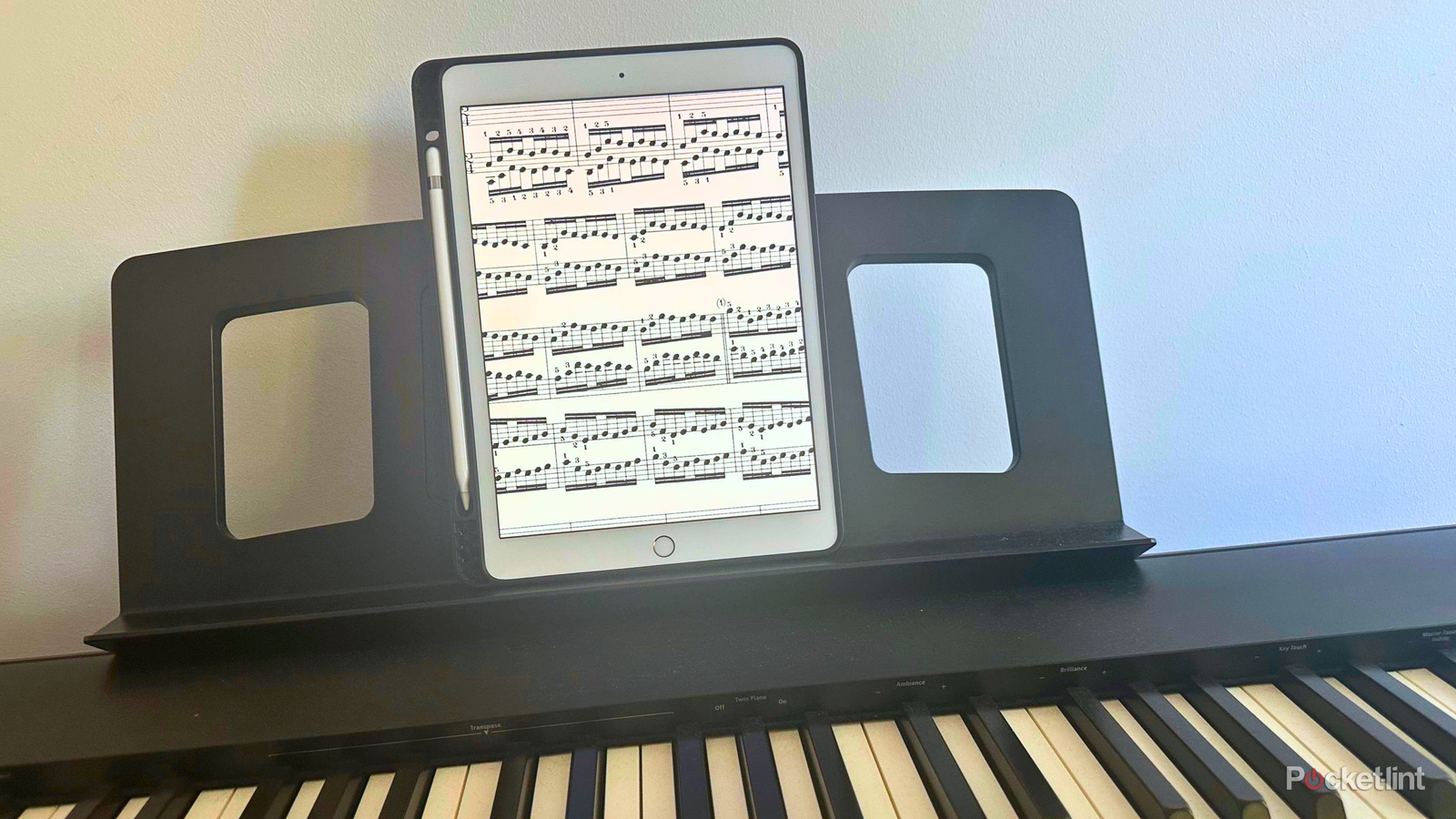
I remembered an old iPad that I had once used for drawing, watching videos, and taking notes. But eventually, it ended up in a drawer somewhere. It was refurbished with some outdated specs, but that was fine. For it to become a DIY sheet music reader, all I needed it to do was read PDFs.
While I’m using an iPad 8th generation, all kinds of tablets, including Android, will work for this.
And remember: Setting this up may require an upfront cost of time, but the payoff is that any time you feel like being musical, you’re only a few swipes and taps away from jamming.
Where to download sheet music
Find songs that make you excited to play

I have two tested and trusted sites where I find 95% of all of my piano sheet music.
The first is MuseScore. It has all skill levels and has covers of pop music, movie themes, video game soundtracks, and so much more. So if playing familiar favorites is your vibe, definitely start here.
You’ll find a lot of great sheet music here, but you may have to shell out some money for access. To download the music to your tablet:
- Go to MuseScore.com and search for a specific song, your favorite artist, or a genre.
-
Filter by instrument (piano in our case).

- Look for sheet music that allows PDF download. Not all will.
-
Download your chosen PDF.


If you were a high school band or orchestra nerd, you might be more interested in playing something classical. But classical does not mean boring (just look at TikTok’s love of Eric Satie)!
For classical sheet music, I like to use IMSLP. It’s been around for a long time, and for good reason. You’ll find a lot of copyright-free scores here, but you will have to wait a few seconds before each download. To download these scores:
-
Visit IMSLP.org and search for a composition, composer, or genre.

-
Select the score you want. There may be different editions, so look at user reviews to find the highest quality uploads.

-
Agree to the disclaimer, wait 15 seconds, then download the PDF.


Organize your sheet music with Google Drive
Start with one folder for all your music

After downloading the piano music on my computer or phone, I organize it into folders in Google Drive.
This way, whether you find sheet music for a Taylor Swift piano cover or a Mozart sonata, you’ll be able to add those scores to Google Drive and access them on your tablet. To do this:
- Open Google Drive on your iPad, tablet, phone, or computer.
- Tap or click + New, then Folder.
- Give your sheet music folder a name.
- Tap or click Create.
- Tap or click + New, then File Upload to upload your PDF sheet music songs. If you prefer, drag and drop your PDFs directly into the folder.
My actual folder structure is organized by genre, and I’m always adding new music to it. I have folders for video game sheet music, movies and TV, blues and R&B, pop music, classical music, my own piano music, and more.
Follow the sheet music on your tablet
Enjoy endless scores at your fingertips

Now all we have to do is make sure it’s easy to access your scores on your iPad or tablet.
- Set the tablet on the music stand on your piano.
- Unlock the tablet and tap the Google Drive app icon.
- Navigate to the sheet music folder.
- Tap on one of your PDF scores, opening it.
Bravo! You’re ready to practice, play, and perform, and you didn’t even need a fancy, professional music tablet. There are people who purchase additional hardware for turning the pages with a foot pedal. But since I grew up playing piano, I’m very accustomed to turning the pages myself. Swiping the PDF just feels natural.
Playing piano has become part of my life again
Less hunting, more jamming

So next time you get the itch to play some music, all you’ll have to do is turn on your tablet. No hunting for the right music. No trying to print out the sheet music and finding your inkjet cartridge is low. Just skip straight to the thing that we all love in the first place: playing music.
After adopting this new tech-forward storage option, playing piano has become a regular part of my life again. Whether I have 20 minutes before a meeting or half an hour after dinner, it’s easy to play a few minutes of my favorite song of that week. Removing the barriers to access means I can be closer to the hobby that has brought me joy, self-expression, creativity, and accomplishment for decades.
