

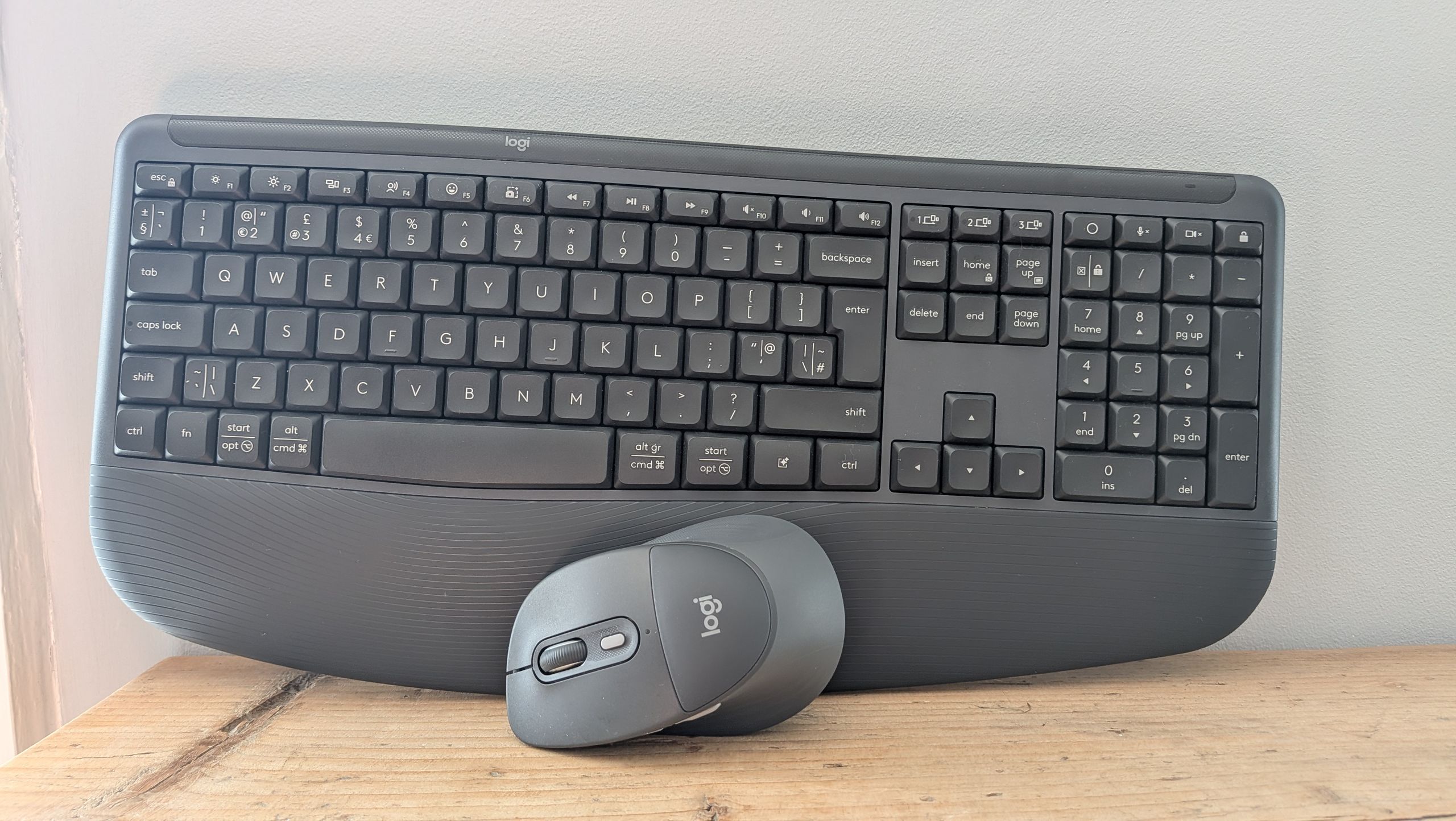

When it comes to getting the right accessories for my home office, I’m usually focused on not only performance, but also comfort. Like many of us, my mouse and keyboard are key parts of my home working set-up, which is spread across a laptop and external monitor, and using them pretty much all day everyday means I need something that is comfortable to use.
So when I saw that Logitech had released a new keyboard and mouse specifically designed around promoting comfort, it seemed like an obvious choice. The company’s Signature Comfort Plus line comes with built-in cushioning, which it says can help increase comfort (unsurprisingly) and a better overall user experience.
The MK880 keyboard and M850L mouse are available in a combo bundle, and I’ve been using both products for a while now – so how did I get on?
Latest Videos FromTechRadar
Click happy
I’ve been a fan of Logitech’s MX Master mouse range for some time, and the MX Master 4 for Business is still my go-to for everyday use.
The selling point of the new Logitech Signature Comfort Plus M850L wireless mouse is its added cushioning, which the company described as “something we’ve never done before”.
With a declaration like that, you might be expecting some huge extra addition – but the reality is actually quite a bit more low-key.
Like many of you, I’m guessing that when you use a mouse, your hand covers the top of it, with the base of your palm and your wrist laying flat on the tabletop, mouse mat or whatever you choose.
You might think then, that much like its K8880 keyboard, the cushioning would be at the base of the mouse – however this isn’t the case, with the cushioned panel actually sitting halfway across the top, just below the scrolling wheel.

(Image credit: Future / Mike Moore)


It’s clear to see why Logitech has done this – locating what it calls the “palm cushion” there will help ease RSI or other repetitive finger issues, but for me, where the extra help is needed is further down, at the base, like the keyboard.
The M850L also features a smaller, more sculpted shape than the MX Master series, and has built-in side grips to help improve comfort and again boost usability.
I realize this is a personal view, and it definitely didn’t hinder my usage of the mouse, but unlike with the keyboard, I felt myself drifting back towards my usual MX Master 4 mouse, which lifts the arm slightly, coupled with the basic £8 cushioned mouse mat from Amazon I’ve used for years.
And there’s absolutely nothing wrong with the M850L – as you’d expect from a top-line Logitech product, it’s fast and responsive, connectivity is excellent, and its light and compact build make it excellent for taking on a work trip or commute. There are four programmable buttons which can be assigned to specific tasks or tools, and there’s no need for a dongle to connect – everything is done via Bluetooth.
But at £49.99 (which some may still think is a bit much for a mouse) on its own, or £99.99 with the MK880 keyboard, maybe a bit more extra cushioning in the future, please?
Just my type
Although many of you might initially think of keyboards as dull, identikit tools that just serve a simple purpose, Logitech has been on somewhat of a crusade to disprove that over the past few years.
This is particularly true when it comes to improving ergonomics – as we all know how uncomfortable it can be slamming away at a basic Microsoft keyboard with clacking keys.
I’ve been using Logitech’s amazing Wave Keys device for some time, with it’s eye-catching raised design and built-in palm cushioning really making a difference when it comes to comfort.

In some ways, the Signature Comfort Plus MK880 keyboard is a slightly toned-down version of the Wave Keys, offering a more refined look, but including the expected comfort.
It once again features the raised hump in the middle of the keyboard, offering what it says is a more natural typing position, but the keys themselves are far shallower than the Wave Keys, leading to a quieter typing experience.
The built-in palm rest is something we’ve come to expect from Logitech products over the past few years, but the MK880 really goes above and beyond – rather than just some basic spongey foam like you see in some cheaper options, the cushioning is soft and delicate, with your wrists balancing lightly on top, rather than bouncing off – all again making for a more pleasant typing experience.
Apart from the comfort features, the MK880 is also an excellent all-round keyboard – light and grippy, and easy to connect to your device via Bluetooth, so there’s no dongle required.
All in all, the MK880 is a fantastic addition to my workspace, and if you’re looking for that extra bit of comfort in your day-to-day work, the £99.99 price tag for the keyboard and mouse will pay for itself in the long run.

Follow TechRadar on Google News and add us as a preferred source to get our expert news, reviews, and opinion in your feeds.
