


Radio is one of those hobbies that quickly turns a five-minute experiment into an entire evening, which is why I keep coming back to it again and again. As an amateur radio operator myself, I love the hunt for finding signals and attaching all that noise and speech to real-world infrastructure.
Adding live aircraft into that mix meant I was basically doomed to spend a lot of time matching air traffic control transmissions to real-time aviation events. Unfortunately for me, I live in the middle of nowhere, well out of range of any airport large enough to make use of my own gear for airband listening.
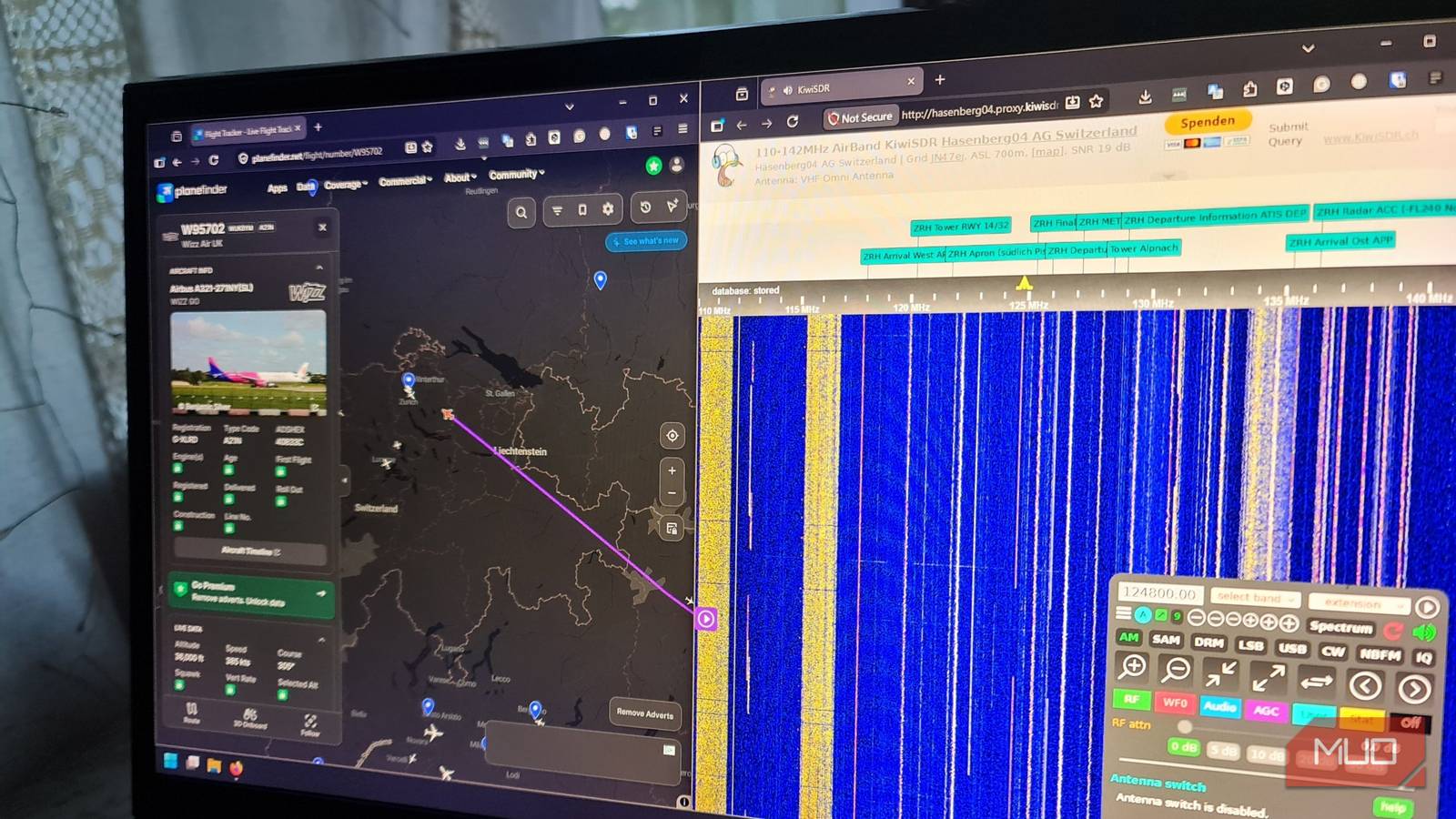
So, I went hunting online for public Software Defined Radio (SDR) receivers close to major airports that covered the VHF airband frequency, the capability of receiving signals using AM mode, a waterfall display to see active signals, and a trusty online flight tracking map alongside it. After a few hours, I found the perfect combination, and I was hooked.
I turned my browser into a worldwide radio scanner, and I wasn’t ready for what I heard
These controllable, public radio receivers let you hear the world without the expensive gear
I had to find the right receiver before any of this could work
Most public receivers aren’t useful for aviation listening
Online maps like that show hundreds of receivers clustered around airports are a bit misleading. That’s because most receivers aren’t up for this particular job. Most of them are built around HF and shortwave (0 – 30MHz), which is great for broadcast radio, but completely useless for listening to nearby air traffic control transmissions.
For aviation listening, I needed something that covered not only VHF frequencies, but specifically the 118 – 137MHz range used for aviation communications. It also needed to be close enough to an airport to pick up those signals, sitting right underneath busy approach and departure paths, or ideally, both.
To find these needle-in-a-haystack receivers, I used the RX-TX info website’s map feature, which allowed me to filter by band (VHF), country, and the type of SDR in use while being able to see that receiver’s location on a map.
A few candidates stood out straight away, including a dedicated airband receiver in Chester, UK, right next to Liverpool Airport, and another dedicated airband receiver within line of sight of Ann Arbor Municipal Airport. Both were excellent choices, but I settled on an airband receiver close enough to the very busy Zurich International Airport (ZRH) in Switzerland to hear crisp and intelligible air traffic controller transmissions.
This SDR receiver covers the 110-142 MHz band, sits high at 700m above sea level, and uses a tuned VHF vertical omnidirectional antenna. For airband listening and plane watching, it’s about as perfect as you can get.
Receivers that are too close to airports can suffer from severe interference. Proximity isn’t always better.
The waterfall makes airband and aircraft listening come alive
Those little vertical lines turn the signal into something visual and get you hooked

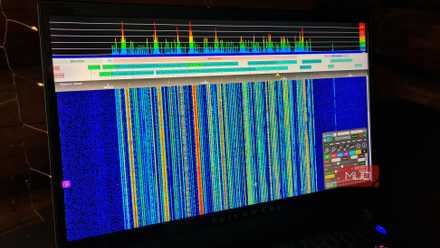
The waterfall display on SDR receivers is what makes this kind of radio different from just sitting with a pair of headphones, endlessly twirling a VFO knob until you hear something behind the static. It actually shows you a visual representation of a slice of the radio spectrum over time, so you can see signals and click on the frequency they’re transmitting on.
The horizontal axis is frequency, and the vertical movement that’s constantly scrolling is time. When a signal is received, it appears as a bright streak with its intensity represented as colors from green (weak) to red (strong), and moves down the page.
Airband transmissions are often pretty short, so this waterfall helps listeners catch them before they end. A pilot might call in, get a quick reply from approach, and then disappear within a few seconds. If you’re scanning a single frequency with audio only, you will likely miss that. But the waterfall lets you see it happening across multiple frequencies and quickly tune in to hear it.

Air Traffic Control (ATC) transmissions use analogue Amplitude Modulation (AM) rather than digital. On the waterfall, this looks like a solid line (the carrier) surrounded by voice information spreading out on either side of it in the upper and lower sidebands. The image above is a perfect example of an AM signal coming from the Zurich ATC picked up by the SDR.
I kept the flight map open beside the receiver
The fun started when I heard my first callsign while watching the plane land on the map.

Listening to ATC on the public SDR was exciting enough, but the flight map is what makes it completely addictive. After playing around with both the map and the SDR for a while, I got it all down to fine art. I watched the SDR waterfall for strong candidate AM signal bursts and clicked. Then, I listened until I heard a callsign and tried to line it up with the aircraft I could see on the map.
I quickly learned this isn’t as easy as clicking on every plane on the map until I found the one mentioned. Flight trackers like PlaneFinder or FlightRadar24 can show you a heap of details you’re not going to hear in the ATC transmission, like flight numbers and registration.
Here’s what I heard from ATC over the SDR:
“Edelweiss two five hotel descend flight level one hundred.”
So, I understood I should be looking for a plane on the map on approach, and I found this flight using PlaneFinder:
- The aircraft was an Airbus A320.
- The airline was Edelweiss Air.
- The registration was HB-JDB.
- The ICAO airline code + callsign was EDW25H.
That was an exciting moment because I could now watch the plane moving on the map after having identified it from the ATC transmission and listen to the pilot communicating with ATC in real-time. I kept locked on that frequency and followed the entire conversation from landing to taxiing.
Once that flight was done, I went looking for the next one. Since the Zurich Airport is a major aviation hub, it only took seconds to find a new plane to watch and listen to. It was a nice reminder of how ATC runs like a well-oiled machine, keeping people and planes safe.
Some frequencies are way more interesting than others
Tower, approach, and departure all have different roles

Anyone who has played a realistic flight simulator will already know the handoffs between different ATC roles, but listening to a real ATC tower brings an added layer of realism. Because this SDR was a dedicated airband receiver, the owner had labeled the main frequencies and their uses by ATC.
This SDR had labels like:
- ZRH Arrival
- ZRH Tower
- ZRH Apron
- ZRH Final APP
- ZRH Departure
That already gave me a place to look for transmissions and what aircraft they likely matched on PlaneFinder.
I found out that not all of these channels are exciting. The tower handles aircraft close to the runway. Apron and ground frequencies deal with planes moving around on the ground, and these are typically displayed well on plane-tracking maps. The approach handles arrivals as they descend, and departure handles the planes after they take off.
Approach and departure were definitely the best channels to monitor because they meant I was able to follow along with the plane moving on the flight tracker. This is also why the Zurich receiver was my favorite pick. Because it was located further away from the airport, I was able to follow the pilot’s portion of the conversation for longer.
OpenWebRX, WedSDR, and KiwiSDR make it feel like real radio
Tuning in manually and controlling a real radio receiver was a big part of the fun

So why go through the hassle of using a public SDR when live ATC streams already exist? For me, the best part of this radio and aviation mashup is that I was operating a real radio instead of hitting play on a stream.
I could type in a frequency, change operating modes depending on signal types, watch the waterfall, and move towards signals that looked interesting. It’s not as convenient as listening in on a stream or using live radio sites, but it’s way more fun. A live ATC stream is fine when you already know which airport you want, but an online SDR feels like sitting in front of a real radio with real controls, making real adjustments, and making real mistakes.
All that frustration makes the whole hobby feel more satisfying once you finally get it right and track your first plane. For Open-Source Intelligence enthusiasts, it also adds another OSINT tool to your collection and helps you be able to pick out speech better from transmissions with a lot of noise and interference.
Now I understand why aviation radio is so addictive
It adds a whole new technical dimension to live flight tracking
Now, I know this isn’t everyone’s idea of a fun way to spend an evening. If listening through static and cross-checking callsigns sounds more painful than fun, then a flight tracker alone is probably fine.
But if you love seeing how complicated systems work in real life, it is seriously easy to get hooked on. The flight trackers give you the clean version, but the public SDR gives you the voice of the humans working behind the scenes to safely land and fly the aircraft we depend on every single day.
Just that aspect alone was enough for me to enjoy it, but the side-by-side flight tracker and controlling an SDR online was a fantastic way to combine two hobbies I already really love.

How to Set Up a Flight Simulator on Your PC
Are you looking to start playing flight sim games? This guide will help you with landing the perfect sim set up.
