

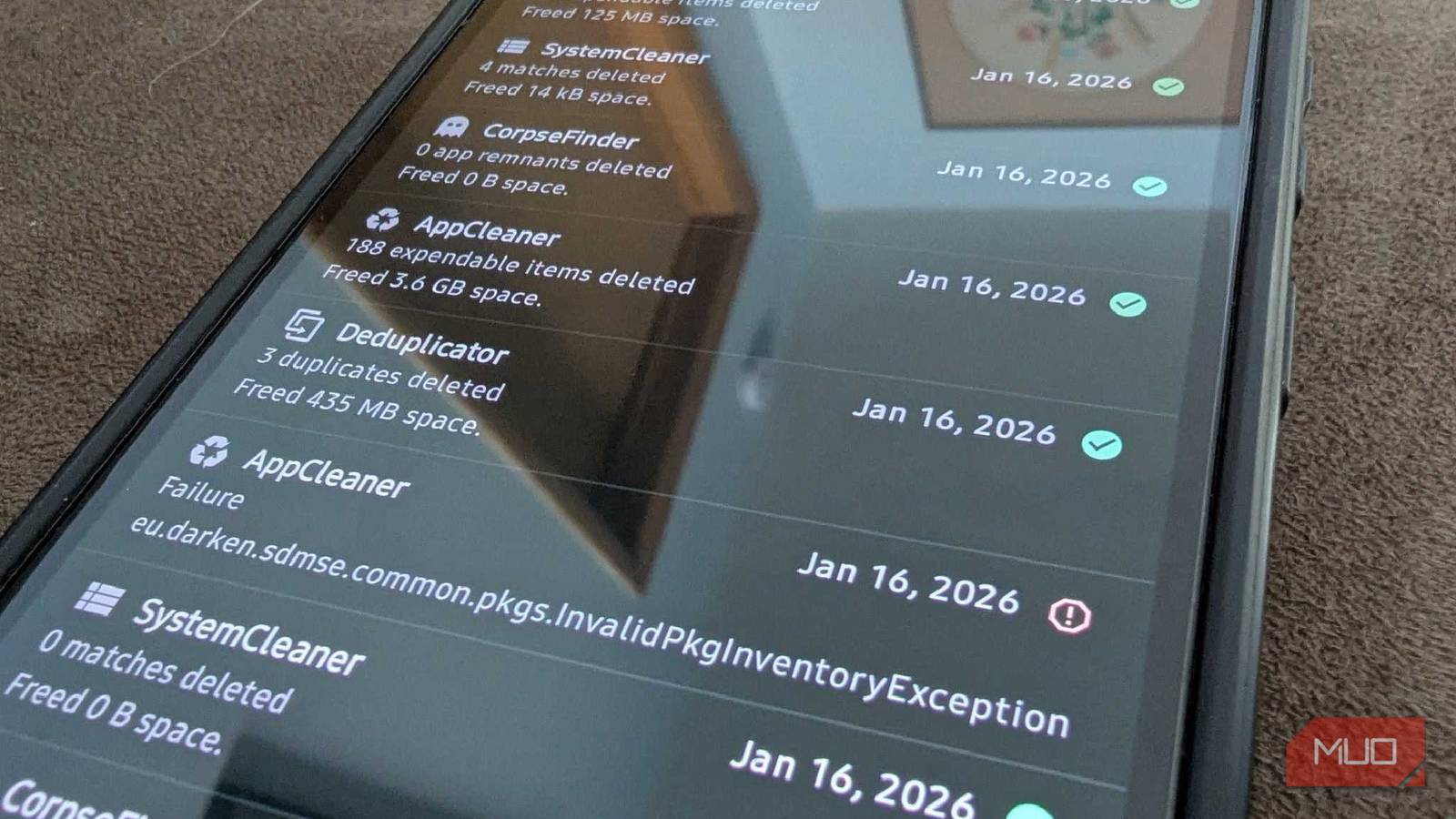

Among a desktop PC, 2 MacBooks, and a business Windows laptop, I also run a dual-phone configuration: an iPhone 14 and a Galaxy S23. Theoretically, I shouldn’t have a storage problem with all of these devices, but regardless, I still do. The Android phone I use is specifically for everything work-related. Since getting the Galaxy S23 a few months ago after losing my S20 to an amateur mistake, I’ve accumulated quite a lot of junk that, frankly, I don’t have the energy to manually look up and clean up individually.
Fortunately, there’s an easier way to do so, and it’s all thanks to this one open-source app that became the most important on my Android phone: SD Maid SE.
What SD Maid SE does
A cleaner that actually shows its work
Your Android’s default storage manager isn’t too great — to free up storage, it will recommend erasing cache, flagging large files, or removing .apk app installers. Usually, it divides your storage into apps, media, documents, downloads, and the other sections. The other section specifically: most app cleaners fail to even explain what they are made of.
This is where SD Maid SE comes in. The app gives a comprehensive overview of what is actually eating up your storage. Thanks to the Shizuku integration (an Android utility that provides advanced access to apps without requiring root privileges), SD Maid SE performs various storage-cleaning tasks that wouldn’t otherwise be possible, since Android wouldn’t grant permission.
And for a detailed overview, here are some of the tools included in SD Maid SE that you won’t normally find in other cleaner apps:
CorpseFinder: Android’s default uninstaller leaves heaps of data and folders behind even after removing apps. CorpseFinder detects remnants of data from those apps, reclaiming storage you never knew was being hogged.
SystemCleaner: Aside from the generic cache that most system cleaners remove, SystemCleaner identifies crash logs, temporary files, and old installer files, using unique filters to further free up storage.
App Control: For apps currently installed and active on your phone, SD Maid SE can also inspect and manage them. It’s basically a beefier version of the App section in your Android phone’s settings. It will give you an overview of when you updated the app, when you installed it, when you last used it, export .apk installers for it, batch-select for management, and more.
AppCleaner: This feature scans expendable data, including app cache, thumbnail cache, offline cache, and more, that are safe to remove but gobble up storage.
Swiper: Before automatically deleting everything, Swiper gives you a manual review and authority over the data about to be removed from your Android, so you don’t accidentally wipe stuff important to you.
Overall, SD Maid SE features 10 tools, five of which are accessible in the free version and are the only ones I’ve tested.
I recovered 8.4GB of storage I didn’t know I had
More junk than I expected

After reinstalling SD Maid SE on my new Android after years of forgetting about it, I had to thoroughly check my storage using all the aforementioned tools. I expected the app to find maybe 1GB-2GB worth of waste, but I was shocked to see it flagging 8.4GB worth of cache and junk that could be cleaned.
Most of it was from the AppCleaner, which included cache from Instagram, TikTok, and other apps. There wasn’t much to clear from the residue of deleted apps because I just got this Android a little while ago, and I haven’t deleted any apps from it yet.
Why I trust SD Maid SE with my phone
Open-source and nothing leaves your phone

The tools alone in SD Maid SE make it an easy recommendation. Though many users might be skeptical about granting all the permissions the app requires, that’s completely safe to do — the app only asks for essential permissions, which are necessary for the deep cleaning SD Maid SE performs.
However, there’s another reason I vouch for it: its open-source approach, meaning that all data processing occurs locally and the app doesn’t collect, store, or sell it, which is quite rare for a free cleaning app. SD Maid SE is completely ad-free and doesn’t even include an aggressive push to sell the paid version or to sell a bundled service on the side, unlike other alternatives.
A decade later, still the only cleaner I recommend
On paper, SD Maid may seem like a complex app to set up, but I promise you that’s far from the truth. Once you get the hang of the tools, the UI is super functional and easy to navigate. You can go one step ahead with SD Maid via the pro version and unlock automated cleaning and a deduplicator to remove duplicate files, among other features. I’ve been using SD Maid for nearly 10 years now, and it’s one of the apps that has stayed true to its purpose and hasn’t derailed into becoming a corporate cash grab.

- OS
-
Android
- Price model
-
Free, Paid Pro Features
SD Maid SE is an open-source file management application for Android devices that offers a comprehensive set of tools to help you free up storage by removing junk, residual data from deleted apps, and more.
