


Words can’t describe how frustrating it was to run out of mobile data on my Galaxy phone. It meant being more restricted in what I could do with my apps. And when you run out early, the usual fix is paying your carrier for more data. After that experience, I promised myself it wouldn’t happen again.
That’s when I stopped taking my mobile data for granted and decided to use my Galaxy’s built-in data warning and limit settings. I hadn’t realized one little setting could put me back in charge of my data.
Set a warning before your data runs low
A 2GB data warning was enough for me
On a road trip, a 10-minute heads-up that you’ll be arriving soon gives you time to gather your stuff. To get the same benefit on my phone, I set up a 2GB data warning for my monthly 4GB plan. That way, when I lost track of time using an app, I knew when to put my phone away.
The warning helps me plan how I’ll use my remaining data for the month. For example, if I’ve hit my 2GB warning threshold and see I only have 3 days left in the billing cycle, I can keep doomscrolling because I’m unlikely to use the remaining 1GB before I hit my 3GB cutoff so soon. But if there are still two weeks left, I know I need to slow down.
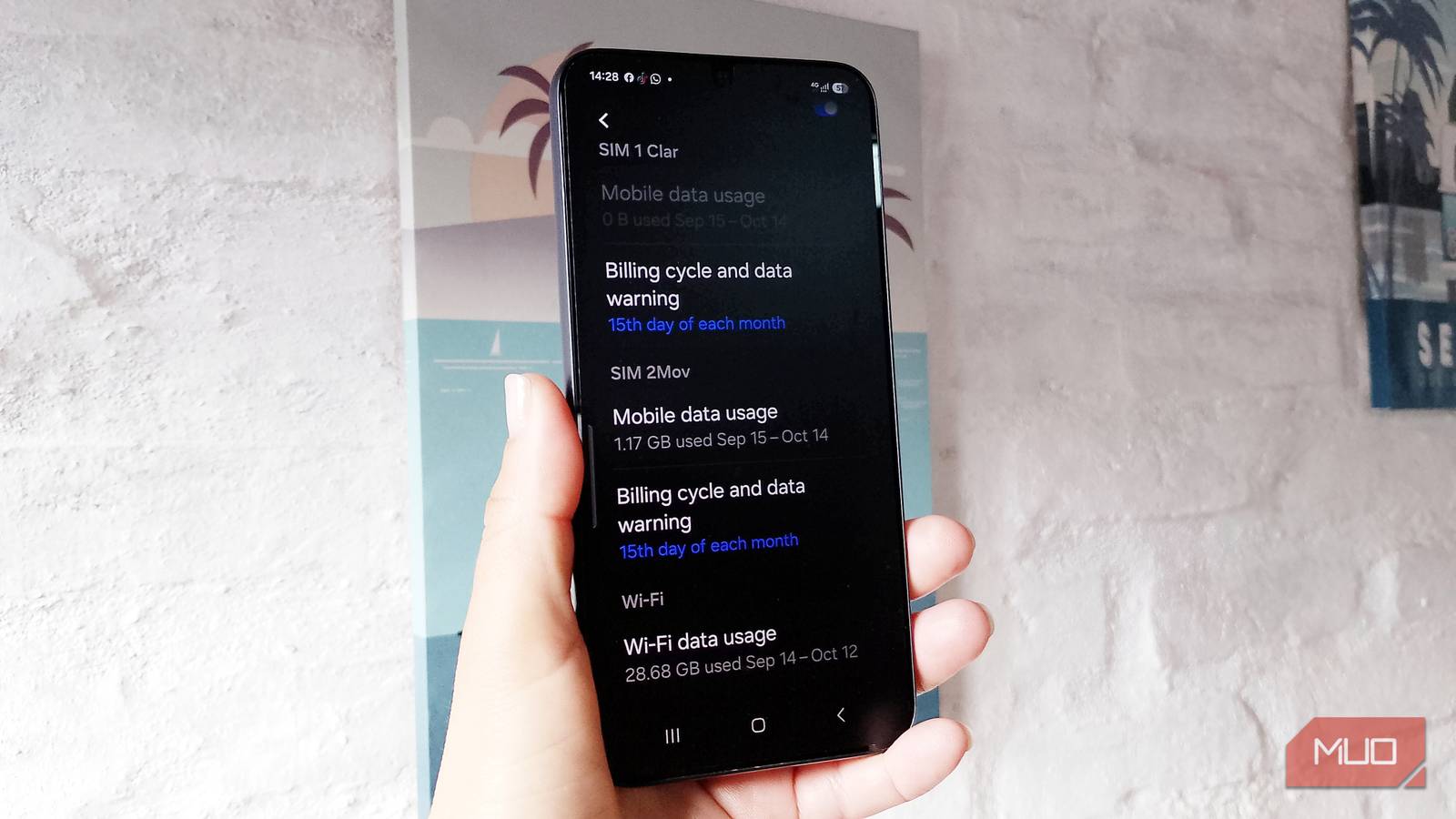
I didn’t have to spend much time setting it up, since I just went to Settings -> Connections -> Data usage, then Billing cycle and data warning, turned on Set data warning -> tapped Data warning, entered 2GB, and tapped Set. I always try to be as careful as possible, but I often lose track of how much data an app uses.
Stop the data before it stops you
Set a number and let your phone do the boring stuff

The main benefit of cutting off my mobile data at 3GB is knowing the remaining 1GB of data is only for really important tasks. I chose 3GB as a cutoff limit because it leaves enough data to stay connected to the internet and send an important file if needed.
I only had to go to Settings -> Connections -> Data usage -> Billing cycle and data warning. There, I turned on Set data limit -> tapped Data limit, entered 3GB, and tapped Set. When I reach my 3GB limit, my Galaxy will automatically turn off mobile data, so I’ll probably end up asking the same question over and over: “Can I connect to your Wi-Fi?” I don’t want to change the limit, but if I need to do something important, I go to Settings and toggle off the Set data limit option.
I made sure my Galaxy’s start date matched my carrier’s
I set my Galaxy’s start date to the 15th

Matching my Galaxy’s data usage start date with my carrier’s is very important. Otherwise, I could easily misunderstand how much data I’ve used and think I have more left until my plan renews than I actually do. By default, your Galaxy starts counting data on the 1st of the month, which may not match your carrier’s renewal date.
So, check when your carrier renews your data allowance, and make sure your Galaxy phone matches that date. That way, they’re both on the same page, and you have a clearer picture of your monthly data usage. That’s exactly what I did on my Galaxy; I set the billing cycle to start on the 15th of every month. Samsung says that it can take up to a month for the new date to reflect your data usage more accurately.
How sure can you be of an estimate?
Your carrier might say you still have data left

When every megabyte counts, an estimate isn’t very helpful. Even Samsung says the data usage numbers are estimates, and your carrier’s numbers might not match what your Galaxy shows. You might need only 1MB to see that WhatsApp message you’ve been waiting for.
So if your phone cuts off your mobile data at what it estimates is your plan’s limit, you’re always left wondering: What if you’d had just a bit more data?
The solution is a quick fix
I can always grab a coffee and ask for the Wi-Fi password

If you find yourself in that situation, you can go to a local coffee shop and ask the question I mentioned earlier: “Can I connect to your Wi-Fi?” Sure, some places don’t publicly advertise Wi-Fi for customers, but it doesn’t hurt to ask. While you’re there, you can also check your carrier’s app to see if you’ve really run out of data for the month. If you did, you’ll have to rely on Wi-Fi or buy more. I also set my cutoff below my full data allowance, just in case the estimate is off.
A warning is better than running out of data
I still have to rely on 4GB of mobile data, but for now, the days of running out are gone. If I ever want to know what I used my mobile data for, I can always check my Galaxy’s mobile data usage in Settings. So next time your billing cycle is coming to an end, sit down and set your data warning and limit to a number that still leaves you some for emergencies.
