

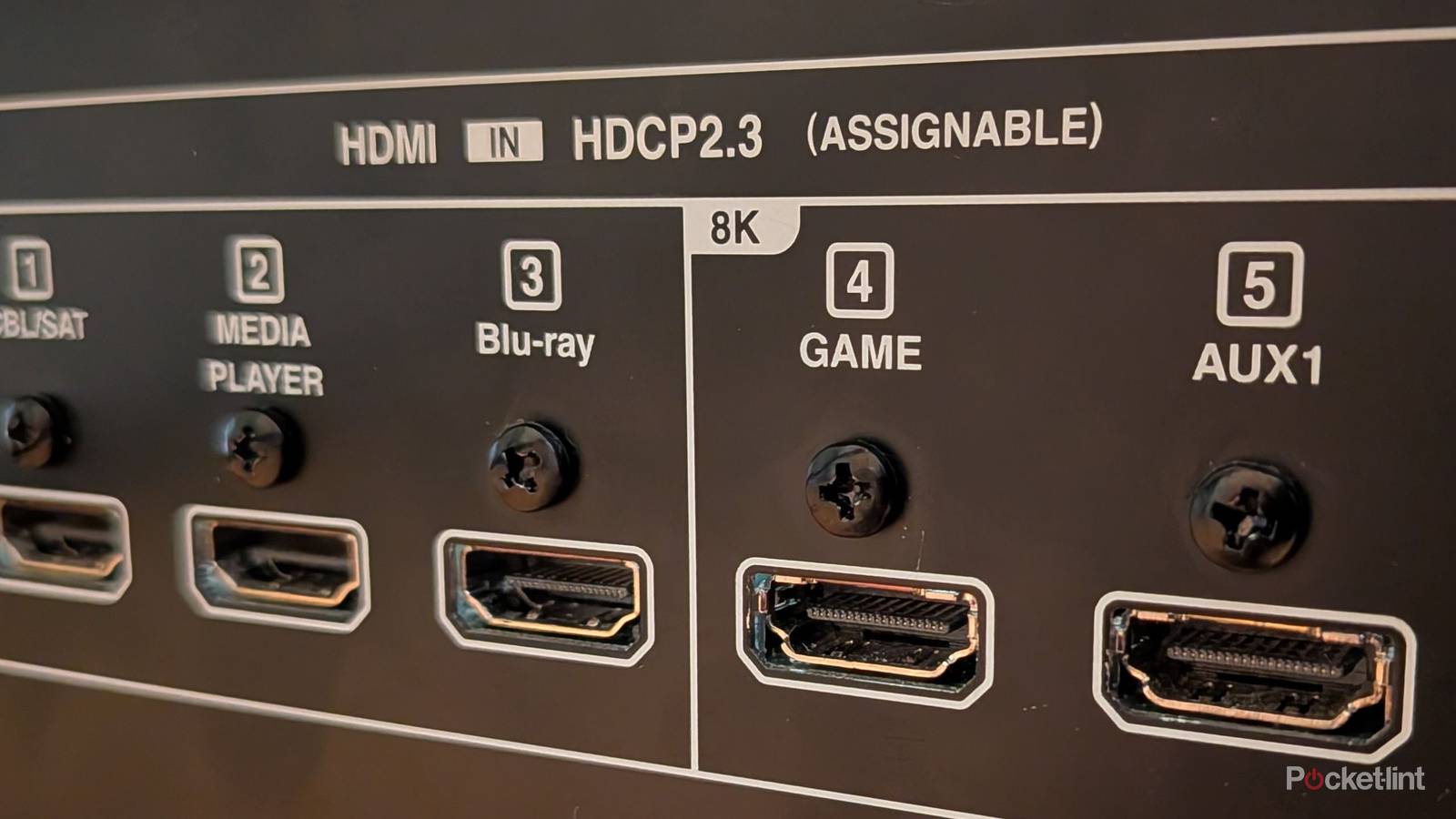

The HDMI format has come a long way, and we’re very far removed from the basic 720p days. Since then, we’ve evolved to 1080p, 1440p, 2160p (4K), and now 4320p, which is better known as 8K. While there are some 8K TVs out there, it’s far from the mainstream. It only feels like just recently that 4K TVs have gotten to the point where they’re affordable and available to the masses.
In a lot of ways, we’re still playing catch up, and we haven’t really come close to maximizing what a 4K TV can do. This game console generation was sold on the idea of 4K 60 FPS gaming, but many games don’t even hit that resolution natively. If we can’t hit that number, then what chance do 8K TVs have? As it turns out, not much of a chance. We’re still a long way out from 8K TVs being mainstream, and I’m really not sure if we’ll ever get to that point.
With all that said, if you have 8K ports on your TV or receiver, you should just use them anyway. No, it won’t give you more performance or magically make your stuff look better, but there’s no downside to using them.
If you have them, use them
No harm done

HDMI ports can get confusing, especially if you’re somebody who never thought much about them in the past. The good (and bad) thing about HDMI cables is that they all look largely the same, and they will work across every device. The same HDMI cable you used with your PS3 decades ago will also work with your PS5. That doesn’t mean you should do that, however, because it means you’ll be leaving a lot of performance on the table.
If you flip the script, you can use the same PS5 HDMI cable on your PS3, and you’ll get the same performance. The HDMI format is fully backward-compatible and forward-compatible in that way, so there’s no reason not to use the newest format that you have. If you plug your PS3 into an 8K HDMI port, there’s nothing wrong with that, and it’ll perform the same way as it would if it were plugged into an older port.
The reason I recommend using the 8K ports is that you know they are the newest format available. A lot of people leave cool features on the table, and that’s not going to happen with the 8K ports. These are guaranteed to have at least HDMI 2.1 ports, which means you get access to variable refresh rates (VRR) and Dolby Vision. I would rather be safe than sorry, and since my Denon S760H receiver comes with a plethora of 8K HDMI ports as it is, I don’t see a reason not to use them. There’s no harm in doing so, and it means I don’t have to think about whether I’m getting the most out of my devices. There might be a few extra steps, like enabling Enhanced HDMI Format on my TV, but once that’s done, it’s smooth sailing. It’s just an easy thing to remember that 8K ports support the latest HDMI features available on the market, at least until HDMI 2.2 becomes mainstream.
Perhaps you’ll pick up an 8K TV someday, and you’ll already be prepped for it by using the 8K ports already. Personally, I don’t plan on grabbing an 8K screen any time soon, but I know I don’t speak for everybody.
You don’t have to prioritize new ports
Just make sure you have access to HDMI 2.1

With so many HDMI ports around these days, it’s easy to get confused. If you don’t have any 8K ports on your receiver or TV, it doesn’t mean you don’t have HDMI 2.1 ports. Most modern TVs come with at least a few of these ports. My Sony Bravia X90J has two, and it’s a TV from 2021. If you have something newer than that, you should be just fine. It’s a bit of a double-edged sword, because while it’s nice to have these 2.1 ports around, the reality is a lot of things don’t take advantage of them just yet — and that gap is going to widen even further once HDMI 2.2 ports start arriving.
Game consoles are the biggest beneficiaries of having 2.1 ports, as that gives them access to VRR and 120 FPS, but that’s largely the extent of it. Your Apple TV 4K, Blu-ray player, Roku Ultra, etc. will all work just fine with the 2.0 port, and you won’t even notice a performance difference between the two. That’s great for people who are still relying on HDMI 2.0 ports, but it’s a bit of a bummer for people like me who want to push the boundaries of what their technology can do. With HDMI 2.2 here, it still doesn’t feel like we’ve come close to maximizing what HDMI 2.1 can do, and now we’re falling further behind. I guess it’s not a huge deal, but I hope we see some new tech that can really take advantage of these new ports other than game consoles — especially since those consoles are continuing to rise in price.
