

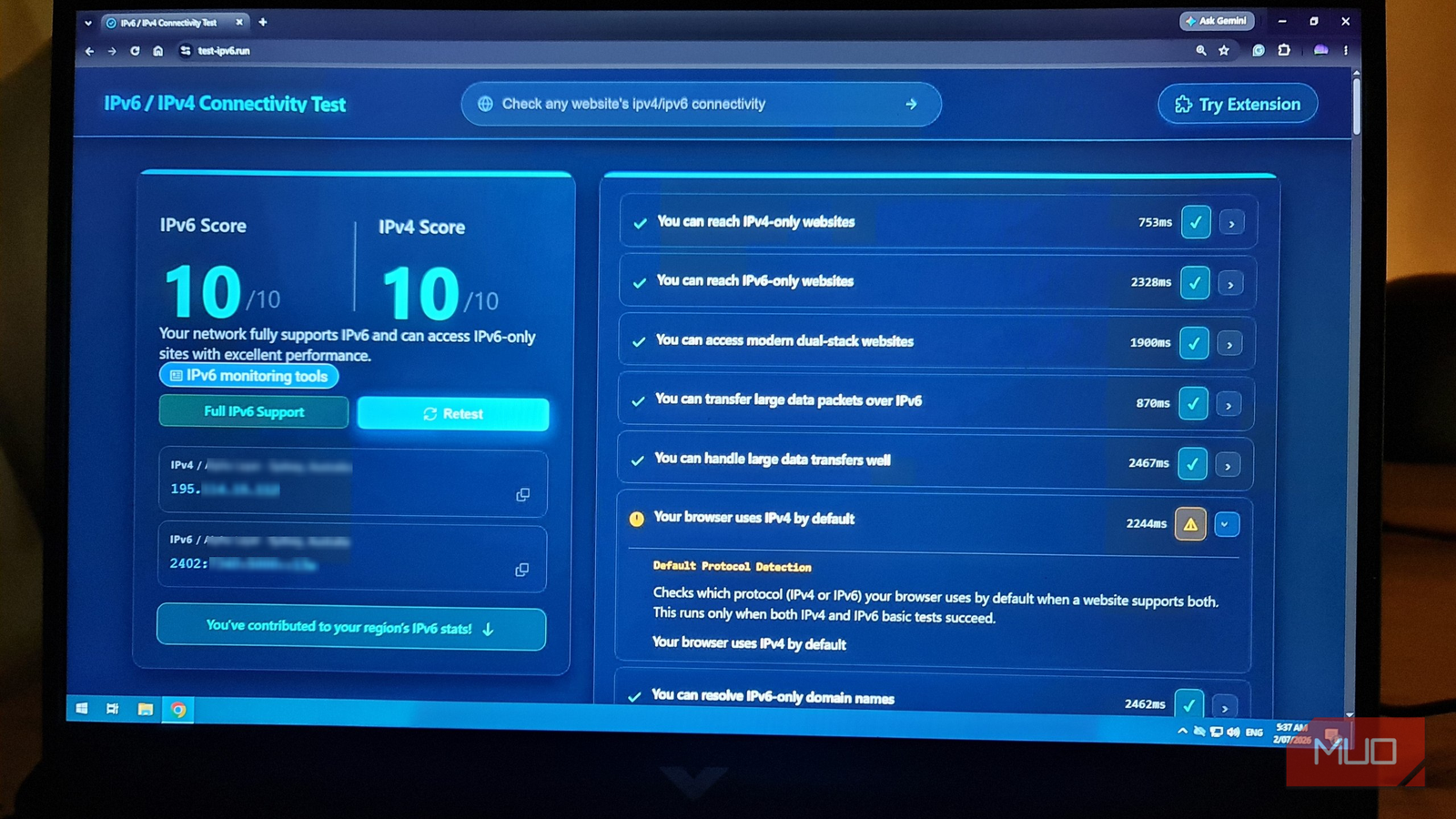

I’ve avoided dealing with IPv6 for as long as I can remember because, well, IPv4 just keeps on working. IPv6 is our answer to IPv4 address scarcity and was once considered the future of the internet. But it’s complicated enough that I put it in the “too hard” basket and just kept using IPv4 for the time being.
That excuse finally ran out, and I needed to understand the new addressing scheme. Unfortunately, my ISP doesn’t hand out IPv6 addresses, so I found a local data center I’ve used in the past that did and spun up an experimental virtual private server. What I learned in the process shattered my ideas about IPv6 and made me realize that more addresses are only the start of a whole new world of networking.
My ISP won’t give me a real IP for remote access, so I got around it with this free relay
CGNAT stops port-forwarding in its tracks, so I built a temporary and free RustDesk relay to give me back remote access.
My home internet made IPv6 feel unattainable
The VPS turned it from a theory into something I could break safely (and break it I did)
My home connection made IPv6 conveniently easy to ignore because my ISP doesn’t support it. I could just read about it, nod along as if I understood it, and move on because I never had to worry about it.
Of course, my VPS soon changed that as it came with both a normal IPv4 address and a primary IPv6 /128. It also had an IPv6 gateway and a dedicated /56 subnet. Unfortunately, unlike the provided IPv4 address and routing, IPv6 wasn’t working out of the box, which meant I was more or less thrown in the deep end while trying to figure out why. The interface looked fine:
ip -6 addr show dev ens3

inet6 2402:7340:5001:4800::xxx/128 scope global
inet6 2402:7340:5000::xxx/128 scope global
inet6 fe80::xxx/64 scope link
But the route table told a very different story:
ip -6 route

2402:7340:5000::1 dev ens3 proto static
2402:7340:5000::xxx] dev ens3 proto kernel
2402:7340:5001:4800::xxx dev ens3 proto kernel
fe80::/64 dev ens3 proto kernel
So, basically, the gateway existed, but it had no route through it. Because the VPS had Ubuntu Linux installed, adding the default route meant editing the configuration in Netplan /etc/netplan/50-cloud-init.yaml:
addresses:
     - "195.114.15.[redacted]/23"
     - "2402:7340:5000::xxx/128"
     - "2402:7340:5001:4800::xxx/128"

routes:
     - to: "2402:7340:5000::1/128"
     scope: link
     - to: "::/0" via: "2402:7340:5000::1"
That ::/0 route was the missing piece that was needed to make it work. Without it, the server had IPv6 addresses, but no real path to the internet. Once I tried and applied the new configuration, I tested with:
curl -6 --connect-timeout 10 https://ifconfig.co

2402:7340:5001:4800::xxx
That was the big “uh-huh!” moment. IPv6 didn’t work just because an IPv6 address was assigned to the interface. The server also needed:
- A usable IPv6 address on the network interface.
- A gateway address from the router.
- A route telling the server how to reach that gateway.
- A default::/0 route tells the server where to send any non-local IPv6 traffic.
If I thought about it in terms of IPv4, I had the address, but not the road out. Once the default IPv6 route was there, the same server that previously had no IPv6 connectivity could reach the IPv6 internet properly.
The address space is the headline, but scarcity is the real problem
IPv6 means we don’t use public addresses like rare commodities
IPv6 was born out of the very real issue that IPv4 addresses were going to run out. That’s because IPv4 uses 32-bit addresses, which gave the internet about 4.3 billion usable addresses. That’s a lot of addresses, but when smartphones, Internet of Things (IoT) devices, routers, servers, and now AI get thrown into the mix, it’s easy to see how unique IPv4 addresses have become a scarce commodity.
IPv6 uses 128-bit addresses. That gives it roughly 340 undecillion possible addresses, which is a number with 38 zeros tacked onto the end of it. But the point of why it exists is simpler than just the numbers. Even with all the workarounds, IPv4 was simply outgrown as the devices that required unique public IP addresses soon outpaced what was left unassigned.
The biggest workaround is, of course, Network Address Translation (NAT). Rather than every single device having its own public address, a router can place multiple devices behind a single shared public IPv4 address. That’s why my network devices have private addresses like 192.168.x.x., 172.16.x.x, and 10.x.x.x.
That little stroke of genius that was NAT basically kept IPv4 alive for decades, but it also dramatically influenced the way I thought about networks. Public addresses to me always felt rare, and direct static address connections became special cases that required a lot of workarounds. Port forwarding has also become the norm, and Carrier Grade NAT (CGNAT) just made that problem even worse by placing entire customer groups behind shared public addresses.
Another little networking fact that keeps me awake at night is that if the entire Class A 127.0.0.0 block wasn’t reserved for local loopback addresses (like 127.0.0.1), that would have freed up 16,777,216 IPv4 addresses.
My VPS made the split between IPv4 and IPv6 easy to see because it was running in what’s called “dual-stack” mode. That means it had both IPv4 and IPv6 configured at the same time, meaning the server could talk to the internet in either way. That’s how a lot of modern internet is currently set up during the transition from v4 to v6, with both systems running side by side.
I could actually force each path with curl:
curl -4 https://ifconfig.co
curl -6 https://ifconfig.co

195.114.xxx
2402:7340:5001:4800::xxx
The real difference showed up in the simplest of places
IPv6 changes how I look at DNS, firewalling, and local network plumbing

Once I had IPv6 up and running, I found the biggest differences weren’t the annoying and difficult-to-remember IP addresses themselves, but that several normal networking checks suddenly had different steps.
The first and most obvious was DNS. With IPv4, I really cared most about creating A records, but with IPv6, I also needed to care about AAAA records:
dig A makeuseof.com
dig AAAA makeuseof.com
The second difference was security. For too long, I’ve used NAT almost like a safety blanket. It’s not really a firewall, but it hides my private devices well enough to treat it like one. IPv6 means that, in principle, those same devices now have globally routable addresses. For devices sitting on my network at home, this means taking extra care when it comes to firewall rules.
My VPS already had a routable IPv4 address, but I still wanted to check that the Ubuntu UFW firewall was handling IPv6 as well:
grep IPV6 /etc/default/ufw
sudo ufw status verbose
What I wanted to see was:
IPV6=yes
Status: active
The third difference was the local network plumbing. IPv6 has link-local addresses, neighbor discovery, router discovery, and autoconfiguration behavior that is very different from IPv4. A quick check showed some of that machinery in action:
ip -6 addr | grep fe80
ip -6 neigh
ip -6 route
My VPS was statically configured, but even there, the link-local address and gateway behavior made it very clear that IPv6 isn’t just longer and has more addresses. It actually changes how devices fundamentally find their place in a network, how names resolve, how traffic exits and finds its way back, and how exposed services need to be more controlled.
The annoying part is that IPv4 has not gone away
Dual-stack means two realities, and either one can break

IPv6 was launched over a decade ago, back in 2011, but we’re still stuck somewhere between full adoption and dual-stack IPv4 and IPv6. A server, router, or app can still support both at the same time, but that means I essentially get two versions of “working.”
That was the big takeaway from my experiment with my VPS and IPv6. IPv4 could work even when IPv6 was completely failing. IPv6 addresses could still exist even when IPv6 routing was nonexistent, because IPv6 falls back. DNS could have an A record, but no AAAA record, or a firewall rule could be just protecting one side.
So, yes, the larger address space is why everyone talks about IPv6. It exists because we simply ran out of IPv4 routable addresses. However, the real difference is that IPv6 tries to move the internet away from address-sharing workarounds like Tailscale and back toward direct and explicit networking.
No private addresses hiding behind NAT, no more extra charge just for a routable static IP address at home. With IPv6, the firewall decides what’s actually reachable again. That’s way cleaner, but it also gives me more to think about, like checking both A and AAAA DNS records, routing, and, while dual-stack is still a thing, I also need to understand which interface is actually making the connection.

Thinking of disabling IPv6 on your Ubuntu PC? Here’s how to disable it both permanently and temporarily.
