


Close Menu

    Subscribe to Updates

    Get the latest Tech news from SynapseFlow

    What's Hot

    AGM X7 Pro rugged phone review

    November 29, 2026

    WSL Update failed with Exit Code in Windows 11

    November 29, 2026

    I bought a Steam Deck for gaming, but then I discovered its hidden potential

    November 29, 2026
    Facebook X (Twitter) Instagram
    • Homepage
    • About Us
    • Contact Us
    • Privacy Policy
    Facebook X (Twitter) Instagram YouTube
    synapseflow.co.uksynapseflow.co.uk
    • AI News & Updates
    • Cybersecurity
    • Future Tech
    • Reviews
    • Software & Apps
    • Tech Gadgets
    synapseflow.co.uksynapseflow.co.uk
    Home»Reviews»Samsung is working on Vision mode and Auto portrait for its Camera app
    Samsung is working on Vision mode and Auto portrait for its Camera app
    Reviews

    Samsung is working on Vision mode and Auto portrait for its Camera app

    The Tech GuyBy The Tech GuyNovember 28, 2026No Comments2 Mins Read1 Views
    Share
    Facebook Twitter LinkedIn Pinterest Email
    Advertisement


    Samsung recently launched the One UI 9.5 beta for the Galaxy S26 series. Today some strings in that software point to two new Camera app features in the works, called Vision mode and Auto portrait.

    Advertisement

    Vision would be a new mode sitting alongside Photo, Video, and the rest. It appears to show an AI-written summary of what’s in front of you, along with tappable keywords and two buttons next to the shutter, Ask and Translate. If that sounds familiar, it’s because Apple did something very similar with iOS 27, which moved Visual Intelligence into the Camera app as a new Siri mode next to Photo and Video, also with a description card at the top of the viewfinder and two buttons on either side of the shutter.
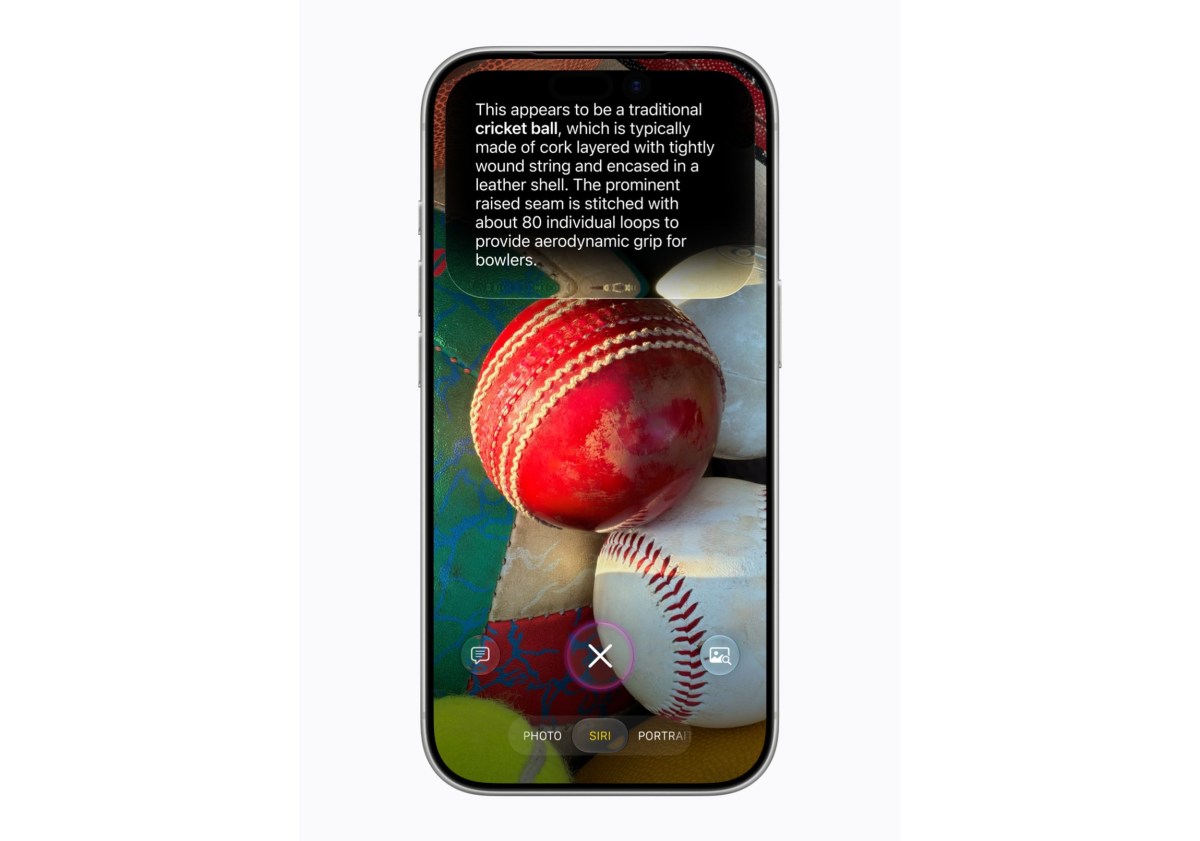
    Samsung is working on Vision mode and Auto portrait for its Camera app

    In Samsung’s case, tapping Ask, or one of the keywords, would send the camera frame to Gemini, while Translate would hand it off to Samsung’s AI Vision app, which is basically what’s left of Bixby Vision. Pressing the shutter reportedly won’t save a photo. It will only freeze the preview so you can keep asking questions about it. Below the summary card, Vision mode will also offer suggested actions, a text extraction button, and a flashlight toggle.

    The live preview is apparently streamed to a new Samsung app called Visual Agent Service, which isn’t available on the S26 family yet, so it’s unclear whether the scene summary is generated on the phone or in the cloud. You can already do much of what Vision mode offers by sharing your camera with Gemini Live, but Samsung’s version would be built right into the Camera app, with its own scene summary before you reach Gemini.
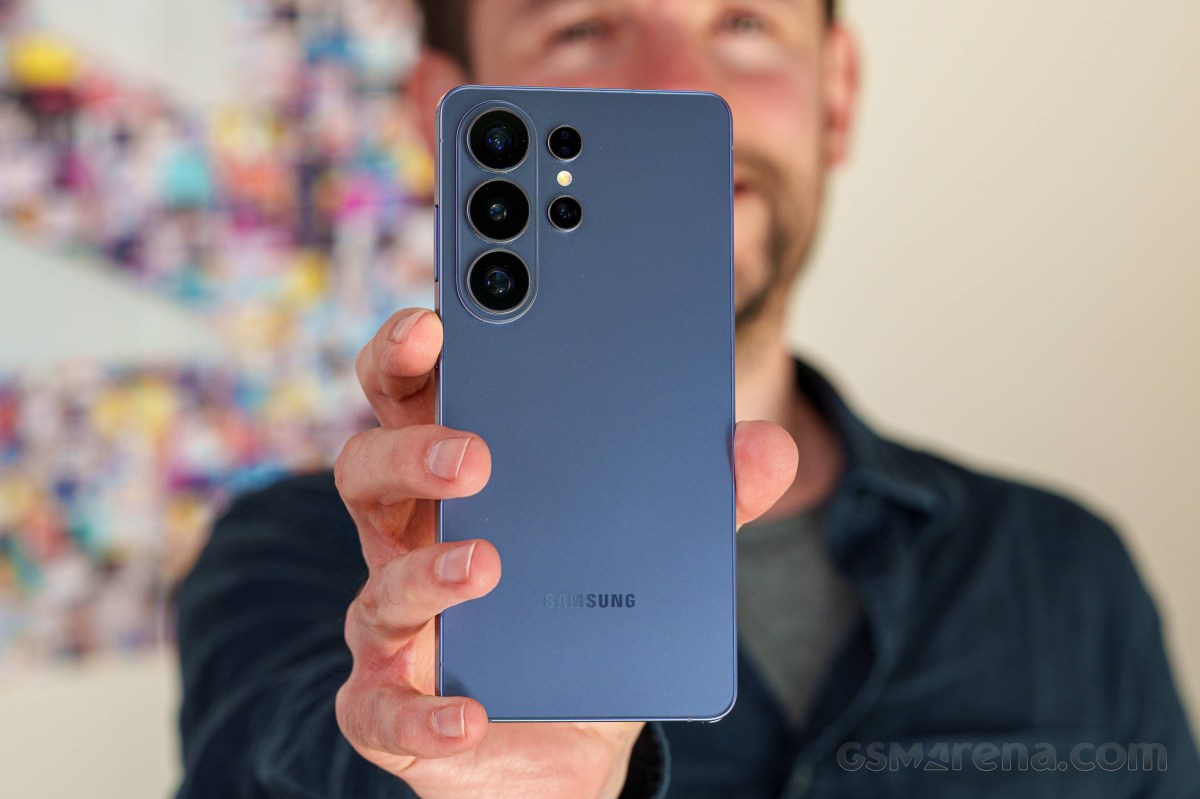
    Samsung is working on Vision mode and Auto portrait for its Camera app

    The other feature, called Auto portrait, appears to apply background blur automatically in Photo mode when it detects a face or a pet. You could also turn it on manually from the viewfinder and adjust the blur with a slider.

    Neither feature currently works on the S26 devices, and the discovered code suggests both need hardware these phones don’t have, so they will likely have to wait for the upcoming Galaxy S27 handsets, which are rumored to launch early next year.

    Source

    Advertisement
    Share. Facebook Twitter Pinterest LinkedIn Tumblr Email
    The Tech Guy
    • Website

    Related Posts

    AGM X7 Pro rugged phone review

    November 29, 2026

    Upgrade your home audio on the cheap with this heavily discounted Sony soundbar system

    November 28, 2026

    YouTube’s new Home feed lets you like videos you haven’t even watched

    November 28, 2026

    GL-iNet Fortify Wi-Fi 6 router review

    November 28, 2026

    These are the HBO Max, Paramount+ and Disney+ Black Friday deals you’ve been looking for

    November 27, 2026

    Apple pulls AI chatbot app over sexual and disturbing chats with kids. It’s a wake-up call for us all.

    November 27, 2026
    Leave A Reply Cancel Reply

    Advertisement
    Top Posts

    You don’t need a NAS to self-host — I proved it with hardware from my closet

    June 7, 2026395 Views

    Spotify is giving one of its best playlists a big visual upgrade to give subscribers ‘a closer connection’ to its New Music Friday curators — and I think it could be the update it’s always needed

    June 12, 2026216 Views

    Samsung is rumored to have changed its Galaxy S26 plans again – and we may not see the flagship phones before March

    October 18, 202522 Views
    Stay In Touch
    • Facebook
    • YouTube
    • TikTok
    • WhatsApp
    • Twitter
    • Instagram
    Advertisement
    About Us
    About Us

    SynapseFlow brings you the latest updates in Technology, AI, and Gadgets from innovations and reviews to future trends. Stay smart, stay updated with the tech world every day!

    Our Picks

    AGM X7 Pro rugged phone review

    November 29, 2026

    WSL Update failed with Exit Code in Windows 11

    November 29, 2026

    I bought a Steam Deck for gaming, but then I discovered its hidden potential

    November 29, 2026
    categories
    • AI News & Updates
    • Cybersecurity
    • Future Tech
    • Reviews
    • Software & Apps
    • Tech Gadgets
    Facebook X (Twitter) Instagram Pinterest YouTube Dribbble
    • Homepage
    • About Us
    • Contact Us
    • Privacy Policy
    © 2026 SynapseFlow All Rights Reserved.

    Type above and press Enter to search. Press Esc to cancel.

    Ad Blocker Enabled!
    Ad Blocker Enabled!
    Our website is made possible by displaying online advertisements to our visitors. Please support us by disabling your Ad Blocker.