

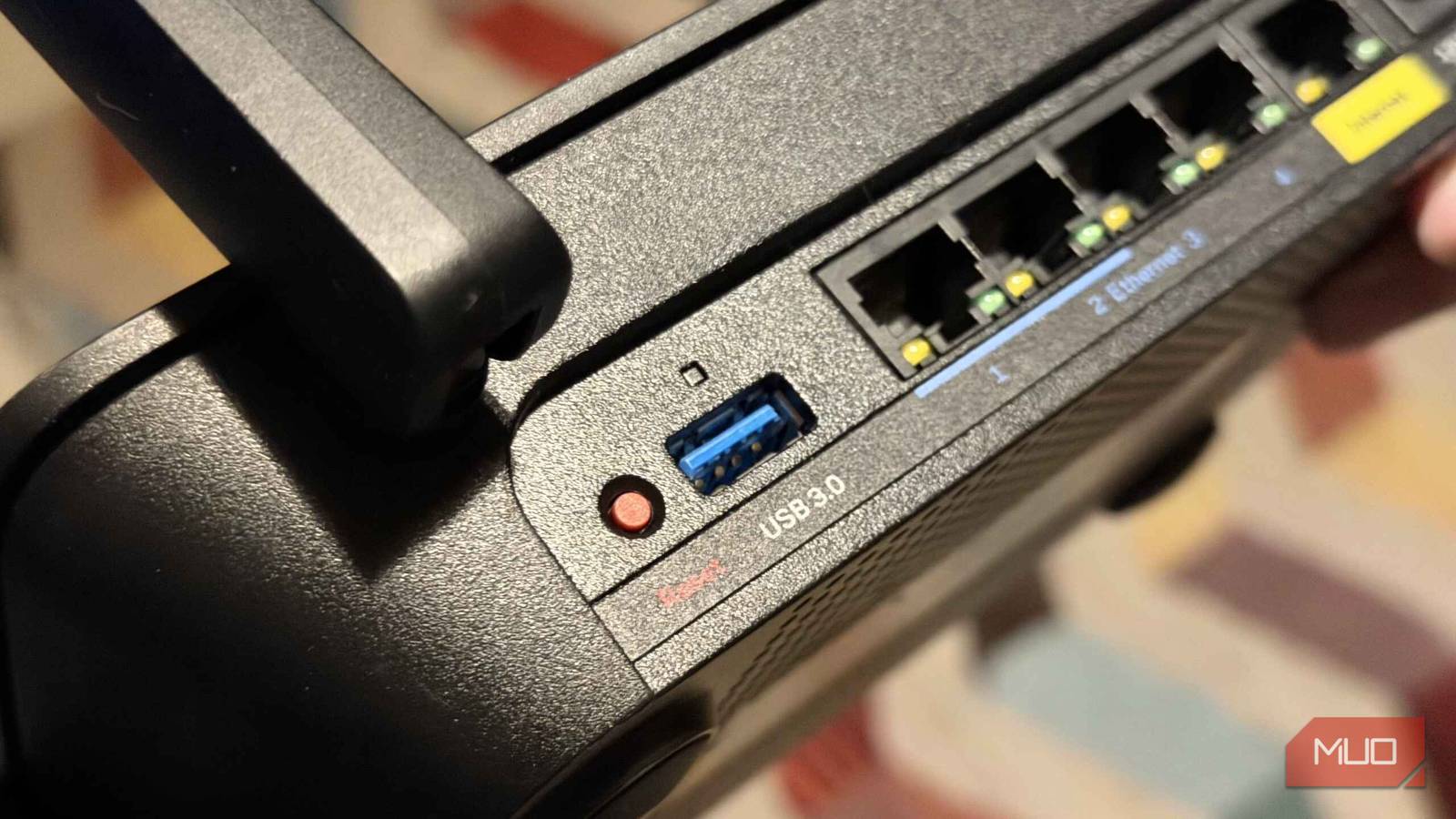

Lurking at the back of your Wi-Fi router is a USB port that most people use to store and transfer files. Now, that’s a good use for your router’s USB port, don’t get me wrong.
But the port can do a lot more than that, and some of those things are considerably more useful than basic data transfers on an old flash drive.
Fully upgrade the basic file sharing
Not quite a NAS

Plugging in an old flash drive is handy, but it can be even more useful with some tweaks. That actually starts with the drive type; a cheap thumb drive with 64GB capacity formatted as FAT32 and using a USB 2.0 port isn’t going to deliver what you want in terms of performance.
Swapping this out for a USB SSD will deliver an immediate speed boost for every device in the network with access. Not to mention, flash drives weren’t really designed for constant use, like a dedicated drive. The general wear and tear on the smaller drives will add up over time, which is why using a USB-powered external SSD (or hard drive) is the better choice.
The drive formatting also makes an enormous amount of difference to how useful it is. A flash drive with FAT32 formatting has a 4GB file limit, effectively ruling out large video files, disk images, and anything else you might actually want to store and access remotely. Formatting your attached drive with NTFS or exFAT instead will deliver much better results. exFAT also has the advantage of being supported across Windows, macOS, and Linux without the compatibility quirks that sometimes come with NTFS.
You’re also better off using a USB 3.x port if it’s available. Older routers may have shipped with USB 2.0, which limits data transfers to 480 Mbps and likely results in lower real-world speeds. It’s workable for documents and to share some files with family members, but for any larger files, it can feel very slow, especially if you’re used to USB 3.x and USB4 across the rest of your devices.
Turn it into a network printer
An old USB printer can be more useful than you think
If you’ve got a USB printer gathering dust because it’s not wireless, the router USB port is the fix you didn’t know you had. Plug it in, enable printer sharing in your router’s admin panel, and it shows up on the network. Every device in the house can print to it without anyone faffing around with cables or swapping who’s physically connected.
As you might expect, the setup varies by router type. Some routers, like ASUS and TP-Link, have a dedicated USB application menu that makes configuring print servers super easy. On other routers, you might not find a menu option for this at all, especially if it’s a cheap model or an ISP model with locked-down settings.
In all cases, a quick internet search for “[router model] usb printer support” will usually reveal what you need; asking an AI chatbot like ChatGPT or Claude is also a good option.
It’s not going to replace a modern wireless printer. The connection can occasionally be slower to wake up than a direct USB job, and you lose any fancy status monitoring that comes with manufacturer software. However, if the hardware is still good and the ink doesn’t cost too much, it could be worth digging out the cupboard and giving this a try.
Power a Raspberry Pi (or something similar)
Keep your custom DNS server up and running
Router USB ports deliver 5V and, depending on the model, somewhere between 500mA and 2A of current. It’s enough to keep a Raspberry Pi powered up, which means you can use your router to power a custom DNS server (like Pi-hole and Unbound) and keep it easily connected.
The ultra-low power Raspberry Pi devices, such as the Zero 2 W, have such minimal draw that it won’t be a problem at all; the more power-hungry and accordingly higher-specced Raspberry Pi 5 may push the USB port to the edge of what it can provide, especially if your router only supports USB 2.0. To be safe, I’d stick to the Raspberry Pi Zero, Zero 2 W, or even a Pi 3 running lightweight services, and leave the beefier models with a dedicated power supply.
For the most part, this is just down to some extra convenience. It’s one less plug socket taken up, and it keeps all of your cables neat and tidy and in one place. If you had a UPS to keep your router online during a power outage, your Raspberry Pi and whatever software you have installed on it would keep going, causing minimal disruption to your network, but I appreciate that not everyone is running that sort of configuration.
But yes, the usual caveats apply: check the actual current rating of your router’s USB port before you commit. Most routers list it in the spec sheet, and you should make sure the power is enough that you don’t cause accidental instability.

- Brand
-
Raspberry Pi
- Storage
-
microSD (up to 256GB)
- CPU
-
Quad-core SoC with Arm Cortex-A53
- Memory
-
512MB LPDDR2 SDRAM
- Operating System
-
Raspberry Pi OS (Linux Debian)
- Ports
-
Micro USB 2.0 with OTG, Mini HDMI, microSD slot, 40-pin GPIO, CSI-2 camera connector
The Raspberry Pi Zero is an ultra-small, single-board computer measuring just 65mm by 30mm. It features a 1GHz single-core processor and 512MB RAM. Designed for budget-friendly electronics projects, it includes mini-HDMI, micro-USB OTG ports, and a 40-pin GPIO header, making it perfect for compact DIY projects and IoT applications.
That’s not all you can plug into your router’s USB port
The USB port on your router is more versatile than most folks think or realize. Making your file storage better is a great option, but you could expand that further with a full NAS solution if you wanted. Alternatively, if you’re using macOS, you could use the router’s USB port as a dedicated Time Machine backup location.
Some routers support adding a 4G or 5G USB dongle as a backup in case your ISP’s internet goes down, but it needs a more specific type of router. But the general idea is that the router automatically switches to cellular and switches back when the main line recovers.
But overall, it’s worth playing around with, because you could be putting that lonely USB port to good use!
I stopped using Ethernet adapters throughout my house once I realized they bottleneck gigabit speeds
Ethernet adapters seem really convenient until you use them and realize they’re not as great as they seem.
