

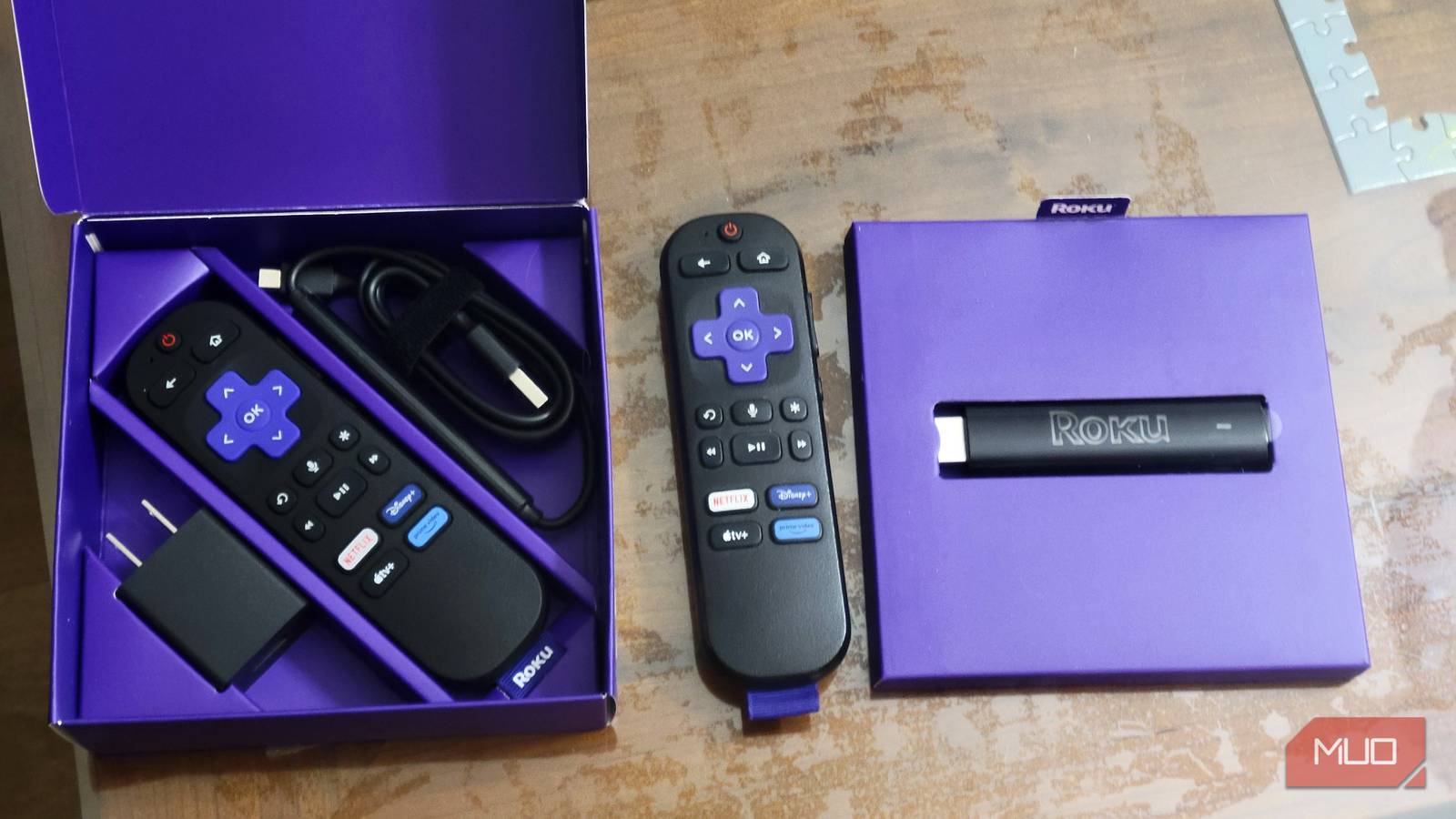

The 2025 Roku Streaming Stick Plus gives you an HDMI plug on one end and a USB-C port on the side. That is the whole list. Streaming sticks skip the Ethernet jack to stay small and cheap, and most buyers never miss it, though the omission stings if you spent a weekend pulling Cat6A through your own walls. Roku does support wired networking on its 2025 sticks, using that same USB-C port and an adapter that runs about $15. Nothing on the box mentions it. My office is the room where I stopped treating that as a curiosity, because wiring a TV instead of trusting Wi-Fi solves problems that no router upgrade touches.
The stick has one port, and it was never meant for networking
HDMI on one end, USB-C on the other
Roku includes a USB-A to USB-C cable in the box and no wall brick. The expectation is that you run it to the USB port on the back of the TV, tuck the stick behind the panel, and never think about it again. Most people do exactly that. Since the USB-C port is the only opening on the device, anything you add has to go through it.
My office sits behind double French doors. With the glass closed, speed tests on that side of the room fall to around 20 Mbps, which is enough for a video call and not much else. The rest of the house runs on Cat6A, and access points I placed myself, so watching a $40 stick crawl in a room with a network drop a few feet away is its own particular annoyance. I have fixed this kind of dead zone before in another room with a powerline adapter, but there was already copper in the wall here.
Your laptop’s Ethernet adapter will not work here
Chipset and speed rating matter more than brand

Most of us already own a USB-C Ethernet dongle. Mine is an Anker PowerExpand that lives in a laptop bag and has rescued me in a few hotel rooms. It does nothing for a Roku stick. Anker built it for computers; it runs at gigabit speeds, and Roku says to look for an adapter that only supports 10/100 Mbps, because adapters that also support 1000 Mbps will not work.
The rest of the spec sheet matters just as much. Roku wants an AX8877X or SMSC95XX chipset, a detail that usually appears in the fine print rather than the listing title, and it wants a USB-C connector for the Streaming Stick and Streaming Stick Plus. Micro-USB dongles sold for Fire TV sticks and the Roku Express line are out on the connector alone.
There is a fourth requirement nobody prints on the box. The stick has exactly one port, and that port is how it eats. The adapter has to include its own 5V power input so the stick stays alive once the dongle occupies the USB-C connector. Adapters built for streaming sticks include that second cable. Laptop adapters do not.
The whole conversion takes about four minutes

Physical assembly is three cables and zero software. Plug the adapter into the USB-C port on the stick. Attach the Ethernet cable from the adapter to the wall jack or router. Its power lead takes over the USB port on the TV that the stick had been using.
The rest happens on the remote. Head to Settings > Network > Set up connection and pick Wired. If Wired is missing, the menu is not the problem. Roku hides that choice until it detects a compatible adapter, so cut power to the stick, seat the dongle firmly, and bring it back up. Confirming the model number under Settings > System > About is worth a minute too, since only the Streaming Stick and Streaming Stick Plus, models 3840X and 3830X, appear on Roku’s supported list. A stick still in its out-of-box setup flow lists Wired right alongside the Wi-Fi networks it scans.
The number went down and the streaming got better
Netflix never asks for more than 25 Mbps

A laptop plugged into that same office jack pulls better than 500 Mbps. The stick tops out at 100, because these adapters run Fast Ethernet over USB 2.0. Trading a strong wireless number for 100 sounds like the wrong direction on paper.
Streaming 4K HDR with Dolby Atmos typically needs no more than 25 Mbps. A wired stick has four times that available and will never ask for it. What actually changes is consistency. Wi-Fi through glass doors hands you a number that moves constantly, and buffering shows up on the dips rather than the average, which is why a room can test fine and still stutter halfway through an episode.
Roku buries a live diagnostics screen behind a remote shortcut: five presses of Home, then Up, Down, Up, Down, Up. It reports signal strength and throughput as they shift. Watch it on Wi-Fi for 30 seconds, and the readings bounce. On wired, they hold. For the negotiated link rate itself, here is how to check your TV’s Ethernet speed.

- Connective Technology
-
HDMI
- Brand
-
Roku
Worth $15 before you buy another mesh node
Wi-Fi handles a streaming stick fine in most houses. It falls apart in specific rooms: the one behind glass doors, the one at the far end of a ranch, the one with plaster and lath in the walls. A compatible 10/100 USB-C adapter costs less than one month of most streaming subscriptions and turns a device with no network port into a wired client. That is a better first move than another access point bought to satisfy one stubborn corner of the house.
