


I always thought privacy issues were something other people worried about. Then I realized how much Microsoft already knew about me, and I knew that I needed to do something about it.
The private log Microsoft never told me about
Discovering months of stored search and activity history

I used Windows for years without once checking what kind of record it was keeping. That changed the day I opened Microsoft’s Privacy Dashboard.
I expected a few simple logs. But what I found instead was page after page of activity. My browsing and search history stretched back months, full of Bing searches I’d long forgotten and even things I had typed into the Windows search bar.
Under Apps and Services, the dashboard listed the Microsoft products I had been using. Even spelling corrections and text adjustments appeared under Spelling and Text, which stores how you type, so Microsoft can improve its predictive features. In App Access, I could see which apps had permission to use my camera, microphone, or location.
Almost every section held something, except one. The Location category was completely blank, even though location services are on for my PC. I guessed that was because I don’t use any location-based features like weather, which rely on it.
Scrolling through it all, I realized just how much Microsoft knows about my PC. My searches, the apps I used, and even the way I typed were all collected in one place. It was less of a settings page and more of a diary of my computer habits. That was when I knew I had to clear it out and shut down everything I could.
Shutting the door on Microsoft’s snooping
Clearing out what Microsoft already collected
After seeing how much Microsoft had stored, I figured I couldn’t leave it that way. I cleared the existing logs in my account, then proceeded to ensure that new ones wouldn’t accumulate.
On the Privacy Dashboard, you can review and delete the data linked to your account. I started with my search and browsing history, then removed app and service usage and text activity.
Before, the dashboard showed page after page of entries. After I cleared them, it looked almost empty.
Disabling extra data collection on Windows
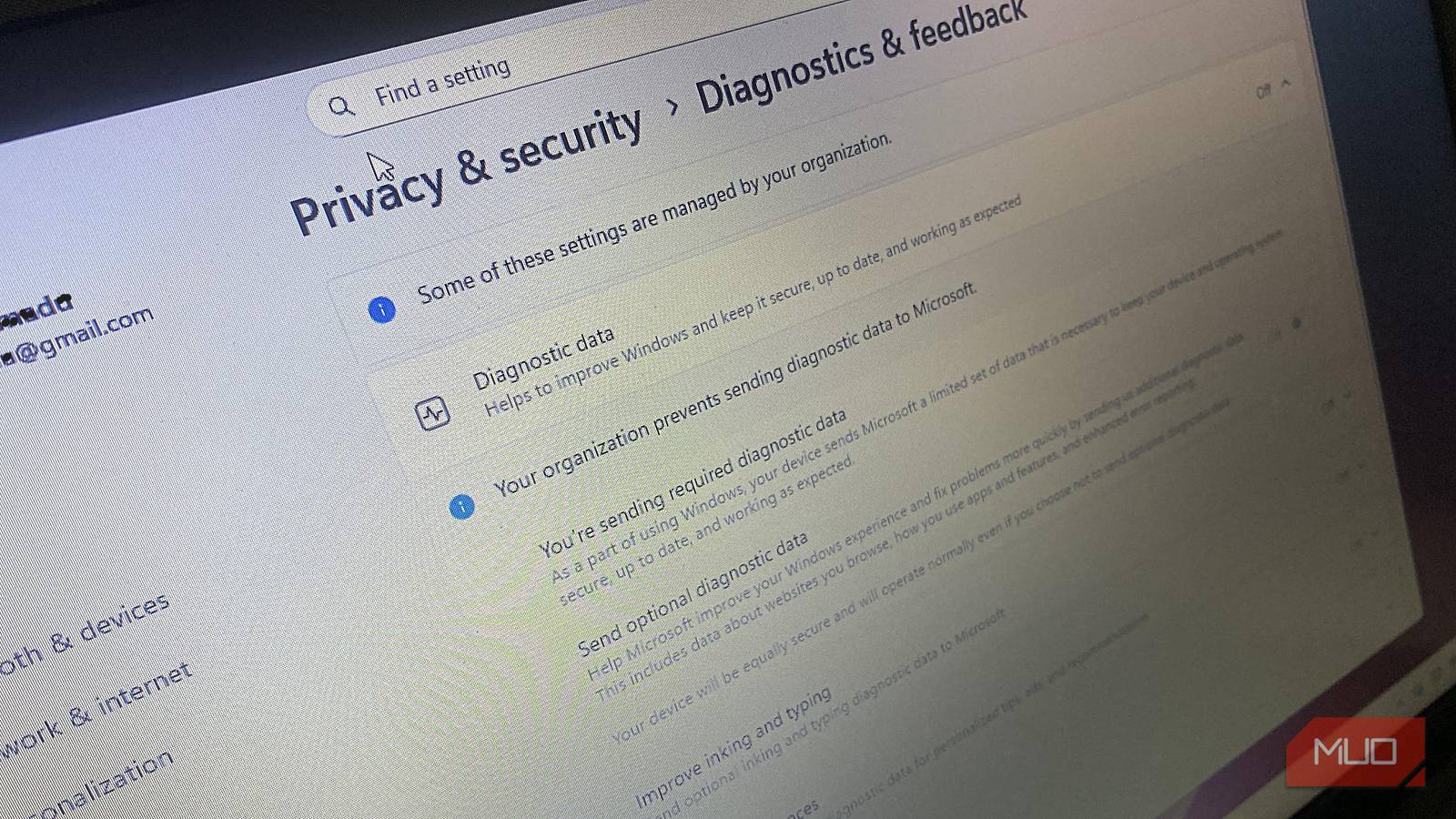
Deleting history only cleaned up what Microsoft already had. To stop new data from piling up, I opened Windows Settings and went into Privacy & security. In the Diagnostics & Feedback section, I turned off Send optional diagnostic data and disabled Improve inking and typing.
Then I moved to the Speech menu and toggled off Online speech recognition.
These may sound useful, but each one sends more of your activity back to Microsoft. Windows still collects a small amount of required diagnostic data, and there’s no way to turn that off on Home or Pro editions. However, switching off the optional settings prevents Microsoft from logging extras, such as app usage and typing samples.
Checking app permissions
Still in Privacy & security, I scrolled down to App permissions. Windows shows exactly which apps can use your location, camera, and microphone. Some of them didn’t need that kind of access, so I switched it off.
I left it on only where it was truly necessary. For example, a video calling app still needed the mic and camera, but my note-taking app had no reason to.
Turning off ad personalization
The last change I made was to the Microsoft Privacy Dashboard, which links to a page for ad settings. That page controls whether Microsoft can use your data to personalize ads across Outlook, Bing, and other services. I turned it off.
The ads didn’t disappear, but they felt less tied to my recent searches. That change stopped my activity from echoing back at me in the form of targeted ads.
What actually changed after turning off telemetry
After I made those changes, the Privacy Dashboard no longer looked overwhelming. Instead of pages of entries, I saw only a handful of logs. Clearing old records and turning off optional collection didn’t remove Microsoft’s required diagnostics, but it significantly reduced how much activity was being recorded.
Over time, the ads in Outlook and Bing felt less connected to my recent searches. The dashboard stayed lighter, showing fewer entries such as searches and text corrections. When I opened apps, the prompts for access matched what they actually needed, since I had already removed the unnecessary ones. Typing also became more private once I knew that inking and speech recognition were no longer sending samples back.
Windows kept working as expected. Updates installed smoothly, Store apps ran normally, and the features I rely on stayed intact. The difference wasn’t in performance but in how much less of my activity appeared in my account. With the extra collection turned off, the dashboard showed fewer logs, and for the first time, I felt like I could decide which parts of my data Microsoft was allowed to keep.
