


Over the last couple of weeks, I’ve missed a few notifications for package deliveries, some Slack pings, and a doorbell notification on my Pixel 9. Tracking this down, I found out that while turning off Adaptive Battery is one way to make sure you don’t miss any notifications, Samsung has moved and renamed the setting, making it even harder to find.
The background on Adaptive Battery
Keeping your battery life high

Adaptive Battery is still a clearly labeled toggle on Pixel phones, where Google’s own support documentation admits it “may reduce performance and delay notifications.” On my Galaxy Z Fold 8, running One UI 9, the same idea exists, but Samsung has folded it into “Sleeping apps” under Background usage limits, with no setting actually called Adaptive Battery to find. I tracked down both, turned them off on my Pixel 9 and my Z Fold 8 (both running Android 17), and looked to see if it worked. Foldables can have more at stake to begin with, since a bigger multitasking surface means more apps sit in the background at once, all candidates for the same accidental muting, and the naming confusion is part of why so many people never find the switch that stops it.
Apps get sorted into Active, Working Set, Frequent, Rare, Restricted and Never buckets. Background jobs, alarms, and sync gets throttled harder the farther down the priority list any given app falls. This bucket system is designed to let high-priority Firebase Cloud Messaging notifications through immediately, but that relies on the app itself implementing FCM correctly, which not every app does. This is the mechanism Adaptive Battery (and now Sleeping apps on Samsung) rely on. They’re not the same feature, of course, but they solve the same problem with the underying Android system, which is why disabling them changes the timing of your notifications.
Google still calls it Adaptive Battery
Where the toggle lives on a Pixel 9 running Android 17
Google recommends keeping Adaptive Battery and battery optimization on, even though it admits there’s a performance tradeoff. To get to it, simply hop into Settings > Battery > Battery Saver > Adaptive Battery.
After disabling this toggle on my Pixel 9, I didn’t see any more missed notifications when I used the phone. I got Amazon delivery notifications, smart home notifications from my Ring, and it all happened pretty much immediately. Still, Google recommends keeping Adaptive Battery on, and if you’re not seeing any missed notifications, you might just want to do that.
Samsung folded the same idea into “Sleeping apps”
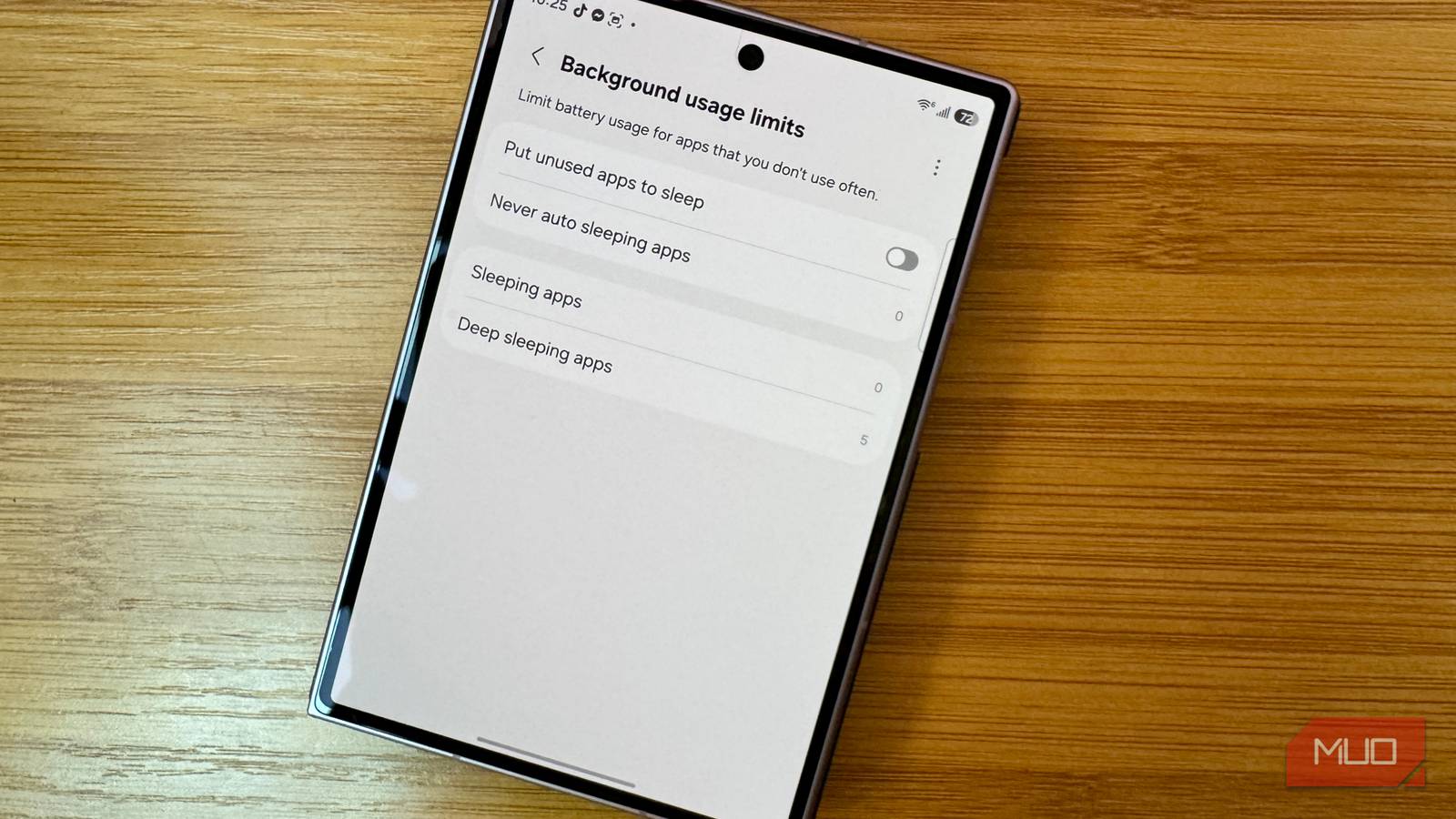
Where Background usage limits lives on the Z Fold 8’s One UI 9

The current path to get to the similar feature on a Samsung phone, at least on my Z Fold 8 and One UI 9, is Settings > Battery > Background usage limits > Put unused apps to sleep. The list of apps sleeping and deep sleeping can also be found on this screen. Samsung says that deep sleeping apps (I have five of them, including Files, Google Wallet, and Health) are inactive in the background and may not receive updates or notifications. They do, however, become active when opened.
My Samsung didn’t have any (non-deep) sleeping apps, but I did turn off the toggle for Put unused apps to sleep to see if that had any effect. Nothing yet, but I’ll keep looking.
Unfortunately, this fix doesn’t always work. This troubleshooting guide for delayed Android notifications treats battery and data optimization as just one item on a longer list, alongside app-specific notification permissions, carrier-level message throttling, and manufacturer restrictions that sit entirely outside the Sleeping apps toggle. So treat turning it off as the first thing to rule out, not the only one. If a delay continues afterward, the more likely culprit is one of those other settings, buried in the offending app itself or on the carrier side, not anything Background usage limits manages at all.
What to do about the notifications you already missed
Check your phone’s built-in notification history first

While you’re waiting to see whether the Adaptive Battery and Sleeping apps fixes actually stick, there’s a faster way to recover what you already missed than scrolling back through every app. Android keeps a local log of every notification you dismissed or never saw, which is worth turning on for this transition period alone. And if notifications are still lagging on your Samsung phone after Sleeping apps is off, don’t stop there. Samsung’s Device Care runs its own separate background service that can throttle apps independently of anything in Background usage limits, so it’s worth checking out too.
The setting’s name doesn’t matter, just finding it does
No matter what your phone calls it, Adaptive Battery, Sleeping apps, or some new name next update, the fix is the same. Check which apps you rarely open and decide whether losing a little battery life is worth not missing important notifications.
