

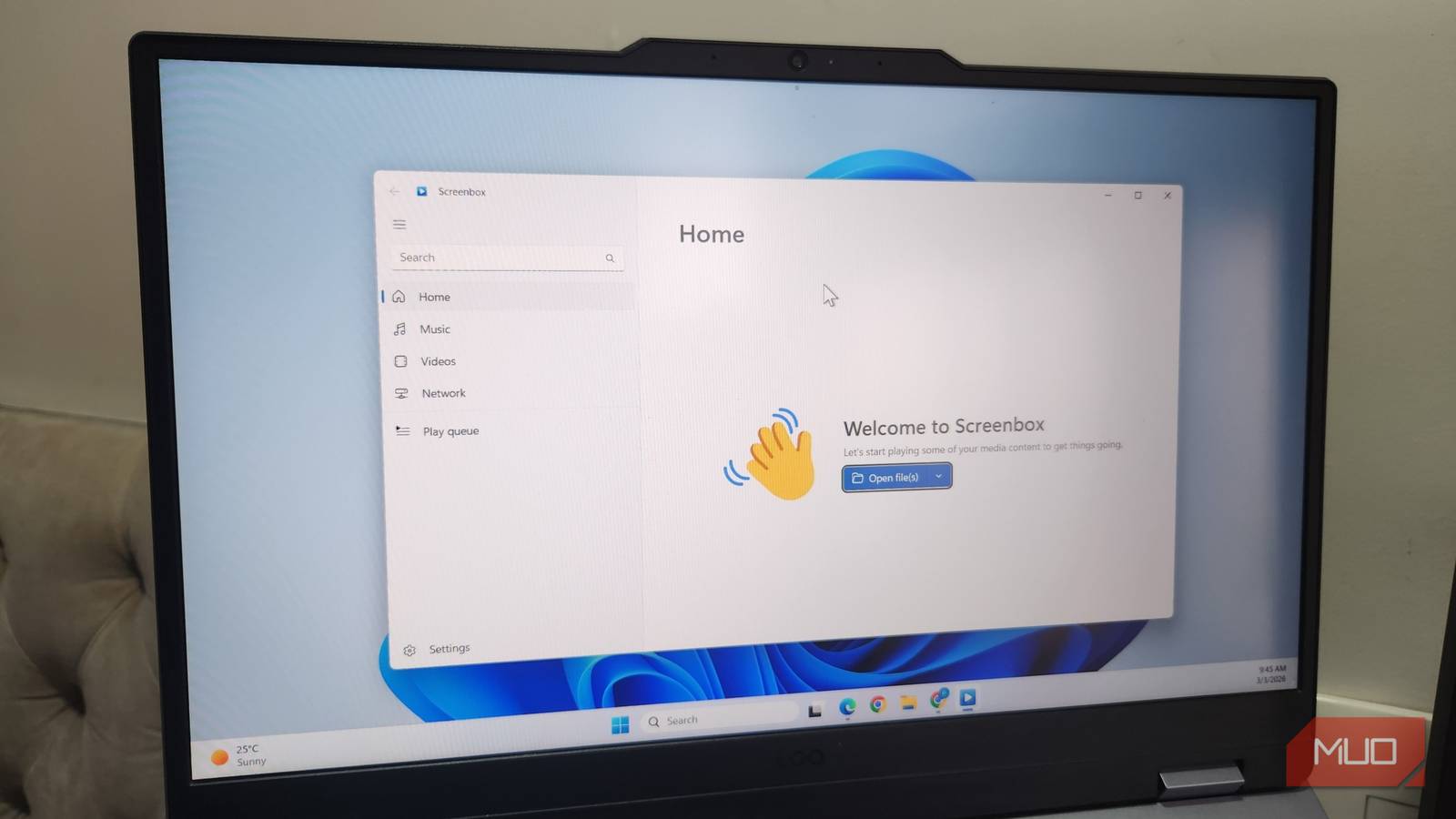

When it comes to playing videos on a PC, the majority of us would simply get VLC as a media player. You don’t have to pay for anything and don’t have to go through a barrage of ads just to play a video. VLC is free, supports almost all devices, and is an easy-to-use media player that has several hidden features. It has never once let me down on format support. But every time I open it, the interface usually makes me feel like I am opening something ancient. Recently, I swapped it for Screenbox, and it has made me realize what I have actually been missing the whole time.
VLC can play anything you throw at it
But has an interface frozen in 2006

Credit needs to be given where it’s due. VLC is, in my opinion, the best media player you can have on your PC. It’s also one of those apps that I would install first on a fresh Windows setup, mostly out of habit at this point. I’m even using it on my smartphones, and trust me, I have never had to switch over to a different media player.
The main reason why VLC is so popular and is on almost every PC is the fact that it can play any format you throw at it. MKV, corrupted MP4, AVI, MP3, and whatnot. That is because FFmpeg powers its codec library, so you don’t have to hunt around for missing codec packs like we did in 2009.
While everything is perfect, there is one part that has bugged me for years, and I am sure many of you think the same way too. When you open VLC on a Windows 11 PC, it looks like you have been teleported a decade back. The user interface doesn’t sit well next to modern Windows design, the apps, the menu bar, etc. It feels like the UI hasn’t evolved.
You are not alone in demanding a change. There are plenty of users who flag the same outdated, low-contrast UI as VLC’s biggest weakness even now.
Screenbox is the VLC redesign I was waiting for
Same LibVLC engine, completely different face
Screenbox isn’t some random video player where you get a free trial and then have to get a subscription. It isn’t a rival codec project either. It is built on LibVLCSharp, the same engine on which VLC itself runs, straight from VideoLAN. So, Screenbox gives you VLC’s legendary reliability, minus the ancient interface. If a file works in VLC, it works on Screenbox.
The first time you open this media player, it genuinely feels like something Microsoft could have shipped Windows with as its own, as it’s built around Microsoft’s Fluent Design system. It has rounded corners, translucency, and a light/dark theme that actually matches the rest of the desktop. During my time with Screenbox, it never felt like third-party app pretending to belong.
Moreover, it’s not a skin over VLC; Screenbox actually rethinks how you interact with it. You get swipe gestures for seeking and volume, there’s a YouTube-style hotkey layout (Spacebar for play/pause, M for muting, F for full screen, left/right arrows to seek backward and forward, etc.), and even number-row shortcuts (1 to 4) to resize the window instantly. The best part is that none of it needs a manual; it just works the way you’d expect a modern app to.
Screenbox supports Chromecast out of the box, proper picture-in-picture mode, and also has the ability to save any video frame as an image mid-playback. You can even browse and play media straight off your local network. You can also boost the volume to 200%, just like VLC.

- OS
-
Windows 10 & 11
- Price model
-
Free (open-source)
Screenbox Media Player is a media player for Windows that lets you play your video and audio files in a clean, modern interface. It supports features such as playlists, playback controls, subtitles, and picture-in-picture for a more convenient viewing experience.
Not a full VLC replacement for everyone
I don’t want to push Screenbox as a complete VLC replacement, because there are a few things that it misses out on. For starters, there’s no built-in audio equalizer, which means that audio tuning is out of the question. Plus, there’s no overwhelming customization that VLC offers through its skins and settings menu. If you are the type of person who tweaks every playback parameter, then you would be disappointed with Screenbox.
Screenbox runs on Windows 10, 11, and Xbox consoles right now. There are no macOS or Linux versions. So, if you bounce between operating systems, you are stuck with VLC on the others anyway. If you want a lighter and more minimal option, then you can check out MPC-HC as another VLC alternative built for Windows specifically. So, while I won’t ditch VLC for everyday media playback, I am using Screenbox more often because there is no format that it can’t handle.
