

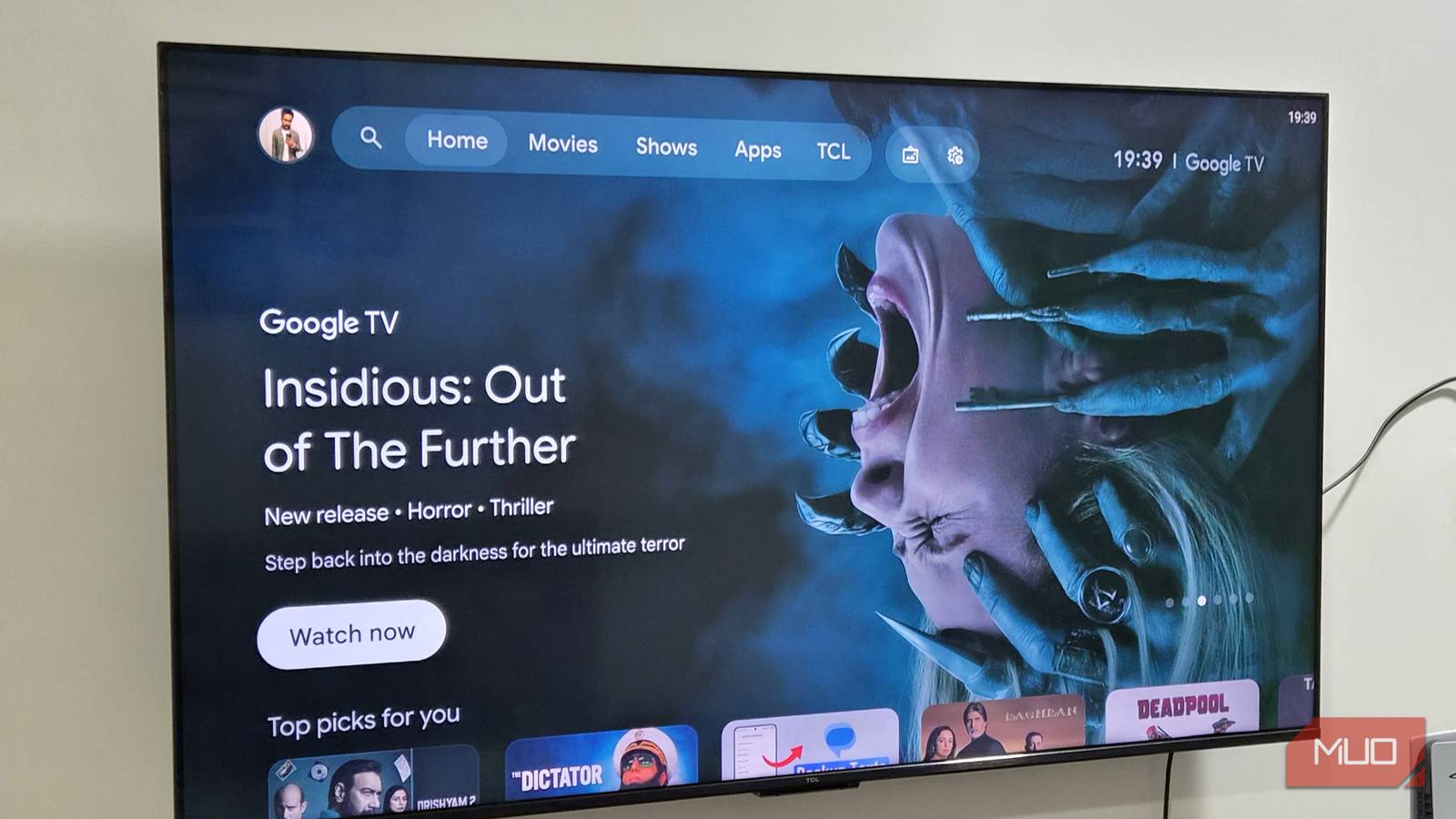

“Billboard” is the word that comes to mind when I think of Google TV’s default launcher. It doesn’t feel like mine because it’s full of irrelevant suggestions and ads. It’s the complete opposite of something like a Pixel launcher, which earns its fans by staying clean. So one of the first things I do on any new Google TV, and tell everyone else to do, is ditch that default launcher for something better.
The default Google TV launcher is a big turn off
Google should do better
Google TV’s biggest weakness is its default launcher, and it doesn’t take long to see why. The moment you turn on your TV, you’re hit with a giant recommendations row at the top and these often include content from apps you don’t even subscribe to. It mainly shows trending movies, TV shows, and trailers, while also sneaking in sponsored content right alongside them.
Right below, there’s another row of suggestions where it shows “top picks” based on your viewing habits. These are a little more useful since they’re at least tailored to your interests, but you’ll still find recommendations for apps you’ve never opened and have no plans to.
And this just keeps going. You see sections like top-selling movies, short videos, popular movies and TV shows, browse by genre, and so on. Section after section of the same stuff, on a screen whose only job should be getting you to the app you actually want. And yes, there’s the Apps section where your apps show apps in a single row. If you have 15-20 apps installed, getting to the one you want can take some scrolling.
To be fair, Google TV does offer an Apps-Only Mode to counter this. You can enable it from Settings, and it removes every suggestion and ad from your home screen. It even arranges apps in a grid-style, so you can see more of them at once. All of that sounds great, but this mode hides the Play Store, so you can’t download new apps. Another catch is that this mode disabled Google voice assistant, which means you can’t use voice commands to launch apps or search for things.
There are plenty of great launchers to choose from
You’ve got options
If you need any proof of how bad the Google TV launcher is, just look at how many third-party replacements exist for it. Projectivy Launcher is the most popular by far. It strips out every recommendation and ad to give you a clean, customizable home screen. You can create or hide sections, swap backgrounds, tweak spacing, and set up parental controls. It even lets you create profiles for different use cases, like gaming, browsing, streaming, casual use, and so on.
If you want something that feels closer to Apple TV, AT4K Launcher is the way to go. It lets you group apps into folders and customize the app grid size. It does show feature cards on the home screen, but they’re not ads. Both Projectivy and AT4K launchers lock some of the features behind a paywall. If you want something that’s completely free, FLauncher is the way to go. It’s open-source and it’s all about simplicity. It feels like Google TV’s Apps-Only Mode, but it’s more customizable with app categories and custom backgrounds.
My personal favorite Google TV launcher, though, is something called TV Launcher Premium Smart UI. It may have a weird name, but it’s no joke. It actually makes your TV feel premium. It looks very different from all the other launchers, and its main highlight is widgets. It offers hundreds of live widgets across categories like weather, clocks, media, security cameras, and more. You can customize their size and positioning, and they make your TV a joy to look at even when you’re not watching anything. And the best part here is that it’s completely free, which is what makes it an easy recommendation.
Replacing the default Google TV launcher is tricky, but doable
A little effort, a lot less annoyance

The big catch is that Google doesn’t make swapping the launcher easy. It’s not like your phone where you can change the default launcher app to something else, and it just works. Google TV doesn’t offer any option for that. You can open a third-party launcher and use it just fine, but the second you hit the Home button or restart the TV, you’re right back into the default interface.
Different launchers handle this problem differently. Projectivy Launcher has a built-in option to override the current launcher entirely, so your TV can’t fall back to the stock one. Most other third-party launchers ask you to install an app like Button Mapper, so you can remap the Home button on your remote to head back to the launcher instead of going to the main screen. It works, but these are still workarounds, and Google TV updates often cause problems with them. Even with all that hassle, switching to a third-party launcher is still worth it.
