


Cloudflare is fast, free, and promises privacy. It’s a great no-nonsense choice for anyone who doesn’t want to go beyond the basics. I had been using it for months too, but then I tried NextDNS and realized what I was missing. It does everything Cloudflare does, and then backs it up with logs that show exactly which device made which request, when, and whether it got through. This was enough to pull me in, but NextDNS offers a lot more that made the switch permanent.
NextDNS gives me details Cloudflare doesn’t
It tells me what each of my devices are doing

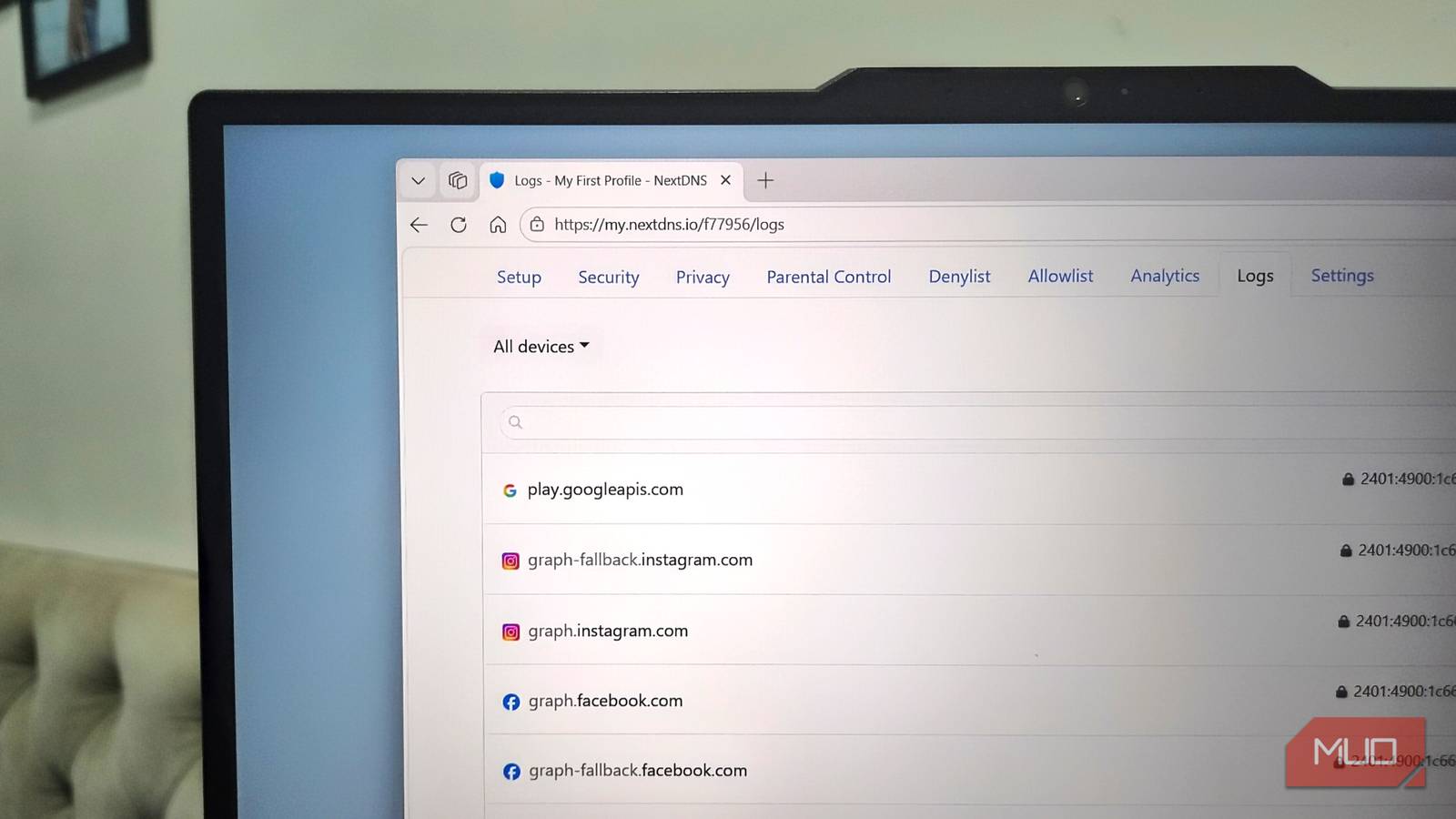
Cloudflare DNS is dead simple. You set it up, your DNS queries go through Cloudflare, and you get that privacy it promises. But there are no logs, or no device-level breakdown that tells you what’s happening under the hood. Of course, it’s not something everyone needs or wants, but if you do, NextDNS is the way to go. It’s a DNS resolver that keeps a running log of every query from every device, so you can tell which one made it.
By default, NextDNS gives you one address for every device in your house. But the trick here is to assign a unique ID to each device. So your phone gets configured with its NextDNS ID, your TV gets another, and so on. This makes it easy for NextDNS to tell them apart because each connection pings in with its own device fingerprint attached.
For instance, if you’re setting DNS on your phone, you need to prepend your phone name to the domain, like GalaxyS26-f12456.dns.nextdns.io. If you’re using DNS-over-HTTPS, you append it to the URL instead, like https://dns.nextdns.io/gg1234/WorkLaptop. Once you’ve set up custom DNS addresses for all your devices, head to the Logs tab in the NextDNS dashboard and you’ll see a live feed. The drop-down menu lets you see queries made by each device, along with the exact date and time. If you notice a query here that you want to block or allow, the three-dot menu helps with that too.
This isn’t about snooping on your own network. This level of detail also makes it easy to identify devices making junk requests. Instead of guessing which device is making these requests, you can take direct action. Heck, you don’t even have to go through these manually. NextDNS lets you export all the logs in CSV format in case you want to run them through your AI model for analysis.
Profiles and logs work together on NextDNS
Different rules for different devices

NextDNS also has profiles. You can create multiple profiles for different purposes, like one for work, another one for family-friendly devices, a stricter one for your kids, and one slightly liberal for your own devices. I’ve made three for myself, but you can create as many as you want.
Each profile gets its own resolver settings, blocklists, allowlists, security filters, and even its own logging. Every profile gets a different DNS endpoint, and you can customize it with device names as we talked about earlier. Setting a single NextDNS is obviously way easier, but profiles give you the flexibility of customizing everything.
The logs stay tied to whichever profile generated them, so when you want to check in, you just select the relevant profile and head to the Logs tab. From there, you can check the logs of a specific device and even allow or block specific queries.
There’s much more to NextDNS than logs
It’s just better in every way
Logs weren’t the only reason I switched from Cloudflare. NextDNS packs a lot more. For instance, I like its category-based blocking. Instead of giving you one generic toggle, it breaks things down into categories for blocking gambling, social media, dating apps, parked domains, and a bunch more. There’s also the standard third-party tracker and ad blocking you’d expect from any decent DNS filter.
My favorite, though, is the native OS tracking protection. The idea is that instead of digging through every privacy setting buried in your phone, laptop, TV, or whatever else, you just configure NextDNS to block trackers at the DNS level instead. It blocks analytics, telemetry collection, diagnostic logs, location-tracking requests, and pretty much any data a manufacturer might be collecting in the background. NextDNS offers dedicated ready-made profiles for almost all the popular device makers, including Windows, Apple devices, Samsung, Amazon Alexa, Roku, and more.
All of this feeds into an analytics dashboard, which makes it easy to just glance at what’s happening. NextDNS offers all of this on its free tier, but it’s capped at 300,000 queries a month. That’s not a lot, especially if you’re running it across multiple devices in a household. The paid plan removes the cap entirely, and it’s barely a cost at $2 a month or $20 a year.
