

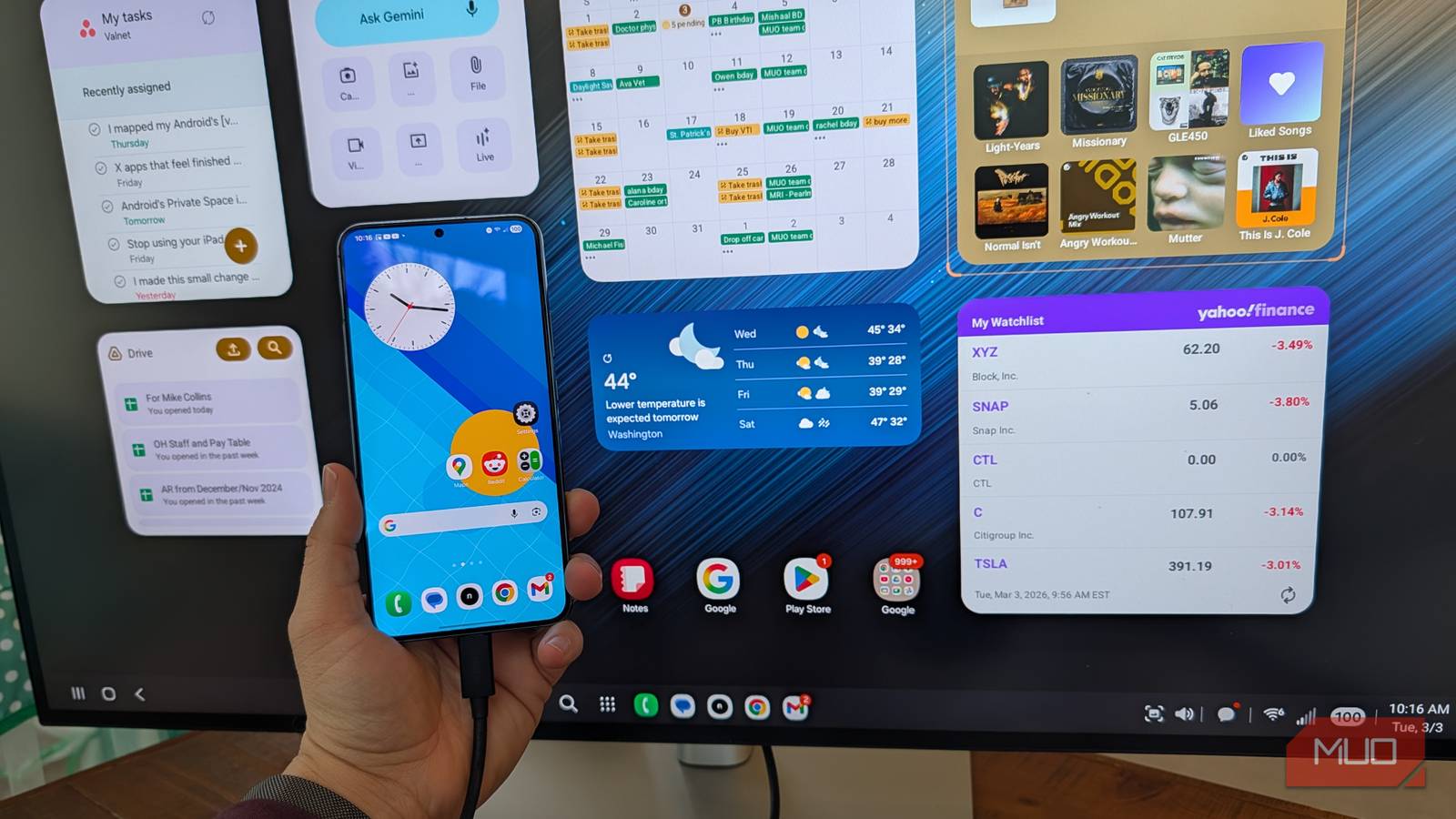

Samsung Desktop Experience (DeX), which is Samsung’s attempt to give you the ability to run apps in discreet Windows similar to a desktop operating system, ushered in an era of great promise: your phone could be a phone, but could also get real work done if you connected a display with a mouse and keyboard.
Today, DeX is widely available on most Samsung devices, even my relatively old S22+. Many think DeX is a solution in search of a problem because while it looks like a desktop UI, it’s pretty slow and cumbersome when you try to use it as one, and windowed Android apps only get you so far. But I’ve found a reason to use DeX that has little to do with its intended purpose.
DeX as a dashboard
But first connect a monitor and mouse
I connected my old Galaxy S22+ to my Dell 32″ monitor with a USB-C cable, then connected my Bluetooth Logitech mouse (if you don’t have a mouse, you can use the on-screen touchpad that DeX presents you with, but it’s not easy to use compared to a mouse), and I was amazed at what happened: I could configure a gigantic Android widget dashboard. Imagine connecting your old Samsung Galaxy to an unused monitor and setting up a widget dashboard.
You could have a dashboard for smart home controls, a dashboard for your calendar and tasks, a dashboard for multimedia controls, or a combination of all of the above! Assuming you are using an external mouse in order to have fine-tuned control over the placement of your widgets, the possibilities are endless (and exciting, frankly).
DeX has been around since 2017, and when it first appeared alongside the Galaxy S8/8+, it required a special docking station that included an HDMI port, an Ethernet jack, and even a cooling fan. Fast-forward to 2018 and DeX could run with just a cable (working with any monitor that supports DisplayPort Alternate Mode), no dock needed, then two years later in 2020, Samsung added the ability to run DeX wirelessly on compatible TVs and monitors. However, the latency is high if you go wireless, and I don’t recommend it.
I was amazed at what happened: I could configure a gigantic Android widget dashboard
I made a dashboard for work
With tasks, calendar, Google Drive, stocks, and more

Android has the best widget framework in the world, with widgets that can act as toggles and information sources, but can also be resized almost infinitely. Not only do you have Samsung’s amazing built-in widgets (I think Samsung’s calendar and clock widgets are the best in the biz), but you have access to the wide world of third party widgets as well (I love my Asana widget that shows me upcoming writing assignments, and I love my Yahoo Finance widget that lets me keep track of certain stocks, and really any major app you can think of in 2026 has a widget).
You can get clever with how you organize your widgets: split the screen into thirds so that the left third is “high frequency” things you need to check, like a task list of messaging app, then the center can be “dashboard” stuff like your calendar, and then the right panel can be for “passive” widgets like weather, stocks, and music controls. You can really customize it however you work.

I turned off these 4 Samsung features and now my phone feels faster
Make your Samsung Galaxy feel faster with these quick changes.
I also made a personal dashboard
With photos, smart home control, and music controls

I’m in love with Google Photos’ person-based photo frames that bring a lot of meaning to my homescreen, and on my 32″ display, it’s even better (where I can have a frame dedicated to my dog, my grandma, and even silly pictures of myself). Alongside my digital photo frames, I added four toggles to control my Philips Hue lights (which my whole family finally uses), I dropped in an Alexa widget, and also placed a Gemini widget next to Yahoo Finance news. Imagine if you had more smart home widgets, or was even fully set up with Samsung SmartThings — you could have a command center for your smart home running on DeX. Neat!
Widgets for work and widgets for personal can co-exist

DeX stopped being a compromise for me the moment I stopped trying to make it a desktop replacement (which for light work it’s fine at). Instead, I started treating it as the ultimate Android widget dashboard — and suddenly; I loved using it. When paired with a spare USB-C monitor (any USB-C monitor that supports DisplayPort Alternate Mode will work) and some Bluetooth peripherals, it transforms your Samsung Galaxy (even an older S22+) into a high-powered, multiscreen command center for the apps you actually use.
