

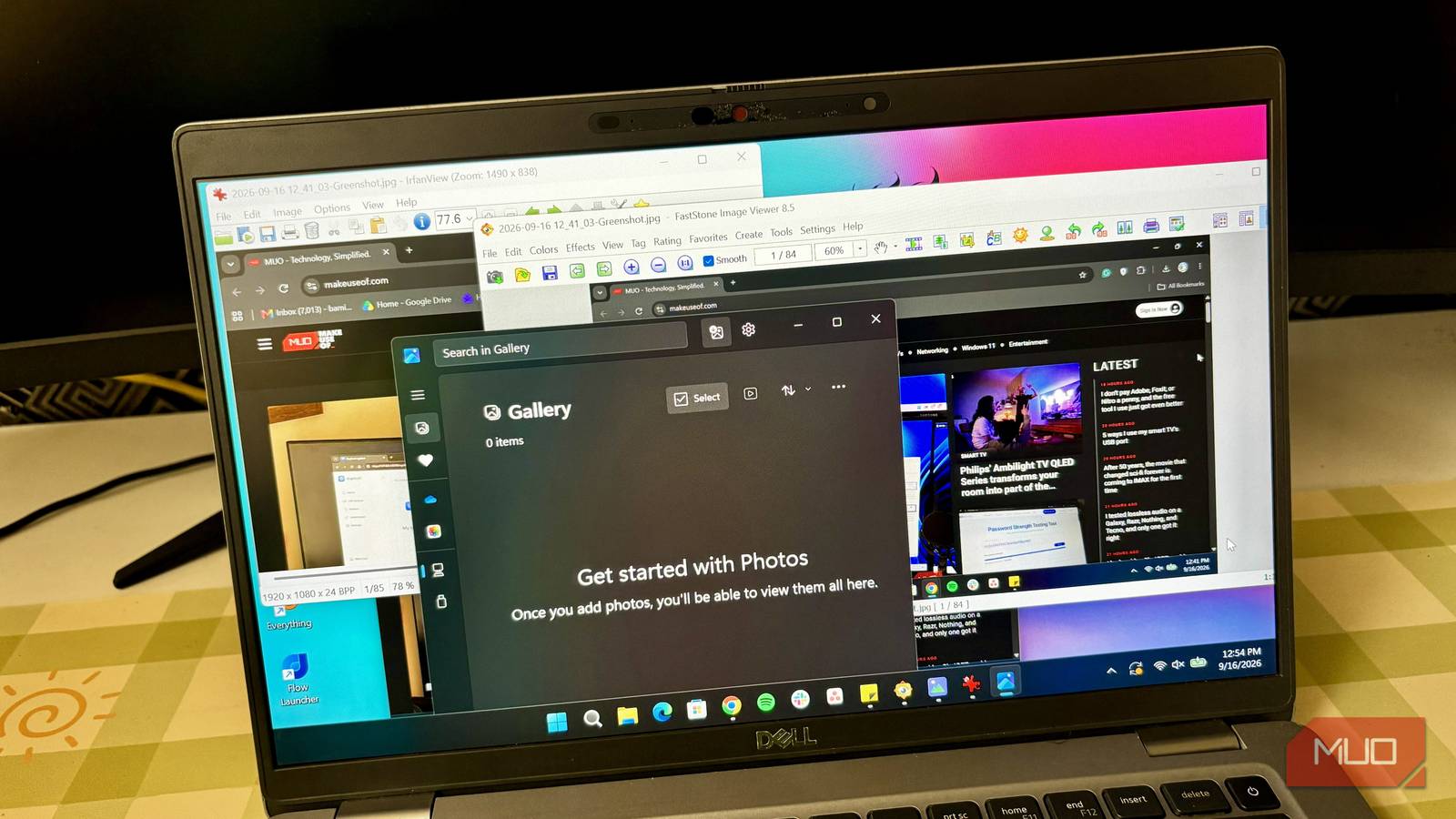

Windows has this habit of ruining simple apps. They did it with Notepad, so I wasn’t that surprised when the Photos app got the same treatment. The Photos app is now a shell of its former self. It’s filled with things anyone barely uses, such as OneDrive, AI editing with Copilot, and Clipchamp integration.
All these additions may sound useful on paper, but they also make the app feel heavier than it needs to be. Instead of simply opening a picture, Photos now has to load a bunch of other things I don’t care about. Before, Photos could open an image almost instantly. Now, I sometimes have to wait a few seconds just for an image to load.
So, similar to how I replaced the Notepad app with a much simpler alternative, I decided to do the same with Photos. This time, though, I didn’t settle on just one replacement. I found four alternatives that open images faster and stay focused on the one thing I actually want to do.
IrfanView keeps things simple
A dated interface in exchange for near-instant load times

IrfanView is probably the closest match to what I wanted from a simple Windows photo viewer. It literally takes us back to the Windows XP era, considering it was launched in the late 1990s and has stayed the same ever since. It keeps its classic interface because it prioritizes raw speed and low resource usage.
So, everything opens so quickly. It doesn’t try to look like a modern Windows app, and honestly, that’s part of its appeal. I can open an image, zoom in, rotate it, resize it, crop it, and move through other images in the same folder without dealing with a bunch of distractions.
And despite being lightweight, IrfanView isn’t limited to simply viewing images. It supports a huge range of image formats, including lesser-known ones like DjVu. You also get tools for things like batch conversion, renaming, and basic image editing.
Visum Photo Viewer is all about getting out of the way
Its clean interface makes opening and browsing pictures feel easy
Instead of trying to pack every possible picture-related feature into one app, Visum focuses on the viewing experience. It opens images very fast with a clean interface that doesn’t bombard me with options. The image gets most of the attention, which is exactly what I expect from a photo viewer.
It’s also designed around keyboard and mouse navigation, so moving between pictures is quick. I can open an image and browse through the other photos in the same folder without constantly going back to File Explorer. Visum also supports common image formats and provides basic controls for things like zooming and rotating images.

- OS
-
Windows
- Developer
-
Luandersonn Airton
- Price model
-
Free
FastStone gives me more without feeling bloated
It adds useful image tools while keeping the viewing experience quick

The main reason for FastStone Image Viewer existing is to open images at lightning-fast speed (“fast” is literally in its name), and every other thing is extra. But don’t be fooled, those “extras” are actually useful features. I can crop, resize, adjust colors, or remove blemishes on images without ever needing to open dedicated editing software like Photoshop.
FastStone also has an engine for renaming, converting, and resizing tons of images at the same time. Then there’s the image comparison feature where you can select up to four images at once to compare details side-by-side.
But the thing I appreciate the most about the app is that those “extras” don’t get in the way when I just want to view an image. It offers a fullscreen interface that keeps the focus on the image. Moving the mouse toward the edges of the screen reveals additional controls when I need them, while the image itself gets most of the screen when I don’t.
FlyPhotos proves modern and fast aren’t mutually exclusive
A native AOT build gets it open before Windows Photos even loads

FlyPhotos is probably the most modern-looking option on this list. It’s the only one that can compete with the Photos app in terms of aesthetics, but beats it in terms of performance. It was made with WinUI 3, WinRT, and Win2D to give us that modern look and feel that fits right into Windows 11. But the developers ship a native AOT build for near-instantaneous launch. So, I can click a JPEG, PNG, or whatever image format out there and have the viewer appear right away instead of making me stare at a loading screen.
The responsiveness continues once the image is open. Zooming with the mouse wheel feels immediate, and flipping through a folder full of wallpapers stays smooth even when I move through the images quickly. The interface is also simple and focused on the image rather than a collection of unrelated services. The controls stay out of the way during normal use, so there’s no feeling that I’m navigating through a full-blown photo management suite just to look at a picture.

- OS
-
Windows
- Price model
-
Free, Premium
I just wanted a fast photo viewer
The thing I realized after trying these four apps is that I don’t actually need much from a photo viewer. I want to double-click an image and have it open quickly. I want to zoom in when necessary, move between pictures, rotate something occasionally, and maybe make a quick adjustment without launching a full-blown image editor. That’s about it.
I’m not saying Windows Photos is completely useless. It has features that some people may actually find helpful, especially if they use Microsoft’s broader ecosystem. But those aren’t the features I need when I just want to look at a picture.
