


There are plenty of things that annoy me about Windows, but I have to give Microsoft credit where it’s due. Some of the built-in apps have gotten so good that they’re giving third-party paid tools a real run for their money. In my case, these built-in tools have made me stop paying for four apps I’d been using for years.
CCleaner
Windows already has automatic storage cleaning, driver updater, and more
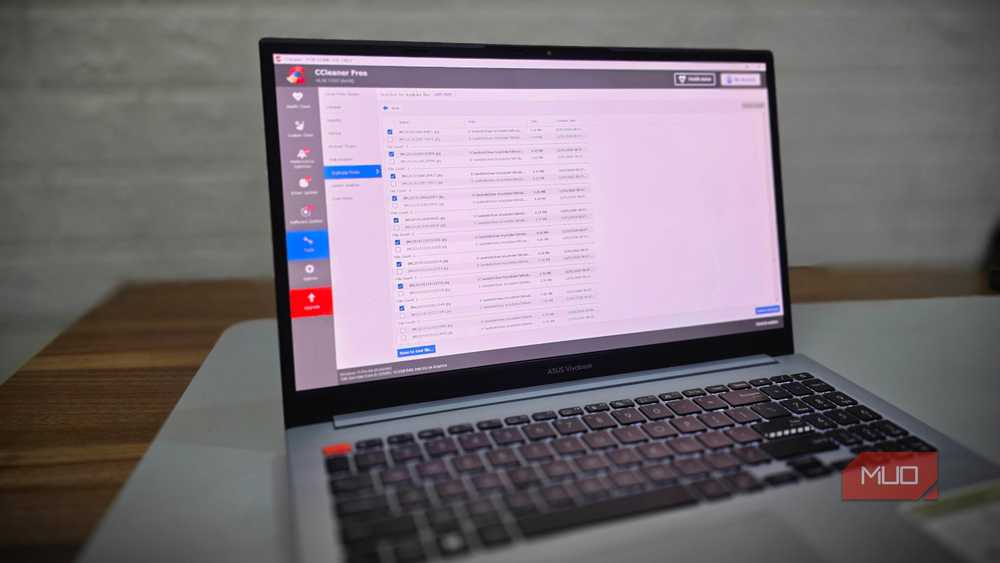
CCleaner was one of those subscriptions I kept renewing, mainly because it offered a lot of conveniences that Windows wasn’t good at. Its storage cleanup tool is still the main highlight, but the paid version includes tools like a driver updater, a startup optimizer, a health checker, and scheduled automatic cleaning.
Windows 11 can now do most of this out of the box. For instance, Storage Sense can automatically clean up old update files, temporary files, and whatever’s inside the Recycle Bin. You can schedule it to run daily, monthly, or only when the storage runs low.
Driver updates are now handled through Windows Update. It automatically checks for essential driver updates any time it checks for system updates. All the optional driver updates show up under Windows Update > Optional updates > Driver updates.
CCleaner also promises to boost startup times by disabling unnecessary services, but that’s honestly not much of an issue with systems with SSDs. I recently went through the startup apps list to disable unwanted apps and that was enough to reduce startup times.
Finally, the health checker tool and every other maintenance tool CCleaner offers is largely unnecessary at this point. As long as you don’t do anything silly, Windows does a pretty good job of keeping your PC healthy.
TeamViewer
Quick Assist and Remote Desktop made TeamViewer redundant for me

TeamViewer is basically synonymous with remote access, and I used it for free for years without any issues. Then about a year ago, the company started cracking down on commercial use, which seemed fair, but its detection logic was flawed. It also started flagging regular users like me, essentially forcing a switch to the paid plan for doing nothing differently than before.
Windows 11 actually has two features to cover most of what TeamViewer offers. The Quick Assist tool is great for helping friends and family, and it comes pre-installed, so getting started is also easy. It’s not as feature-packed as TeamViewer, but it does cover annotation, chats, multi-monitor support, and easy reconnection.
For accessing my own PC, there’s Remote Desktop. It does require Windows Pro on the PC you’re connecting to, which wasn’t a problem since I already had it. So all I had to do was head to Settings > System > Remote Desktop and enable the feature on my main PC. I can now connect to my main PC from another Windows PC, Mac, Android or iPhone.
Snagit
Snipping Tool is underrated
My work involves taking dozens of screenshots every day, so a feature-packed tool is non-negotiable for me. Snagit covers everything, including region capture, scrolling screenshots, video recording, and a GIF maker. It even has annotation tools, a feature-rich editor, a color picker, and plenty more. I’ve used it for years, and it’s still a great software. But at nearly $40 a year, it’s not exactly cheap.
Windows 11’s Snipping Tool has caught up on most of what I actually need, and it’s free. It now has a screen recorder, delayed screenshots, OCR, and all the basic annotation tools you’d expect. It even doubles as a basic editor. You can annotate, add shapes, blur out sensitive info, or hand the screenshot off to Paint with one click.
Snagit still has a few advanced stuff like scrolling screenshots and a feature-rich editor, but Snipping Tool is more than good enough. So yes, Snagit is another subscription I was happy to let go.
Antivirus program
Microsoft Defender is all you need

My Lenovo laptop came with a McAfee antivirus pre-installed, but it was only free for 30 days. After that, there were pop-ups everywhere asking me to upgrade. As someone who works on a PC all day, it felt like something worth paying for.
But the thing is, Windows already comes with Microsoft Defender built-in, and it’s just as capable as the paid tools on the market. It includes ransomware protection, controlled folder access, a firewall, and SmartScreen for blocking sketchy downloads. In fact, independent testing labs like AV-Test have consistently ranked it alongside McAfee and other popular antivirus tools for malware detection.
At this point, it’s pretty obvious why most antivirus programs lean so hard on extras like a password manager or a bundled VPN to justify the price. That’s fine if you want those specific features, but I wasn’t about to pay $50 a year for something Windows already does for free.
