

Close Menu

    Subscribe to Updates

    Get the latest Tech news from SynapseFlow

    What's Hot

    NASA Astronaut Chris Williams, Crewmates Return from Space Station

    July 26, 2026

    GameSir G8+ Bluetooth review: added versatility comes with compromises

    July 26, 2026

    Speeding up your iPad isn’t just possible

    July 26, 2026
    Facebook X (Twitter) Instagram
    • Homepage
    • About Us
    • Contact Us
    • Privacy Policy
    Facebook X (Twitter) Instagram YouTube
    synapseflow.co.uksynapseflow.co.uk
    • AI News & Updates
    • Cybersecurity
    • Future Tech
    • Reviews
    • Software & Apps
    • Tech Gadgets
    synapseflow.co.uksynapseflow.co.uk
    Home»Tech Gadgets»Speeding up your iPad isn’t just possible
    Speeding up your iPad isn’t just possible
    Tech Gadgets

    Speeding up your iPad isn’t just possible

    The Tech GuyBy The Tech GuyJuly 26, 2026No Comments4 Mins Read0 Views
    Share
    Facebook Twitter LinkedIn Pinterest Email
    Advertisement


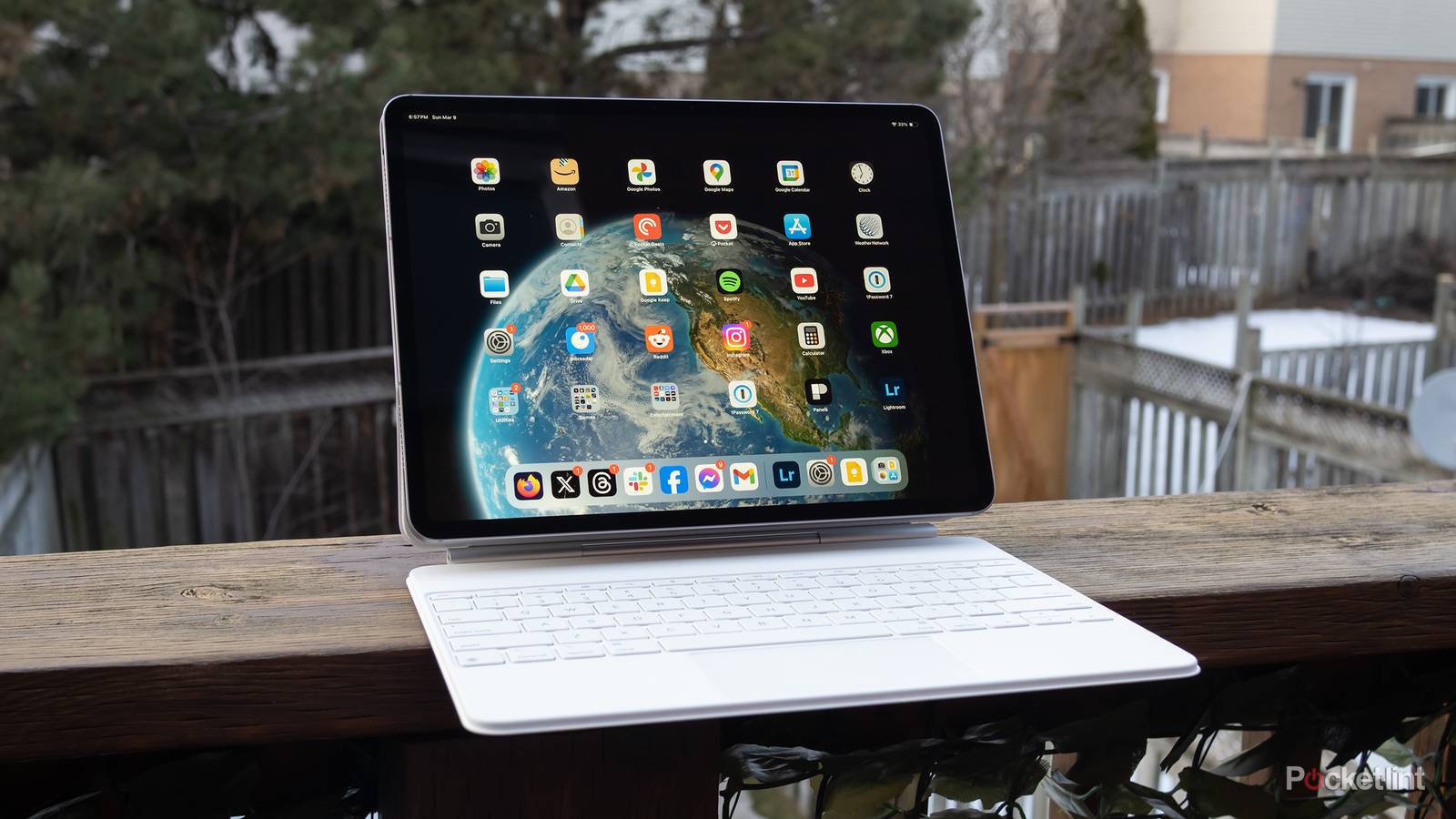
    iPads tend to hold their performance edge for quite a while. That probably wasn’t Apple’s goal, however. Rather, the company has allowed processor power to vastly exceed the demands of most iPadOS apps. You don’t need an M5 iPad Pro to check your email, comment on Reddit, or watch YouTube videos. My 2020 Pro handles those tasks and more with ease.

    Advertisement

    My tablet is getting a bit sluggish though, so I decided to investigate options to keep it running smoothly for a little while longer. As it turns out, there are several software tricks that can achieve minor gains, a couple of which I hadn’t even considered. I will have to bite the bullet at some point, likely in 2027.

    ipad-air-m4-tag

    Brand

    Apple

    Storage

    128GB, 256GB, 512GB, 1TB


    A few simple (and not-so-simple) tricks to speed up any iPad

    Trimming the fat

    The iPad Storage menu in iPadOS 26.

    Your opening move should be to free up as much storage as possible. Something Apple doesn’t warn you about is that a base amount of swap space is needed for smooth performance. If you start eating into that space, your iPad will be forced to swap files more often, dragging everything else down at the same time. Head over to Settings -> General -> iPad Storage, and make sure that you have at least 5GB free, preferably 10 or more. If space is lacking — or you just want a streamlined device — follow the provided tips, or start manually scrubbing unwanted files and apps.

    Where it makes sense, you should also consider scrubbing individual app caches. The impact of clearing caches can be overblown, but it’s nevertheless true that a bloated cache with redundant or outdated files will be less efficient. To tidy things up in Safari, for example, head over to Settings -> Apps -> Safari and tap Clear History and Website Data. You don’t have to clear caches for every app — just the ones that are giving you trouble.

    Perhaps the simplest tactic is rebooting your iPad periodically. This gives iPadOS a clean slate, restarting processes and clearing any general system caches, including RAM. You might be surprised at how effective this is. While newer iPads are liable to run smoothly for months at a time, some form of slowdown is inevitable without a reboot. For optimal results, I’d suggest rebooting once per week.

    If you’re trying to squeak every last drop out of your iPad, I’ve got a couple of tips. The first is toggling on Reduce Motion under Settings -> Accessibility -> Motion. This kills animated transitions and parallax effects, but the OS as a whole should feel snappier. The second involves going to Settings -> Search, then toggling off Show App in Search for apps you don’t care that much about. You won’t be able to find content from these apps when you use Spotlight, but you’ll be reducing the amount of indexing your iPad has to do in the background.

    The limits to your iPad’s gains

    Start saving up for the future

    Resident Evil 4 on iPad Air.

    As you’ve probably gathered, you’re not going to achieve a massive boost with any of the changes up top. I’d recommend leaving app indexing on, in fact — while you might rarely need some apps, it’s possible to forget that something’s been de-indexed, and you’ll be irritated if you end up browsing folder-by-folder to find it again.

    In other words, if your iPad can’t handle Final Cut or Resident Evil now, don’t expect anything to change after a few software tweaks. The locked-down nature of iPadOS makes it tougher to optimize than Windows or macOS, so big leaps in performance can only be reached with better CPU, GPU, and RAM specs. iPadOS 27, due this fall, explicitly reserves the best version of Siri AI for devices with an M4 chip and 12GB of RAM.

    Advertisement
    Share. Facebook Twitter Pinterest LinkedIn Tumblr Email
    The Tech Guy
    • Website

    Related Posts

    It’s not just OpenAI models escaping and running riot — experts show how Claude Cowork can break its bonds and access Mac files

    July 26, 2026

    vivo X300 E appears in an official trailer ahead of launch, processor confirmed

    July 26, 2026

    Storage upgrades cost too much, and we need microSD cards back

    July 26, 2026

    Spotify and Netflix are going to stop working on these receivers in just a few months

    July 25, 2026

    OpenAI quietly signs letter from Nvidia, Microsoft, and Meta warning about dangers of ‘premature restrictions’ on open-weight AI models — as the White House accuses China of stealing from Anthropic

    July 25, 2026

    Samsung Galaxy Watch9 in for review

    July 25, 2026
    Leave A Reply Cancel Reply

    Advertisement
    Top Posts

    You don’t need a NAS to self-host — I proved it with hardware from my closet

    June 7, 2026306 Views

    Spotify is giving one of its best playlists a big visual upgrade to give subscribers ‘a closer connection’ to its New Music Friday curators — and I think it could be the update it’s always needed

    June 12, 2026187 Views

    The iPad Air brand makes no sense – it needs a rethink

    October 12, 202516 Views
    Stay In Touch
    • Facebook
    • YouTube
    • TikTok
    • WhatsApp
    • Twitter
    • Instagram
    Advertisement
    About Us
    About Us

    SynapseFlow brings you the latest updates in Technology, AI, and Gadgets from innovations and reviews to future trends. Stay smart, stay updated with the tech world every day!

    Our Picks

    NASA Astronaut Chris Williams, Crewmates Return from Space Station

    July 26, 2026

    GameSir G8+ Bluetooth review: added versatility comes with compromises

    July 26, 2026

    Speeding up your iPad isn’t just possible

    July 26, 2026
    categories
    • AI News & Updates
    • Cybersecurity
    • Future Tech
    • Reviews
    • Software & Apps
    • Tech Gadgets
    Facebook X (Twitter) Instagram Pinterest YouTube Dribbble
    • Homepage
    • About Us
    • Contact Us
    • Privacy Policy
    © 2026 SynapseFlow All Rights Reserved.

    Type above and press Enter to search. Press Esc to cancel.

    Ad Blocker Enabled!
    Ad Blocker Enabled!
    Our website is made possible by displaying online advertisements to our visitors. Please support us by disabling your Ad Blocker.